Tag: Cool Gadgets

  • How to Use a Projector as a TV: A Step-by-Step Guide

    How to Use a Projector as a TV: A Step-by-Step Guide

    Are you on the lookout for a cost-effective way to take your home entertainment system to the next level? Allowing you to enjoy the thrill of scrolling through your favourite streaming services on a giant screen, using a projector as a television is proving more and more popular.

    But how do you get started? Fear not—we’ve got you covered with this detailed step-by-step guide on how to enjoy the lush visuals of a projector TV in your living room without blowing your budget. Let’s dive in!

    Quick Insight

    To set up your projector as a TV, you will need to connect your TV antenna or other signal source, as well as your sound system and any other necessary cables. Then you will need to set the projector’s settings accordingly for optimal viewing.

    Using a projector as a TV can be an affordable and innovative way to get the best video quality without having to invest in an expensive television. While not all projectors are designed for use with a television or in public buildings like churches, certain models can offer a good combination of size and clarity that can meet your public home entertainment needs (why not check out the best projector for church). To properly use a projector as a TV, you’ll need to understand the basics of how projectors work, as well as how to set up the projector and connect it to other devices.

    The potential advantages of using a projector as a TV include low cost, dramatic levels of brightness, long lamp life, and easy portability. On the downside, setting up the projector properly can be complicated depending on the model, and if you don’t have the right equipment or computer skills, the process may be daunting. Additionally, some users find the picture quality lacking compared to traditional TVs, especially for dark-room viewing.

    By understanding these pros and cons when using a projector as a TV, you can better decide if it is right for you. After this section discussing these precautions, we will move on to setting up your projector in order to receive television signals.

    Essential Highlights

    Using a projector as a TV can be an affordable and innovative way to get the best video quality without having to invest in an expensive television. It has advantages such as low cost, high levels of brightness, long lamp life, and easy portability. Setting up the projector properly can be complicated depending on the model and some find the picture quality lacking compared to traditional TVs. Knowing the pros and cons is important when deciding if using a projector as a TV is right for you.

    Setting Up Your Projector

    When setting up a projector as a TV, the first step is to choose the location for the projector. This decision must be based on factors such as room size, lighting, and seating arrangements. If the room is too large, it may be difficult to achieve a large enough picture size. Additionally, if the room has bright windows or recessed lighting, they will provide considerable amounts of ambient light which can affect the projected image’s brightness and clarity. Poorly arranged seating can reduce viewing angles and limit the number of people who can comfortably watch movies or shows on your projector TV.

    Once the right location has been determined, it’s time to mount your projector onto or against a wall or ceiling. You’ll need an adjustable projector mount to make sure that you’re able to find the correct angle for the optimal picture. Depending on your setup and space requirements, it might also be necessary to get other accessories like extension poles, additional mounting plates, or risers. Once again, careful planning is required here before making any purchases to ensure that all components fit properly together.

    Depending on how much power you want from your projector, it may also be worth investigating hi-fi quality soundbars in addition to more traditional speakers. This way you can create a realistic surround sound experience without compromising clarity.

    Once all mounting and positioning is complete, it’s time to connect the projector to your chosen devices via HDMI or VGA cables or through wireless streaming options such as Chromecast or Apple TV AirPlay2. Then you’re ready to enjoy movies, shows and games just like with any other television set!

    Now that your projector is set up properly and connected it’s time to move onto becoming familiar with its unique features while exploring possible sources of content. To successfully accomplish this task requires understanding what type of compatible devices are recommended and acquirement of any necessary adapters or cords needed for implementation – topics that will discussed further in the next section about “Requirements and Compatible Devices”.

    Requirements and Compatible Devices

    Using a projector as a TV is a cost-effective and convenient way to enjoy your favorite shows and movies. However, in order to get the most out of it, you will need to make sure that your device is compatible with the projector.

    The first essential requirement is having an HD projector. This means that you will need a 1080p or 2K resolution with good brightness levels which can be achieved through larger lumens, e.g., 4500 ANSI Lumens. This will give you better contrast ratios so that colors appear more vibrant and true-to-life. Additionally, choosing something like an ultra short throw (UST) projector might be best for small spaces if mounting the projector onto the wall isn’t possible.

    You will also need to take into account the compatibility of your device with the type of input used by the projector. Most projectors come with one or two HDMI inputs, although there are some which consist of only one VGA connection for devices such as DVD players. In this case, it may be necessary to purchase an adapter or separate cable from your device in order to make it compatible with the projector.

    Aside from being able to send video signals to the projector, other factors include resolution, refresh rate, and audio support. These may vary depending on what kind of device or TV stick you’re usingbut generally speaking, most major streaming devices should have no issue meeting these requirements.

    One argument against using projectors is that they tend to have slower response times than traditional TVs due to heat buildup inside the unit over time – causing image persisting and ghosting effects while watching darker scenes on video content. However, newer projectors have ways of preventing this issue through advanced cooling systems and auto-calibration modes so this shouldn’t be much of a concern anymore.

    All in all, making sure that your projector is compatible with both devices is vitally important for achieving optimal picture quality when using a projector as a TV. With proper setup, you should have no problem enjoying great visuals for years to come! Now let’s move on to connecting your projector in the next section.

    Connecting Your Projector

    Once you have a compatible projector, deciding how to connect it to your computer and other devices may be the next step. The connectors and cables help determine which type of input can be sent from the device to your projector. Fortunately, most projectors come with a variety of ports and connectors that support numerous inputs.

    When connecting your projector to a computer, the primary connection options are HDMI, VGA, DVI, S-Video, and DisplayPort, with HDMI being the most common for projectors. Additionally, if you want to connect your game console or Blu-Ray player to your projector, you’ll need a different type of cable depending on the device. For instance, a standard smartphone or tablet needs an HDMI adapter while consoles typically use specific AV cables.

    Ultimately, the available connections vary by each device and projector. To ensure that everything works together correctly, it’s important to read the user manual before attempting any connections. Also make sure you review both your source devices and your projector’s technical documentation to determine which cables are needed according to the specific port requirements of each product.

    Once you know which cables or adapters you need, it’s time to connect everything properly. Use caution when plugging in the cables since forcing them into their respective ports could cause damage. It’s also a good idea to keep all connected wires away from any moving parts such as fans or motors as these can easily get tangled in loose wires and can also interfere with image quality.

    Now that everything is properly connected it’s time to move on to setting up your digital video.

    Setting Up Your Digital Video

    When setting up a projector as a TV, first you will need to ensure the video source is connected correctly. For example, if using a DVD or Blu-Ray player, you will want to connect it to the projector with either an HDMI or composite cable. Once the video source is connected to the projector, the next step is to configure the picture settings. Here you can adjust display size and aspect ratio, as well as offer instruction on how to adjust brightness and contrast levels.

    While it is possible to use an internal speaker system on some projectors for basic audio needs, this method will not provide a quality result for home theatre applications. Therefore, it is essential that a quality external speaker setup be used in conjunction with the projector for optimal audio performance. This external speaker system should also be configured in accordance with instructions provided by the manufacturer of both speakers and projector units.

    Finally, once physical connections are established and settings are adjusted accordingly, testing of the digital video display should take place. To do so, initially confirm proper picture alignment before adjustment of brightness levels takes place. Then you can tweak any other settings such as color or sharpness until desired results are achieved.

    Now that we have successfully set up our digital video display, let us move on to unpacking and installing software so we can begin enjoying our new home entertainment experience.

    1. What are the benefits of using a projector as a TV?
    2. 3 Scientific Statistics About Using Projectors as TVs :
    3. According to research by Stanford University and the University of California, using a projector instead of a traditional TV for video will project a larger image at better resolutions.
    4. A projector can also provide up to four times higher peak brightness than a regular TV.
    5. For people who need to publish presentations or videos quickly, having an LED projector can be highly beneficial since they have a very short warmup time, sometimes as low as one second.

    Unpacking and Installing Software

    When unpacking and installing software for using your projector as a TV, you will need to make sure that certain components are included. Firstly, ensure the cables needed for connection are included in the product packaging. You will also need to have both a video input source and power adapter powered so that you can use the projector with your home entertainment system. Secondly, you will need to install specific software on your computer or smart device (e.g. Apple TV, Roku, Chromecast).

    The next step is to download and install the software. There are two options when it comes to downloading software; downloading directly from the manufacturer’s website or downloading third-party applications, such as Screencastify or AirPlay. Downloading directly from the manufacturer’s website ensures that the latest version of the software will be available and that technical support is readily available in case something goes wrong. Downloading third-party apps can be cheaper but there may not be any technical support should an issue arise while setting up your projector as a TV.

    Finally, verify if any setup documents are included with the product packaging and review them thoroughly before attempting installation of any kind of hardware or software for use with your projector as a television. Doing so will help ensure that any troubleshooting work which needs to be done is done efficiently and correctly.

    Once all these steps are completed it’s time to move onto connecting audio and setting up picture quality.

    Connecting Audio and Setting Up Picture Quality

    Now that you have your projector set up and connected to power, it’s time to get your audio and picture quality setup properly. Connecting audio is usually pretty straightforward depending on the kind of video source you’re using.

    If you use a DVI input, you will need an audio adapter cable to connect the video source’s audio outputs to the projector’s analog audio input. Alternatively, if you are using HDMI as your video source, then an HDMI cable can be used for both video and audio. Many projectors come equipped with a built-in speaker system; however, this is not always desired since they often do not provide very good sound quality. To achieve better sound quality, consider connecting separate speakers or investing in a home theater system instead.

    Setting up picture quality correctly is important, as the wrong settings can make the picture look blurry or distorted. As such, it is recommended to choose the right projection mode based on how far away the projector will be from its display surface. Selecting Auto Adjustment or Image Optimization on some projectors can help optimize brightness and contrast levels properly. Additionally, Cinema modes are commonly available on many projectors to help create a cinematic viewing experience that is similar to watching movies in a theater.

    Finally, it’s important to adjust various settings like plugging in any cord and antennae needed for watching cable or satellite TV. Disabling features such as keystone correction or image mirroring can also improve image quality in certain scenarios. After everything has been connected and all appropriate settings have been adjusted correctly, you should be able to watch TV with high-quality projection without any issues.

    Now that your projector is connected and adjusted, it’s time to move on to positioning it correctly so that it displays the best picture possible. The next section will guide you through positioning your projector accordingly.

    Positioning Your Projector

    Before you can get started streaming content and enjoying your projector, you need to make sure it’s properly positioned. While it may be tempting to just place the projector wherever is closest and easiest, the final image won’t be as good if it isn’t properly aligned. Here are a few tips to help you place your projector accurately.

    The most important part of positioning your projector correctly is determining what surface or wall you plan to project onto. Ideally, the surface should be light in color and have little texture. This will help ensure clear and crisp projection with good contrast. If possible, choose a flat surface like a white wall or large painting canvas to get the best results. You should also try to avoid surfaces that reflect light, such as large windows or mirror walls as they can cause unwanted glare on the wall.

    Once you have an ideal surface selected, it’s time to determine how far away from the wall the projector needs to be for optimal picture quality. Distance plays a key role in how clear and defined your projected image will be; if it’s too close, your image will look fuzzy, whereas if it’s too far away, it may be difficult to make out finer details in the picture. Most consumer-grade projectors come with an approximate minimum distance from the wall printed on their body. Refer to this guide before setting your device up for best results.

    Ultimately, finding the right spot for your projector is largely dependent on personal preference; some people may prefer a larger projected display while others may prefer a smaller one. Consider experimenting with different positions and distances before settling on one spot to make sure the projected image meets your expectations.

    Now that you know the basics of positioning your projector for optimal use, let’s take a look at making some finishing touches and streaming our content in the next section.

    Finishing Touches and Streaming

    Before wrapping up your project of connecting your projector to your TV, there are a few more things to consider. Firstly, is your source device such as a laptop or DVD player near enough to the projector to make the connection? In some cases, you may need to purchase an extra HDMI cable extension or a wireless HDMI adapter to stream content from the device onto the projector. Secondly, consider if you’ll need additional accessories such as sound equipment or additional cables. Finally, decide which streaming services you’d like to use on your new TV. Such options may include Amazon Prime Video, Netflix, Hulu, and more.

    You will likely want access to these services so that you can enjoy the most out of your newly converted home theater setup. Enjoying access to streaming services will also be important in order to experience a wider range of content types such as sports and entertainment programming. Additionally, streaming could add value in helping you save money from costly cable bills over time.

    However, with the rise of streaming services has come higher premiums for certain forms of content or even blackout bans for live events as these outlets attempt to monetize crowdsourced user data for marketing gains. It is clear then that streaming is both beneficial and potentially detrimental depending on how it is used by consumers.

    Now that we have discussed the finishing touches and streaming of your home theater setup, its time to review our progress with a conclusion in the next section.

    Conclusion

    Projectors can be an efficient replacement for a TV, providing you with an adjustable large-screen viewing option. For a fraction of the cost of a normal television, a projector can make watching movies, playing video games, or just browsing through channels at home a much more enjoyable experience. However, projectors are also much larger than televisions and take up more space in general. They may require extra installation and maintenance to keep them performing at their best.

    If you’re looking for an affordable large-screen viewing option and don’t mind putting in the effort to install and maintain it, then a projector is the perfect solution for you. But if you want a more snall-scale viewing option that doesn’t require additional installation and maintenance, then perhaps sticking with a traditional TV could be your best choice.

    Frequently Asked Questions

    What type of projector is best for using as a TV?

    The type of projector that is best for using as a TV depends on the environment and individual needs. If you plan to use your projector as a television in a dark room or basement, then a short-throw or ultra-short-throw projector will be the best choice. These models are designed to produce bright, crisp images even when viewed from close range. If you plan to use your projector in a living room or other brightly-lit space, then a standard throw projector with a higher lumens rating will likely be the better option. A higher lumens rating means it can handle bright lights without compromising image quality. Ultimately, the best projector for using as a TV will be one that fits your individual needs, so consider things like usage scenarios, budget and necessary features before making your purchase.

    How do I connect my projector to cable, satellite, or streaming service to use as a TV?

    To use a projector as a TV using cable, satellite, or streaming service, you must first connect the right cables and inputs to your projector. Depending on what kind of signal you’re using (HDMI, composite, component, etc.), you will need to use different cables. An HDMI cable is usually recommended for the highest quality connection, but some older projectors may require different cables like VGA or RCA.

    Once you have the correct cables attached to your projector and source device (cable box, computer, streaming media player), it’s just a matter of setting up the projector as you would any other TV. You may need to adjust the resolution if needed. On many projectors you can also make color adjustments to get the best picture possible. Finally, you’ll want to make sure any audio is routed through your sound system properly as well.

    With proper connections and a few simple configuration steps, you should be able to enjoy cable, satellite, or streaming services through your projector with great picture and sound quality.

    What cables and connections do I need to use a projector as a TV?

    The cables and connections you will need to use a projector as a TV depend on the make and model of your projector as well as the type of device you are trying to connect it to. Generally speaking, you’ll need an HDMI cable to connect your projector to a DVD player, gaming system or laptop computer. Additionally, if you’re connecting the projector to a cable box, satellite receiver or other media streaming device then you’ll likely need an additional component video cable such as RCA or coaxial. Finally, since projectors tend not to have internal speakers, you’ll also need to connect an audio cable such as RCA or mini-jack from the source device directly into an external speaker system.

    For more specific information on what connection types and cables you’ll need for your particular projector model and device, it’s best to check the manual that came with the unit, contact the manufacturer’s help line, or visit their website.

  • Which are the best smartphone-connected electric toothbrushes on the market?

    Which are the best smartphone-connected electric toothbrushes on the market?

    When it comes to getting the perfect smile, you need to consider how thorough you are actually being with your daily brushing routine. It’s not as easy as simply scrubbing your teeth and expecting your toothpaste to do all the work. That’s why it’s time for you to consider indulging in a smartphone-connected electric toothbrush. While electric toothbrushes have been around for a long time now, new smartphone-connected electric models are far more efficient than any other brand of toothbrush. So, why not buy one for yourself? Here are the best brands on the market!


    Colgate Connect E1 Smart Toothbrush

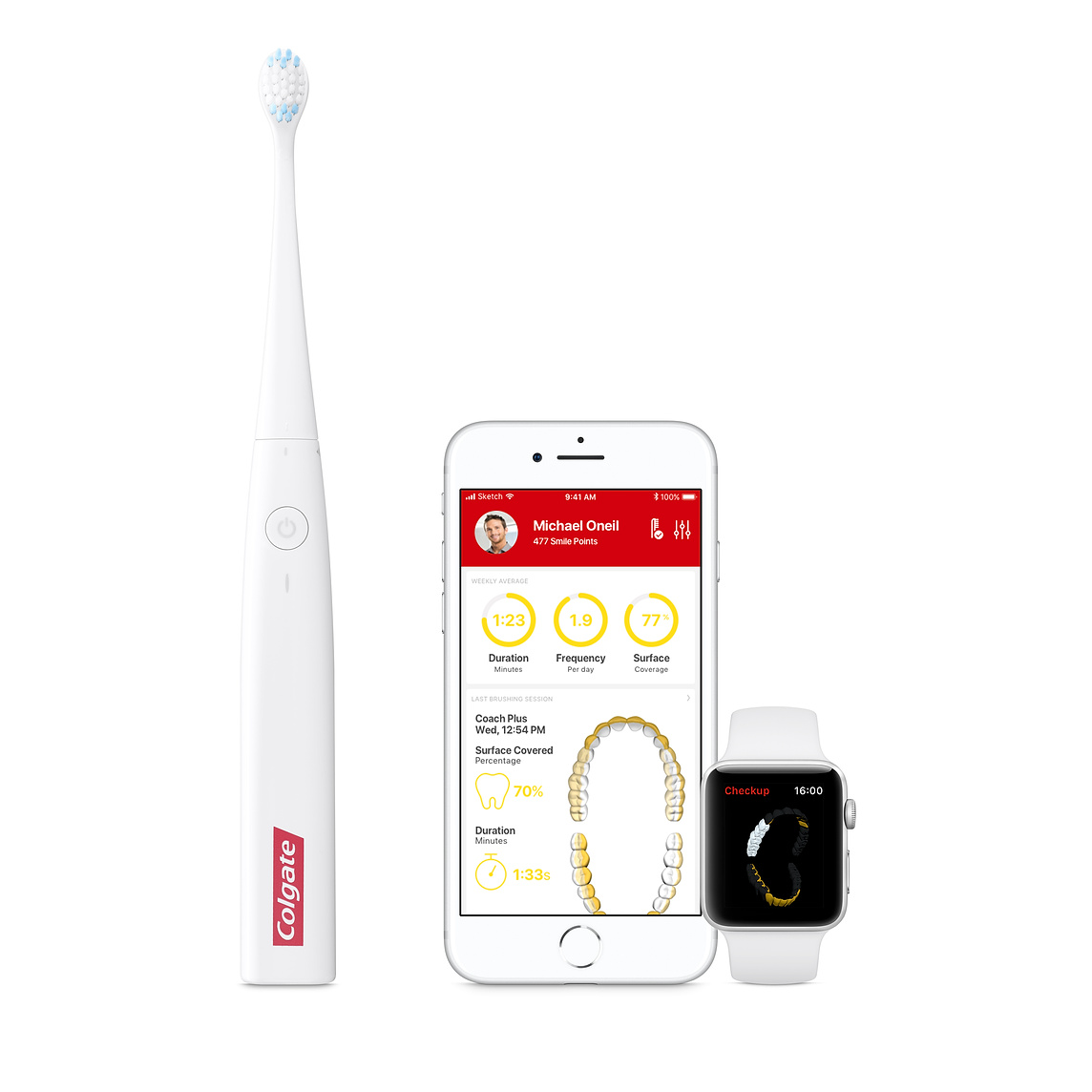
    Colgate has been innovating in the oral health sector since the 1938 introduction of their first nylon toothbrush. Their new Connect E1 Smart Toothbrush is connected to an app and uses Bluetooth to build a picture of your mouth, sending the information to an app on your phone. This app is then able to put together this data and give you tips on how to improve your toothbrushing technique. This might sound like an unnecessary step, but research appears to show that users were missing over 40% of the surface of their teeth when they brushed and never even knew it before using this device.


    Philips Sonicare HX9924/41 DiamondClean Smart Toothbrush

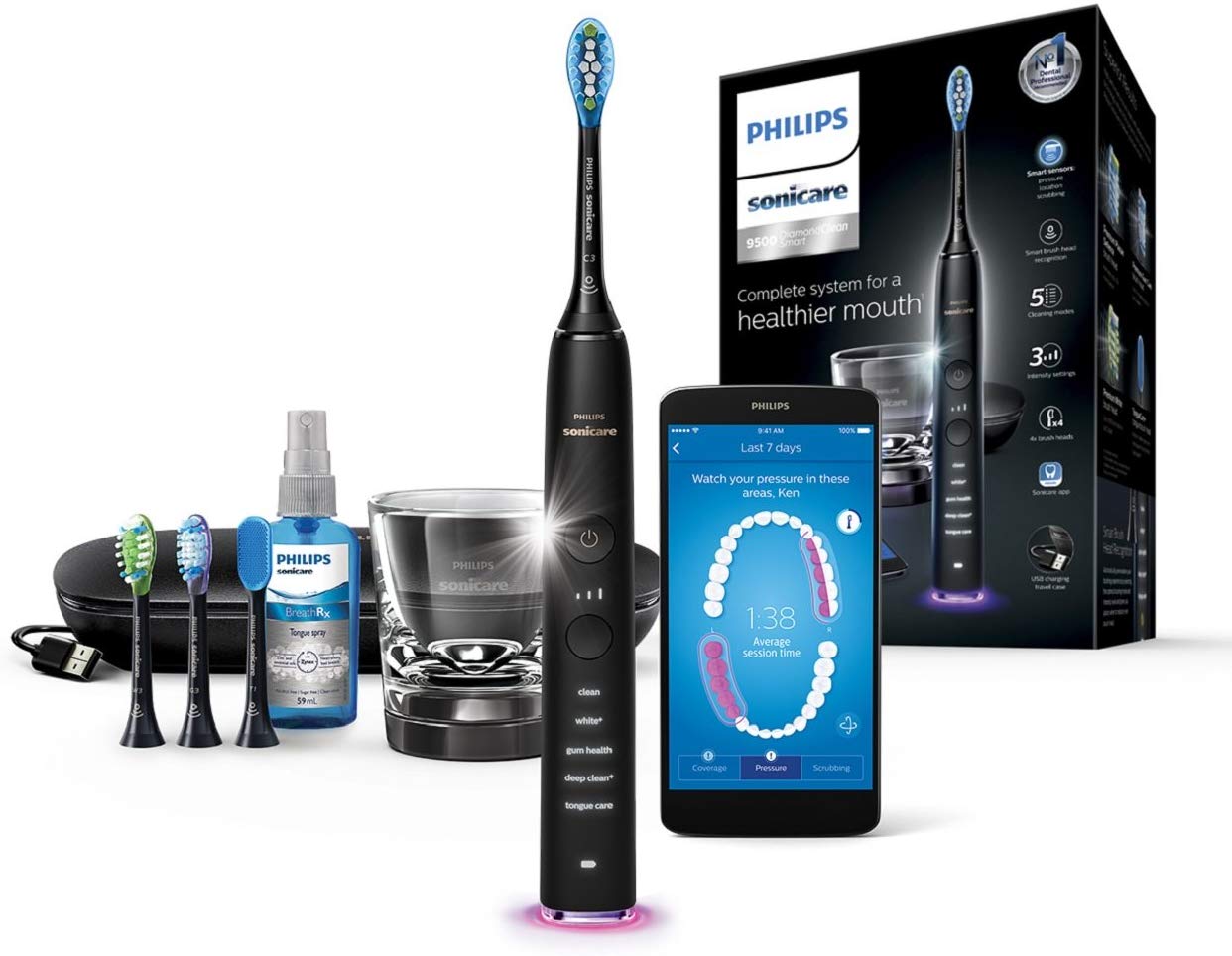
    If you have a little more to spend on making sure your oral health stays in premium condition, the Philips Sonicare DiamondClean smart toothbrush is the option for you. This toothbrush comes with an app which offers feedback in real time as you brush. It also, if you like your accessories, comes with four different brush heads and can achieve 31,000 brushstrokes per minute, leaving your teeth squeaky clean.


    Oral-B 7000 Series

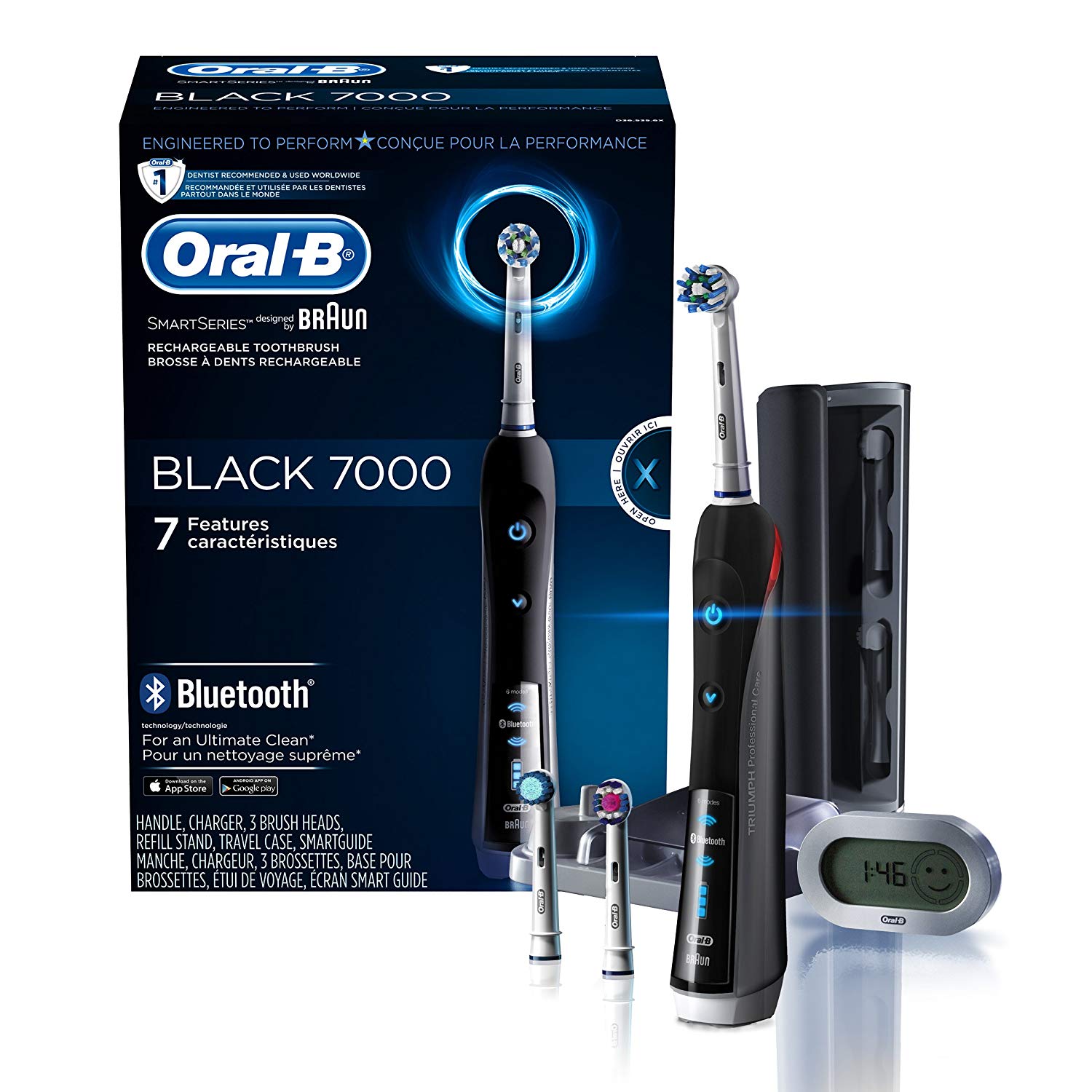
    This option can be used with a connected app as well, and offers a saving against the high price of the Philips DiamondClean model. Using this Bluetooth-enabled toothbrush will ensure that you can correct the oversights in your brushing technique, letting you get on with your day more quickly and efficiently, without having to worry about misusing your time.


    The advantages of smartphone-connected electric toothbrushes

    Using any one of these or similar models can allow you not only to clean everywhere you touch more effectively, as with a normal electric toothbrush, but also to get valuable data on how you brush and what the current state of your dental health is. It can be hugely helpful to look at what the app you get with your choice of toothbrush is telling you, and try to understand what this has meant for your oral health for the last few years.

    If the app connected to your toothbrush can diagnose brushing problems you have had long-term, you will likely find that the general state of your oral health improves dramatically as long as you brush regularly. If you are going to arrange any fixes to your teeth, such as tooth realignment, it can be a good idea to choose methods such as an Inman Aligner by Ten Dental, as Inman Aligners are one kind of brace which can be removed for tooth brushing without endangering the teeth.


  • Technological Wars: Which Gadget Seems to Be the Most Durable Nowadays? 

    Technological Wars: Which Gadget Seems to Be the Most Durable Nowadays? 

    With a new gadget release happening every other day, it is tricky to settle on the best model. It is ever more challenging not to question your decision when the next model is launched.  But if you are looking for a long-lasting gadget that can stride through the trends and deliver the best results for a considerable duration of time, then this list will satisfy your curiosity. Gadgets have become an everyday accessory, essential for almost all age groups. Whether you are a professional developing new technologies or a student depending on online resources, a gadget certainly is a necessary tool.  It is no longer a question of whether a tablet is better than a laptop or a smartphone wins the race. With each item offering specific features most suited for its purpose, it is about finding the right model in each category. In this article, we present the most durable gadgets that will stand the test of time. 


    CAT S61 Smartphone 

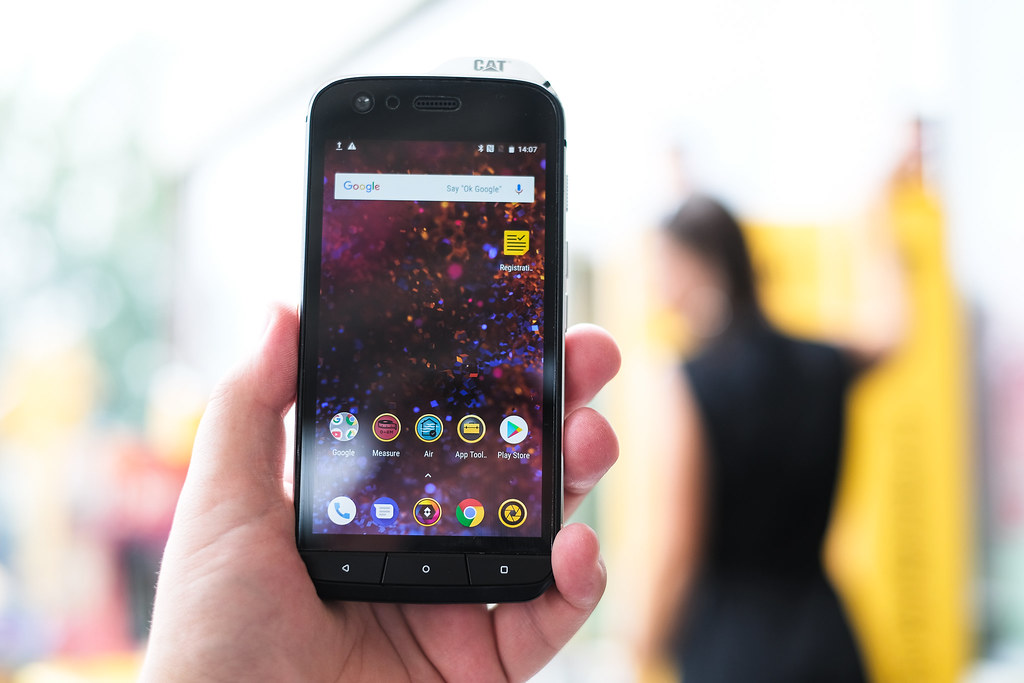
    The flagship models of Cat smartphones is famed for its rugged nature. In 2019, the latest model, CAT S61, is proving to be the most durable phone of the year. Its weight is 259 g, and its dimensions are 162 x 77 x 13mm. 

    The phone is designed to withstand high-pressure water jets and comes with IP69 and MIL Spec 810G certifications. The casing has a sufficient amount of rubber and polycarbonate to provide high shock-absorbency and a metal frame as a support structure.

    The phone comes with Android 8.0, a 5,2-inch 1080p screen, and 4 GB RAM. 

    CAT S61 Smartphone 
    CAT S61 Smartphone


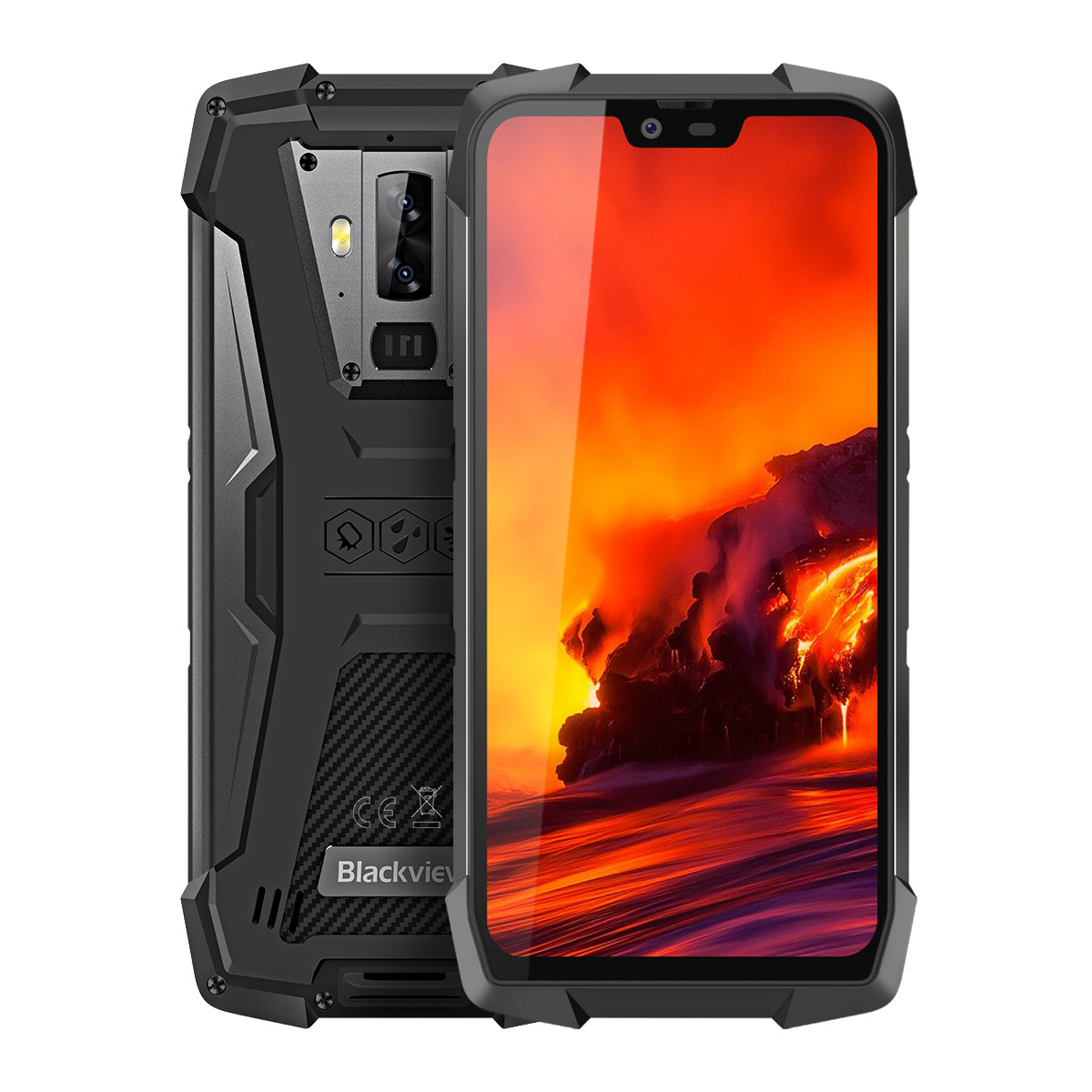
    Blackview BV9700 Pro, Smartphone

    Blackview is not as famous as CAT when it comes to robust phones, but the company has released its fair share of exceptional items as well.

    The recent high-end line is the BV9700 Pro that comes with a built-in air quality detector and a heart rate monitor. It also includes an optional night vision camera. 

    The phone comes with Android Pie 9.0, which is pretty impressive for a rugged smartphone. It is not only the build that makes this product stand out but the number of features and the extended battery life. 

    Blackview BV9700 Pro
    Blackview BV9700 Pro


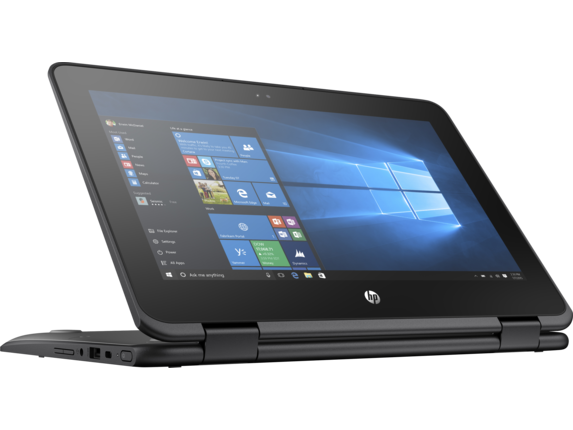
    HP ProBook x360 11 G1 EE, Notebook 

    For what looks like a regular laptop at first glance, the HP ProBook x360 is a great choice if durability is the priority. 

    The model is the best option available for everyday use. The laptop can withstand liquid, knocks, and a little wear and tear much better in comparison to other models. 

    The spill-resistant keyboard and the Corning Gorilla glass display adds another layer of attractive features. Moreover, it is a notebook which you can use as both a laptop and a tablet, giving it bonus points. 

    HP ProBook x360 11 G1 EE
    HP ProBook x360 11 G1 EE


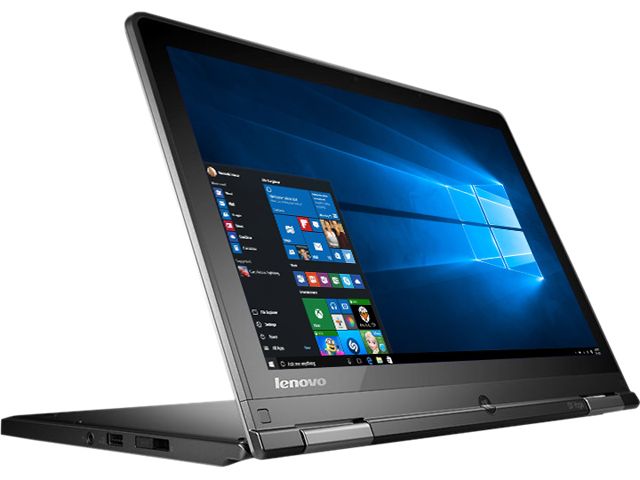
    Lenovo ThinkPad 11e, Laptop

    When it comes to laptops, people tend to lean towards options that are light and portable rather than the bulky models. Hence adding Lenovo ThinkPad 11e to the list is justified. 

    Similar to the HP model, Lenovo has also put some effort into the excellent construction of the gadget. 

    Humidity, high and low pressure, and solar radiation are no threats to this gadget. It is also one of the most affordable models with high durability, and a bargain with a commendable processing power for an everyday device. 

    Lenovo ThinkPad 11e
    Lenovo ThinkPad 11e


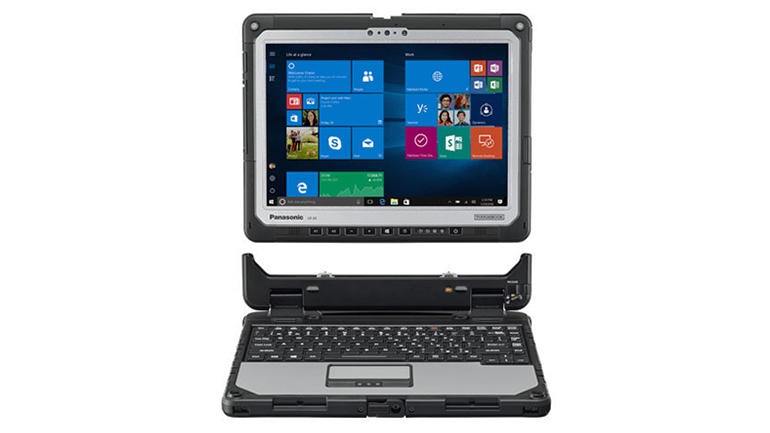
    Panasonic Toughbook  CF-33

    Another 2 in 1 gadget that has claimed to be the best in terms of durability is Panasonic Toughbook CF-33. It comes with a detachable keyboard enabling the functionality of both a laptop and a tablet. 

    The only drawback we’ve noticed would be the battery time. However, extended batteries can solve this problem if durability takes priority for the user. 

    Panasonic Toughbook  CF-33
    Panasonic Toughbook  CF-33


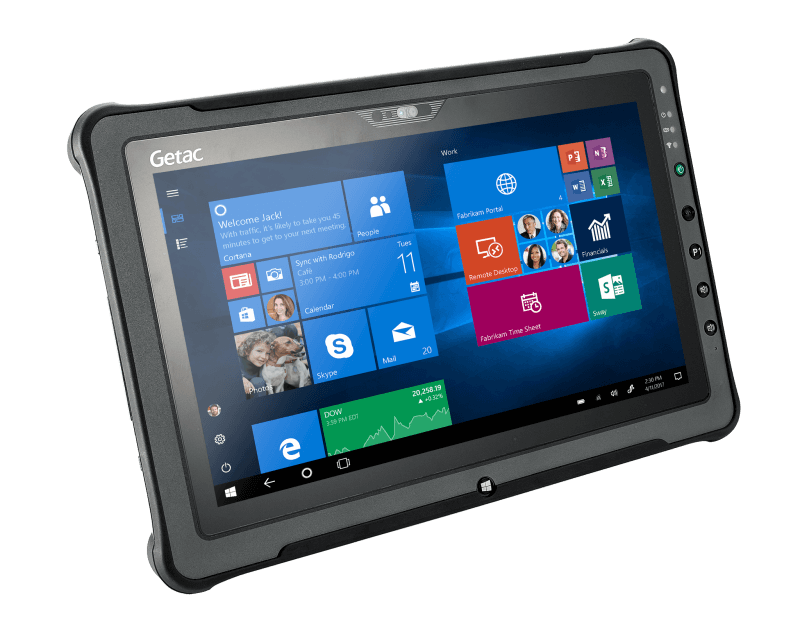
    Getac F110, Tablet

    A tablet might be one device that is put to the test of durability more often than you would think. If a Windows tablet is what you are seeking, then Getac F110 seems to be the best choice one can make. 

    The device can resist temperature ups and falls, moisture, and all of this come with a massive structure. 

    The latest version of the model is equipped with 6th generation Intel Core Processors making it a top option for high-speed programs and a dual battery system. 

    It also engages the LumiBond 2.0 touchscreen technology making it efficient whether you use fingers, gloves, or digital pens to operate the device.

    Getac F110
    Getac F110


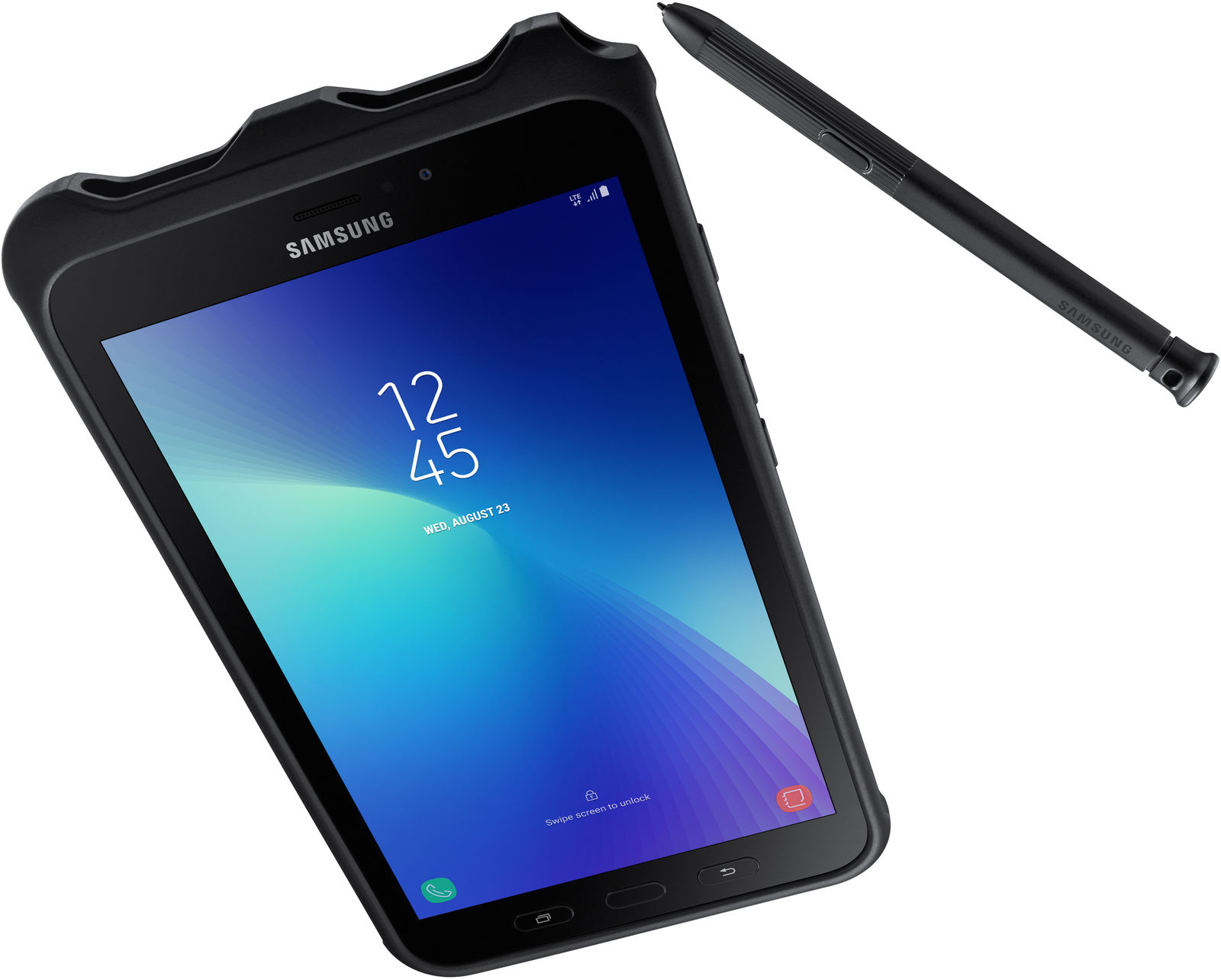
    Samsung Galaxy Tab Active, Tablet

    Android tablets take a backseat for durability, and Samsung Galaxy Tab Active 2 is the best of the bunch. Though not necessarily prepared with millitart0grade protection, it can still work against dust and water intrusion. The battery life of 8 to 10 hours is another addition, along with its support for replaceable batteries. 

    The device has an outstanding build quality with ampler CPU, RAM, and plenty of other features. There is also the recent Pro version with a bigger display and a pen, making note-taking and drawing an easier task. 

    Samsung Galaxy Tab Active, Tablet
    Samsung Galaxy Tab Active, Tablet


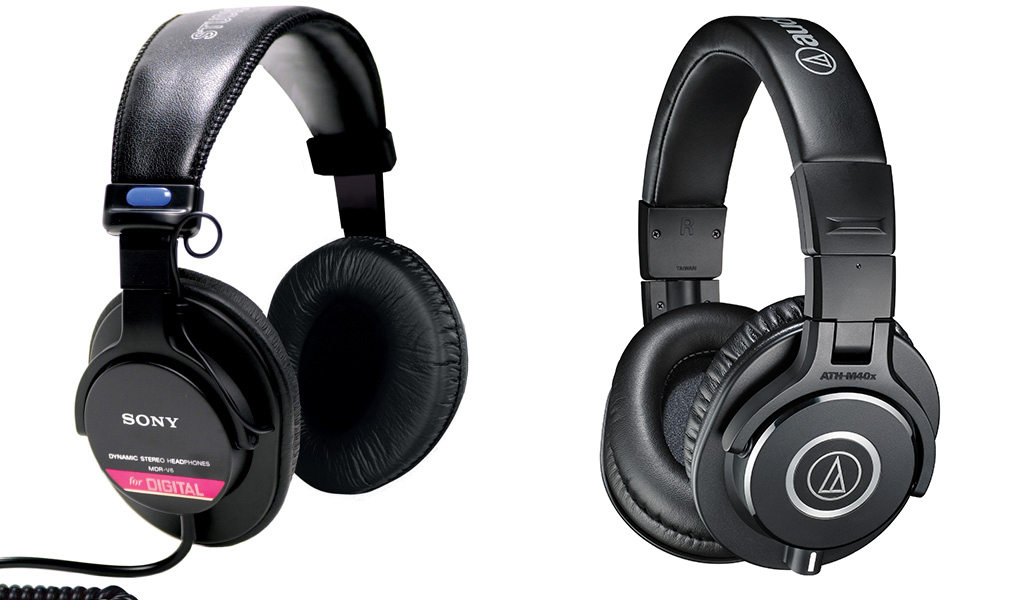
    Sony MDR V6, Headphones

    A list of gadgets simply would not be complete without headphones. 

    The V6s headphones model is lightweight and comfortable, perfect for long hours of use. 

    The audio quality is also quite impressive with a Circum-Aural design that can provide sufficient noise cancellation. It is also foldable, making these particular headphones convenient to carry around. Though constructed of plastic, they are sturdy and not easily breakable. 

    Sony MDR V6, Headphones
    Sony MDR V6, Headphones


    Wrapping Up

    The durability of any gadget is determined by a variety of factors. It is not only about the structure and material. Design and possibilities of use also matter. 

    Whichever model you choose, it is also highly recommended to ensure that you purchase one with a guarantee. Look for a reputable brand that is confident about its products and make sure to try it before you spend money on it.

  • 10 Cool Gadgets Perfect For Xmas Gifts

    10 Cool Gadgets Perfect For Xmas Gifts

    Christmas just wouldn’t be the same without some cool tech gadgets to muck about with and so here at Cool Things Collection we’ve handpicked 10 of the hottest tech gifts this Christmas.


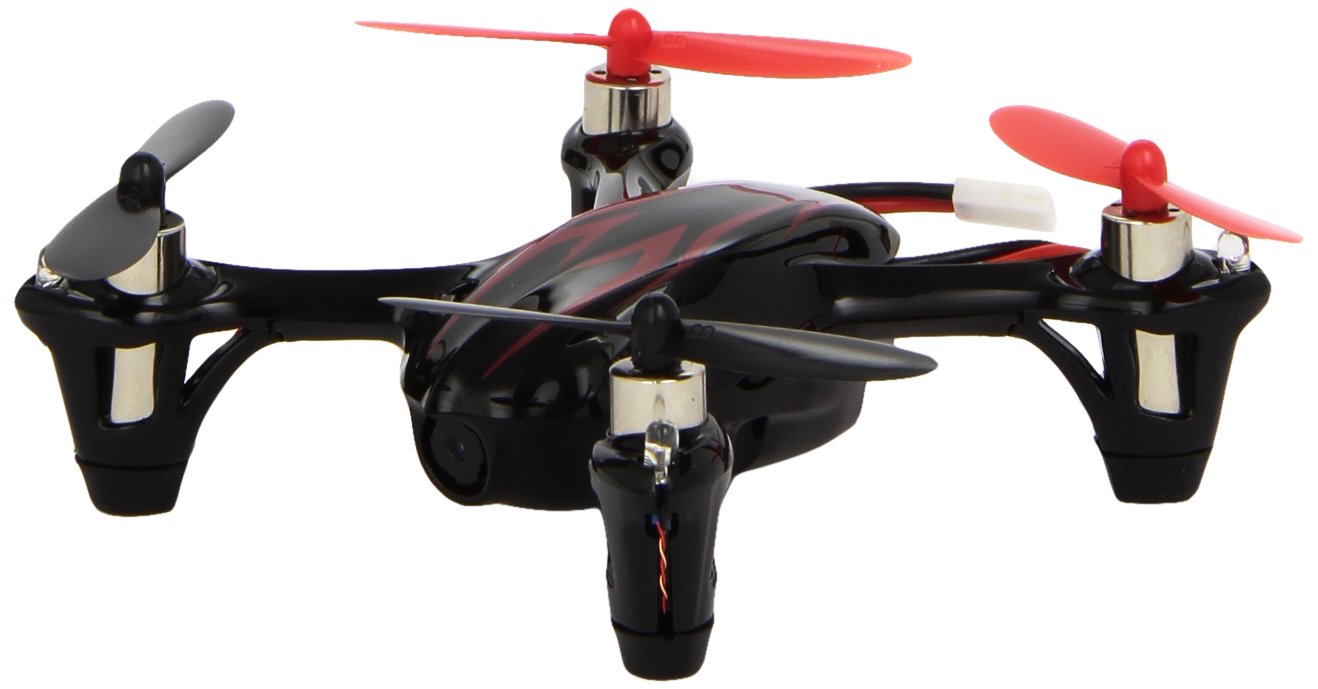
    1  Hubsan X4 Micro Quadcopter With Camera

    We love drones, but if you don’t want to shell out hundreds of pounds for one with a camera and just want one for fun and whizz around the house etc then the Hubsan X4 LED edition in our opinion can’t be beaten. It features a whole host of new improvements to its previous model and it maybe small, but micro’s quadcopter’s performance is amazing both indoors and outdoors (wind dependant of course). A cool addition for any budding drone aviators out there.

    Hubsan X4 Micro Quadcopter With Camera


    Buy here from Amazon 

    2. DJI Spark Drone

    Aerial drones are the must have gadget of 2017 and with drones getting better and better but the prices getting cheaper, you can now get the awesome DJI Spark for just £449!

    Buy here from Amazon

    3. Vaping Starter Kit

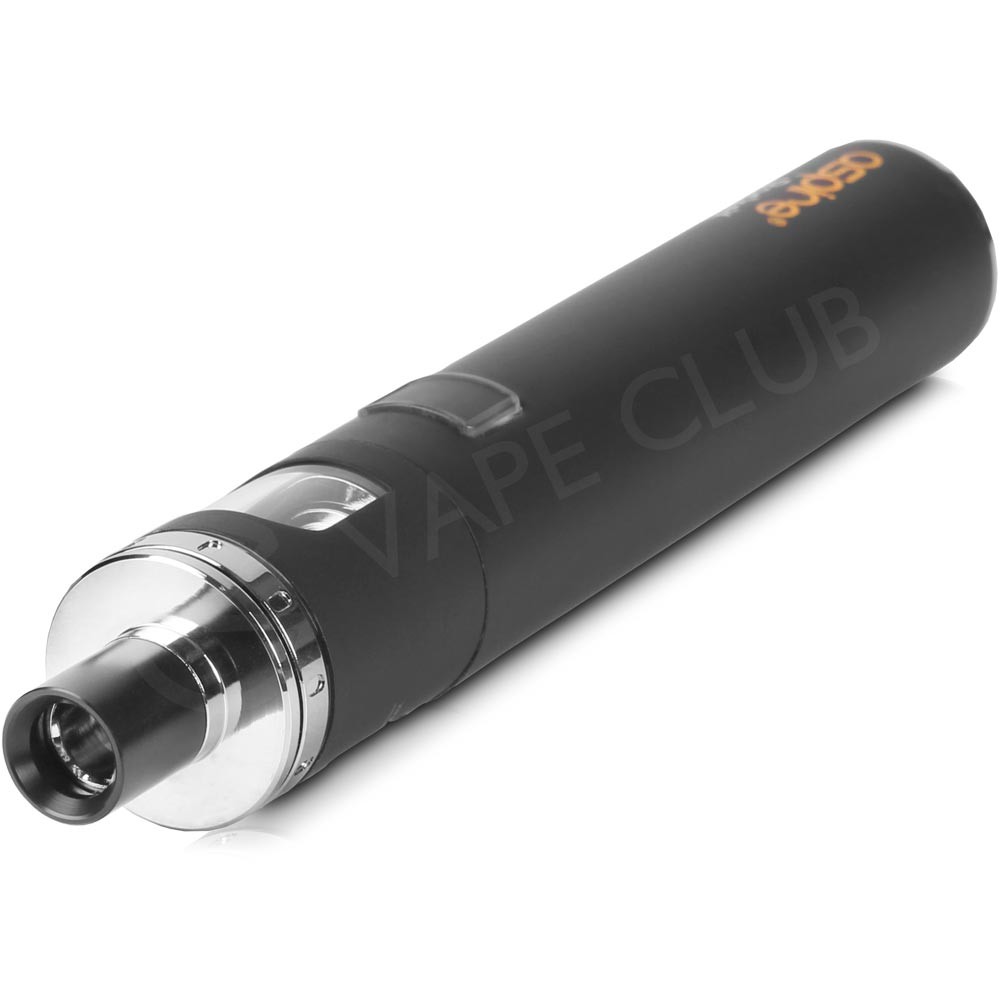
    One of the UK’s biggest vaping retailers, Vape Club have starter kits available to buy which will make for the perfect present to a loved one quitting cigarettes for their New Years resolutions. Shop for Vape pens on Amazon

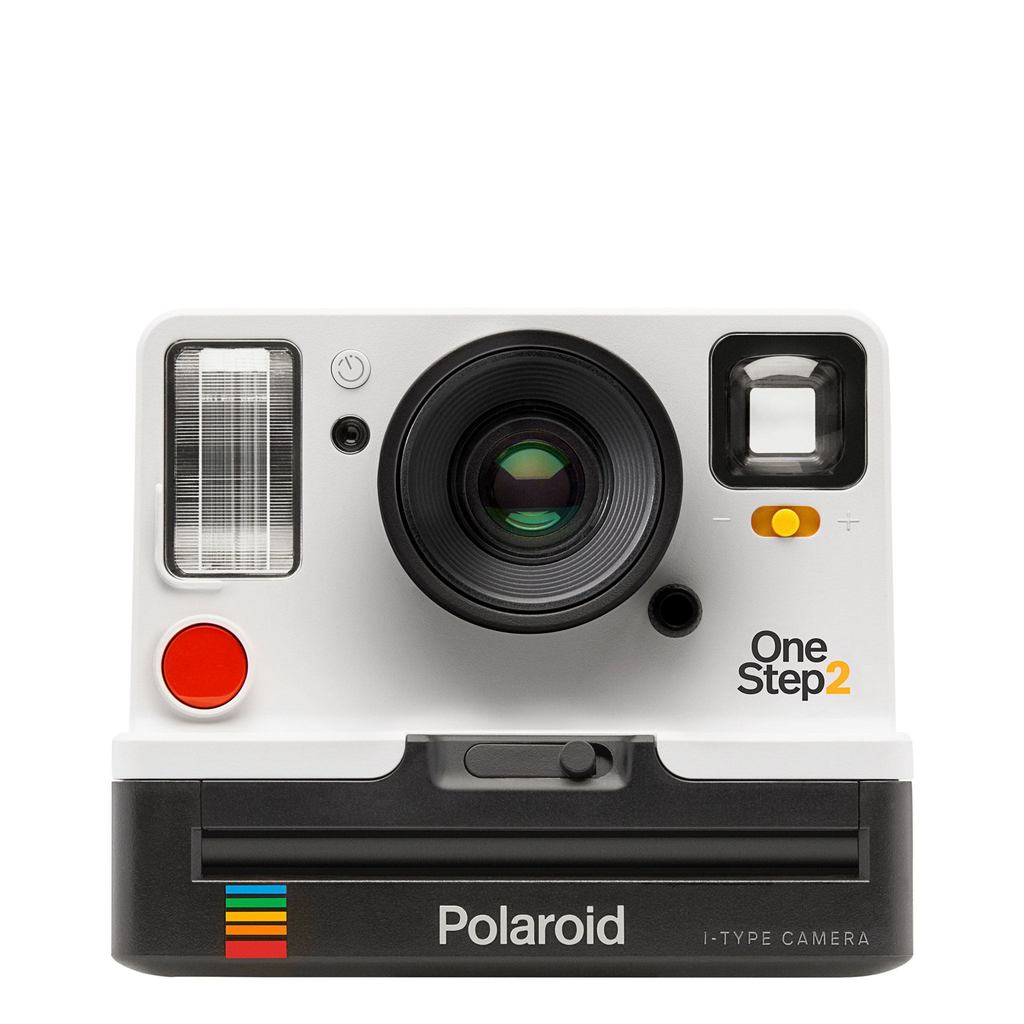
    4.    Polaroid Originals OneStep 2 i-Type Camera

    Now going a bit vintage, the Polaroid OneStep 2 analog instant camera has a super cool clean, contemporary design and comes with easy point-and-shoot usability that makes photography a joy.

    Polaroid Originals OneStep 2 i-Type Camera

    Buy here from Amazon


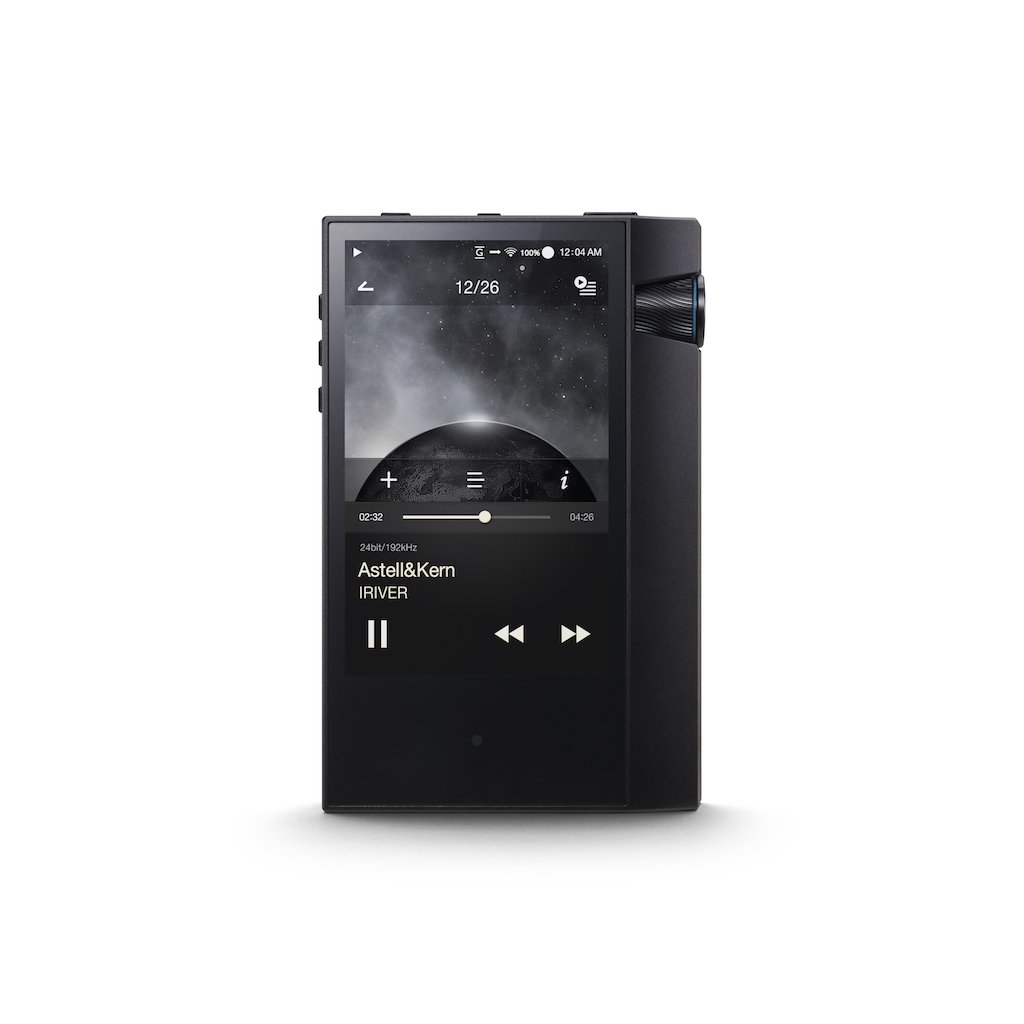
    5.    AK70 MKII by Astell & Kern

    Astell & Kern, the godfathers of the most powerful portable music players on the planet have announced the MKII version of its award-winning AK70. Exquisitely crafted from a single block of aluminium, the two-tone black player’s sweeping angular accents provide class-leading styling to match its performance. This is quite possibly the most sophisticated, highest-performance portable player under £600 on the market right now.

    AK70 MKII by Astell & Kern

    Buy here from Amazon


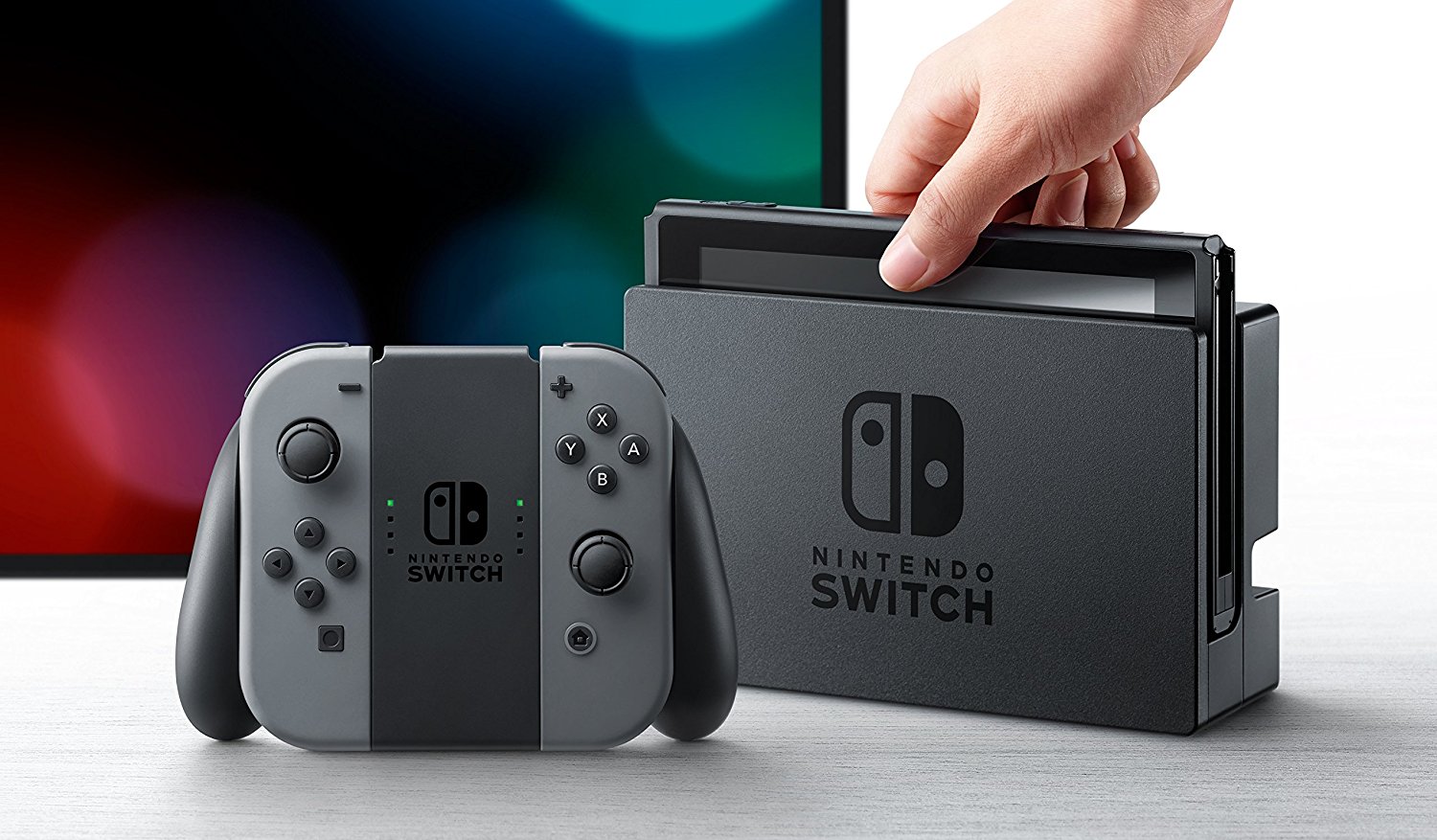
    6. Nintendo Switch

    After the Wii U proved about as good as a chocolate teapot, the anticipation for this new offering from Nintendo was being watched with low expectation. But this new way of gaming has provided a super offering for kids of all ages something different to the PS4 and the Xbox. Hope you’ve all been good for Santa as this is an excellent value console that’s sure to be hot property this festive season.

    Nintendo Switch

    Buy here from Amazon

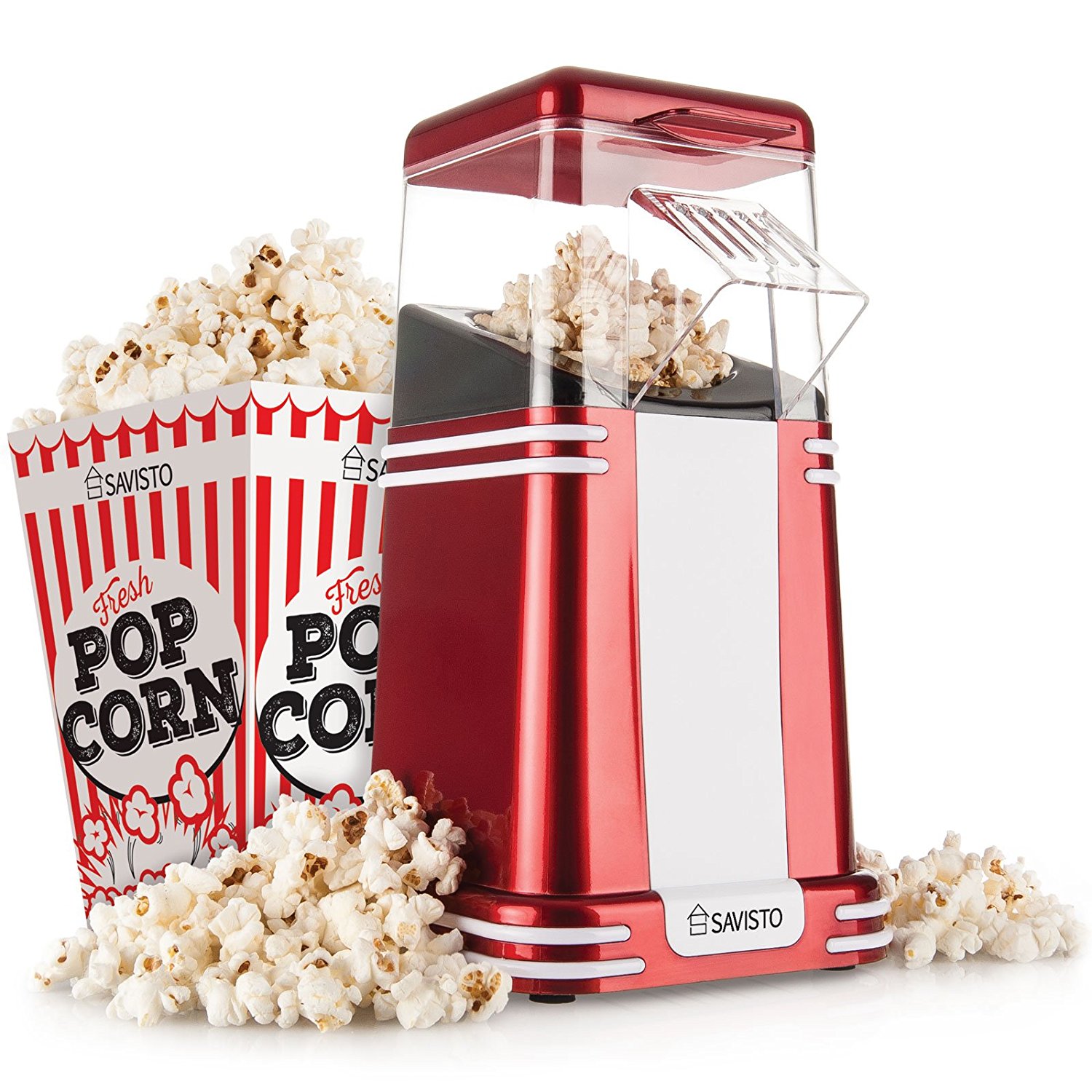
    7. Savisto Vintage Retro Hot Air Popcorn Maker with 6 Popcorn Boxes

    This classic red and white retro popcorn maker is a super little gadget and a lot of fun. It make perfect movie style popcorn for your annual movie binger on Elf and Santa claus the movie. No need for extra calories either, as the popcorn is cooked to perfection with no need for oil or butter. It’s a win win all round.

    Savisto Vintage Retro Hot Air Popcorn Maker with 6 Popcorn Boxes

    Buy here from Amazon


    8. Sphero

    Sphero is an app-enabled ball that does it all. Intelligent and well-rounded, Sphero lets you play, learn, and explore. Create obstacle courses, upgrade family game night with multiplayer fun, or learn to program with its free SPRK lessons. This virtually unstoppable companion is waterproof, pet-proof, and ready for any adventure. It’s time to upgrade your play this festive season.

    Buy here from Amazon


    9. Toy Robot

    You can assemble this very cool little fella with ease this Christmas morning with this Lego-like kit, each fully mobile and equipped with an infra-red sensor to help it detect and interact with its environment. Best of all, it can then be programmed using the child-friendly block-programming app, opening limitless opportunities. This little guy will provide hours of entertainment for all the family.

    Toy Robot

    Buy from Amazon


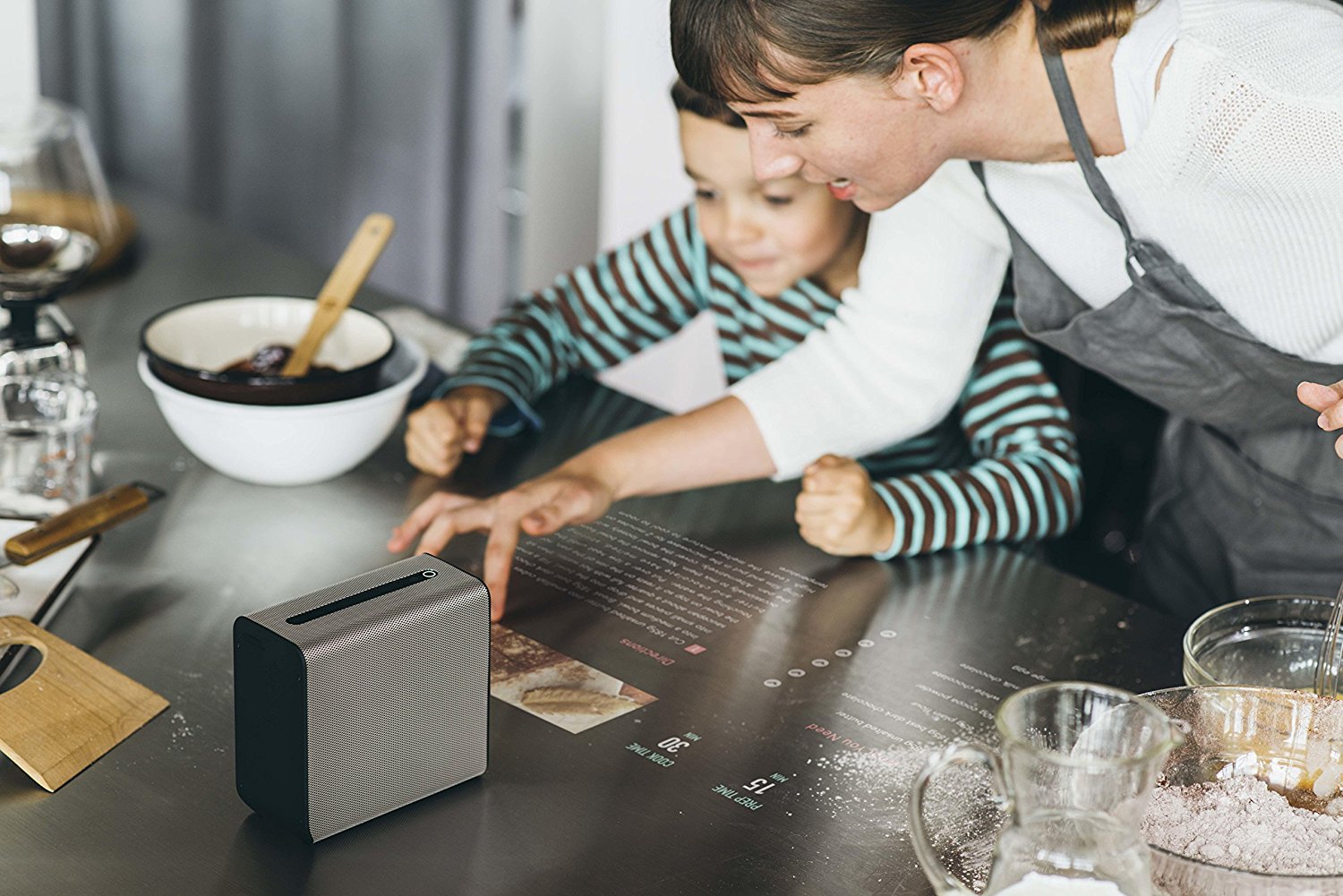
    10.  Interative Screen Projector

    This impressive appliance is an early iteration of what might well become a common household gadget of the future: a projector that turns any surface into an interactive touch screen. Back to the future will never be viewed the same way again. Epic, but not cheap!

    Interative Screen Projector

    Buy here from Amazon


  • 4 Must Have Items For A Cool Living Space

    4 Must Have Items For A Cool Living Space

    Do you feel as if your living space need a bit of a refresh? If so you probably in need of some inspiration. It’s not there aren’t some amazing things out there. It’s just that sometimes we can be swamped with awesome items that would make our home better. Luckily we have a selection of items that would elevate anyone’s home into a seriously cool living space.

    1. Freestanding Bath

    First of all, what self-respecting on trend homeowner would choose to be without a glorious thing like a freestanding bath? These can transform a mundane bathroom into a place of luxury and relaxation.

    71gd2kbgzml-_sl1400_


    Some are fitted flush to the floor, while others stand on ornate legs to give you more of a vintage feel. Many are double ended so you can sit in them whether way without worry about having your back to the taps.

    You can also get roll top freestanding baths. These not only look great but help you from splashing water all over your nice clean bathroom too.


    2. VR Headset

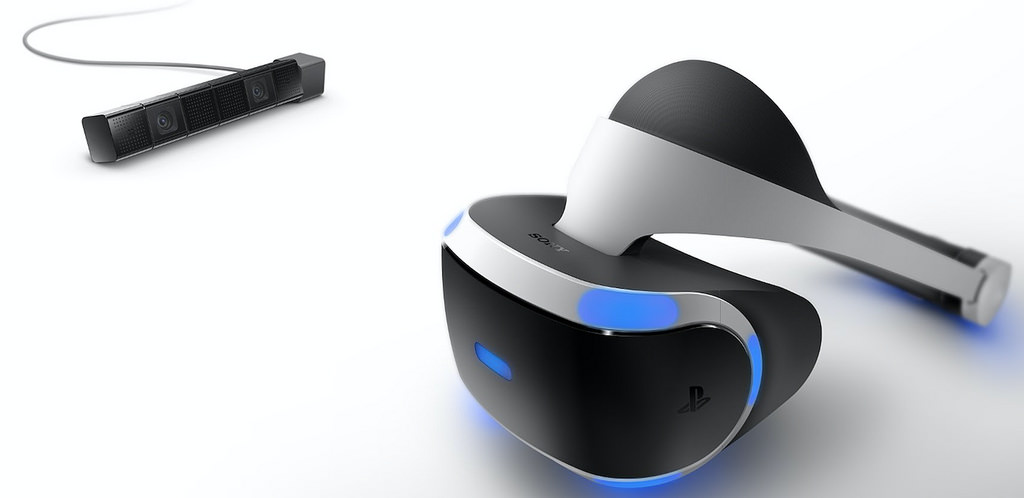
    So the future has arrived, and it’s in the form of the VR headset. While it might seem like only the tech heads and computer nerds will benefit from such a device, that couldn’t be further from the truth. Two of the most popular VR headsets currently are Oculus Rift and Playstation VR.

    Oculus Rift

    4 years ago, Oculus Rift was only a Kickstarter campaign! In four years, Oculus Rift can almost be single handedly be thanked for making VR accessible to the general consumer.

    Oculus Rift is now widely available online such as Amazon


    Playstation VR

    The Oculus Rift headsets aren’t the coolest looking VR headsets but the PlayStation VR on the other hand, looks like an expensive bit of tech that you’d be happy to have on your shelf.

    PlayStation VR could be very popular this Christmas 2016 and available from many stores currently whilst stocks last.


    In fact VR has mass appeal. People of all ages can enjoy the immersive game play, and there is a range of titles out that will suit both younger and older players. Don’t forget that as the technology becomes better that you will be able to use them for watching movies and even video calling too. Get in on the action early and get familiar with the virtual world as soon as you can.

    3. Home Hub

    Home hubs are the next big thing in house gadgets. We are just starting to see more fully functional ones come onto the market. The idea is that you can control every part of your home through one central device.

    That means you can switch the kettle on while you are in the bath. Or, turn the thermostat up if you are heading home in the rain on a cold day. You can even switch the washing machine on if you have left the house in a rush and forgot to do it.

    Of course for them to work properly you need to have an internet connection and your devices need to be smart enabled. This means you can connect to them through the hub and control them from that point.

    Most hubs are mobile ready too. So you can use your device as the point of access from any control that you wish to carry out.

    4. Pop Corn Machine

    For something fun and light-hearted, why not try an electric popcorn machine? This is a nifty little home gadget that can make movie nights even more pleasant. You can get some smaller versions that sit on your kitchen counter top.

    Or try a large cinema style version for that full movie experience.

    Team them up with some popcorn flavourings, and your home cinema will definitely be the coolest place to watch a movie in, outside the real thing!

  • Cool Gadgets To Boost Your Sport Routines

    Cool Gadgets To Boost Your Sport Routines

    A lot of people don’t really feel the need to introduce technology to their exercise routine. After all, there are many out there who like to exercise in order to get away from all this technology! They’re sick of sitting around on their computers or smartphones. They’ve seen enough websites and YouTube videos for the day. They just want to get out there and get their blood pumping. Why introduce gadgets to the equation? But gadgets can definitely give your exercise routine a boost. Here are some great examples.


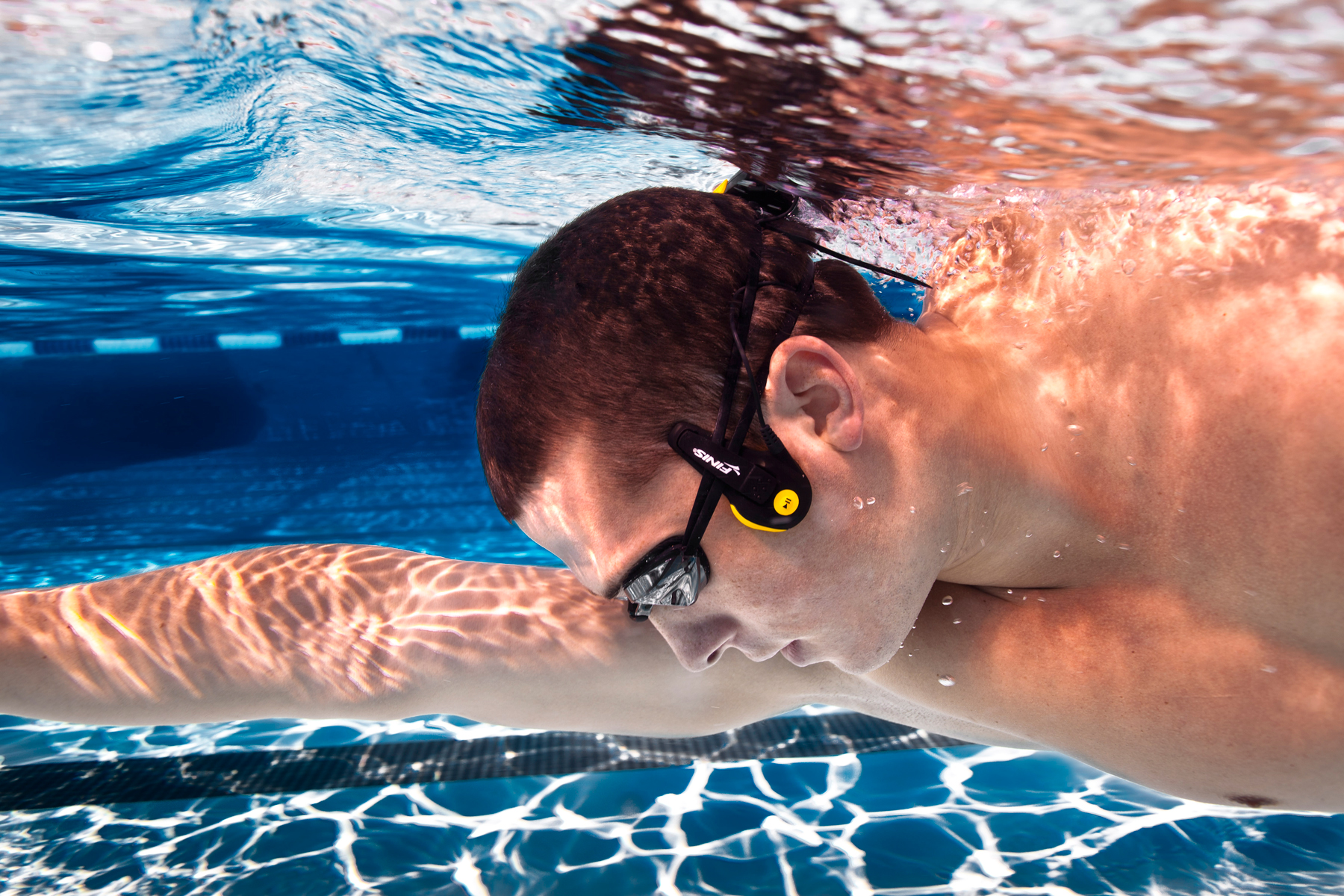
    Underwater Music

    underwater music goggles


    Music is one of the greatest additions to exercise I can think of. There are certainly plenty of technophobes out there who still want to use an mp3 player when they’re going out for a run. It helps you keep motivated. It keeps things fun. It can give you that extra push if you decide to keep going until the end of the track. But swimmers aren’t too lucky in this regard. After all, your music device and earphones can’t exactly join you in the depths. Right? Well, there are now special goggles that allow you to listen to music as you exercise in the water called Finis Neptune. Cool! 


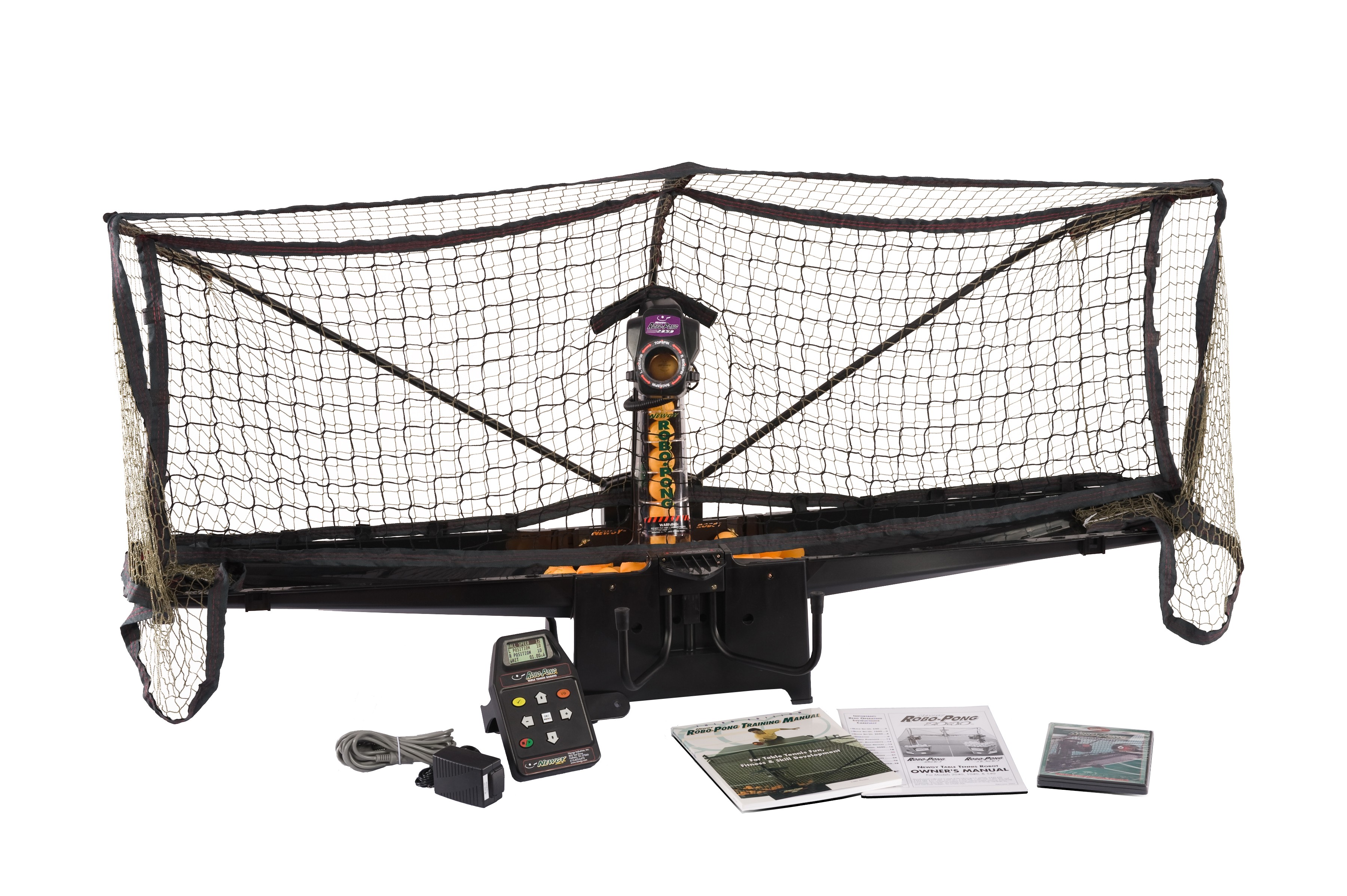
    Robot Assistance

    robopong_2050_4375

    So you’ve tired out all your usual exercise buddies. Or maybe they’re just too busy to help you out. Or maybe you don’t even have any exercise buddies because everyone around you is a little lazy. But you need to train, and you need some help doing it. What are you to do? Well, you an actually get the assistance of a robot for several sports. Table tennis robots are one of the best examples. After all, sometimes practicing against a wall simply isn’t enough!


    Smart Ball


    1401872768_adidas-smart-ball

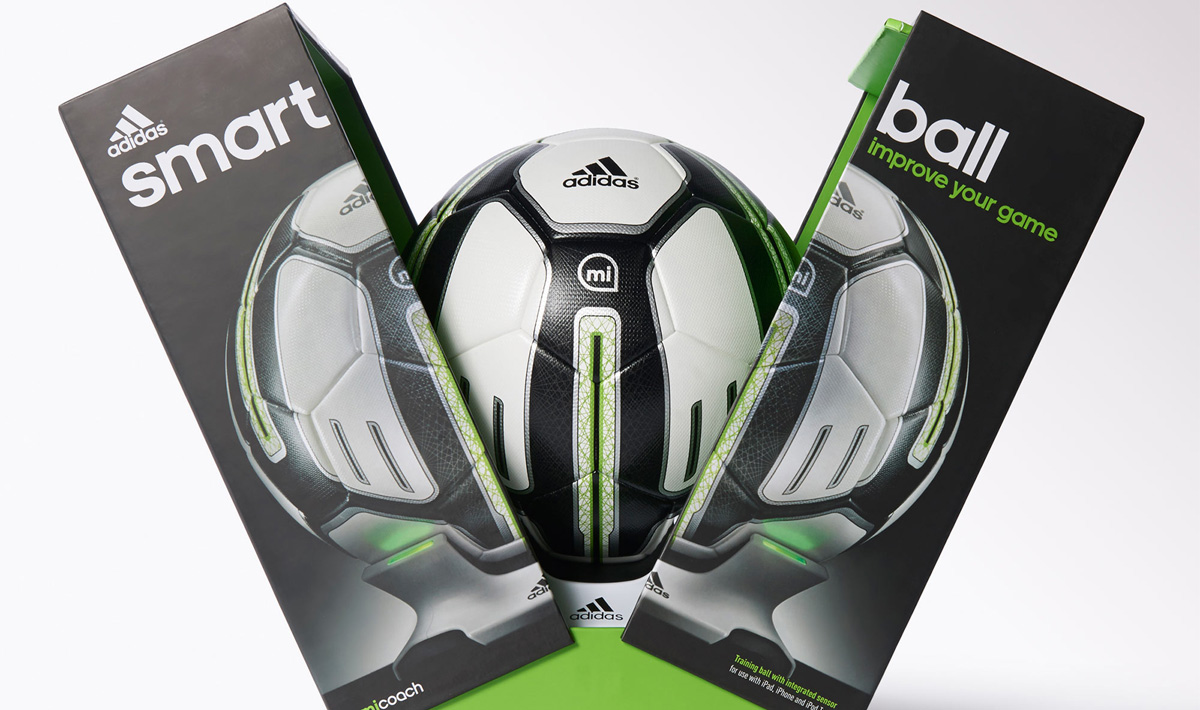
    The Internet of Things is pretty cool, right? That’s the technology that’s allowing everyday objects to connect to your devices. (Usually in order to record cool information!) It’s beginning to find itself in more and more objects all the time. Well, now you can get it in a soccer ball. You can get a “smart ball” that’s Bluetooth-enabled and works with an app on your smartphone. It’s a training device that allows you to follow certain tutorials, improve your strikes and spins, and record personal bests. An undeniably amazing idea for soccer enthusiasts.


    Ultimate Exercise Bike

    There are loads of people out there who are looking for a good exercise bike. Well, if you’re looking for one that will wow everyone around you, then look no further. You can get exercise bikes that are absolutely loaded with technology. There’s one that comes connected to a 21.5” HD touch screen and includes awesome WiFi capabilities. The screen can be used to record your progress and set yourself tasks. It can also be used for entertainment purposes if you’re feeling like the exercise itself is a little too boring for you.


    Fitness bracelet

    Okay, so maybe you’ve already heard of fitness bracelets such as FitBit and have dismissed them already. But seriously, these things can be so useful. They’re not only useful for recording exercise information. They can monitor your vitals throughout the day, which can help you get even more crucial info for tweaking your routine.


  • Battle of the portable foldable drones. DJI Mavic Pro winning ‘on paper’ vs GoPro Karma

    Battle of the portable foldable drones. DJI Mavic Pro winning ‘on paper’ vs GoPro Karma

    Last week we jumped around the office in excitement about the new GoPro Karma portable drone – that was until the makers of the World’s best selling drone company DJI released details of their portable foldable drone version, Mavic Pro one week later.

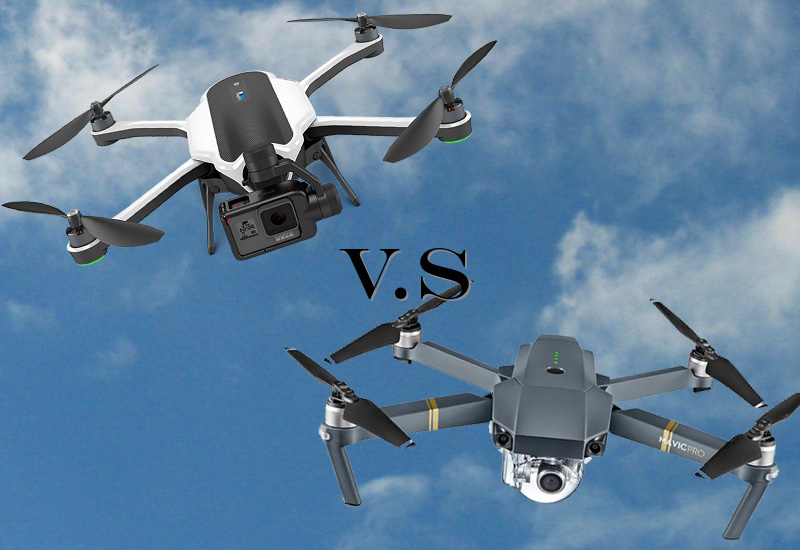
    The big selling point for both the Mavic and Karma is size. Both utilise a brilliant foldable design to be more portable when you aren’t flying – for travel/adventurers, it’s their prays answered. The Mavic is lighter and folds up more compact. It can fit inside of a purse or holster on your belt, whereas the Karma fits comfortably inside of a backpack. You could fit 2 or 3 Mavics inside of the backpack that holds the Karma. That doesn’t mean the Karma is too big. It’s still much smaller and lighter than traditional drones.

    So how do the two foldable drones stack up against each other on paper based on specs? From what we’ve read and the videos we’ve watched, here’s which drone we think wins on specs alone – these opinions are our own and based on the specs we’ve seen…until we can get our hands on them.

    Speed

    DJI Mavic Pro Wins
    The DJI Mavic Pro has a faster top speed of 40 mph versus GoPro Karma at 35 mph.


    Battery Life

    DJI Mavic Pro Wins
    The DJI Mavic Pro has a longer battery life at 27 minutes versus GoPro Karma at 20 minutes. It can even be outfitted with any phone or tablet you want. The Mavic Pro is also small enough to fit uncomfortably into a pair of jean pockets. The Karma, on the other hand, requires a backpack (or similarly-sized vessel) to be transported from place to place.

    Not only does Mavic have a longer flight time, but it can also be operated up to 4.3 miles away, which gives it a huge advantage over the Karma.


    Controller

    DJI Mavic Pro Wins
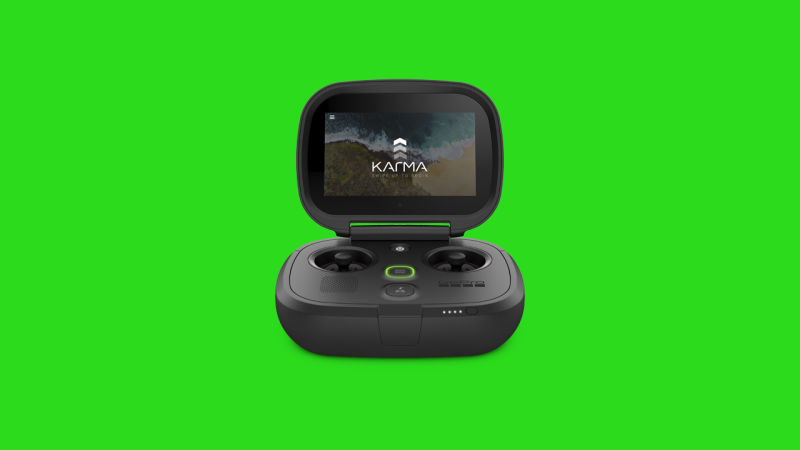
    The GoPro Karma ships with a controller using a built-in display and packs up nicely into the little backpack that comes with the Karma. The Mavic Pro has an optional controller, meaning you can instead operate the device from your phone. The controller that DJI sells separately can be paired with any phone if you want to see preview video while you’re flying.


    Avoidance System

    DJI Mavic Pro Wins
    DJI Mavic Pro comes with five-camera obstacle avoidance system similar to the one in the Phantom 4. The GoPro Karma doesn’t have any obstacle avoidance features.


    Follow Me 

    DJI Mavic Pro Wins
    DJI Mavic Pro also comes with some cool follow modes – the drone can lead you in front, follow you at a profile and do a cool trick where it files circles around you as you move. The smart flying capabilities are enabled by the cameras and sensors on the drone. It’s still unclear whether the GoPro Karma will offer a follow me function.


    Camera

    GoPro Karma Wins Only Just

    GoPro is known for making great cameras, but the Mavic manages to get the slight edge here too. The best configuration of the Karma uses the new Hero5 Black camera, which can shoot 4K video at 30 fps. The Mavic has a built-in camera that can shoot Cinema 4K at 24 fps. Cinema 4K has even higher resolution than standard 4K. Of course, the Mavic can do regular 4K at 30 fps too. The higher resolution doesn’t automatically give the Mavic a win, but previous DJI drones have produced excellent results.

    The DJI Mavic Pro ships with a camera that shoots 4K video, but it’s bolted to the drone, so you can’t exactly use it while you’re not flying the drone around.
    The GoPro Karma was built to combat these type of situations. It can be outfitted with the new GoPro Hero 5 Black, the Hero 5 Session, Hero 4, and Hero 3 cameras. If you already own one of theses cameras, the Karma is a great way to get them airborne, but if you still need to buy one, it could just make the cost of your aerial rig a lot more expensive.


    Handheld Stabiliser

    GoPro Karma Wins
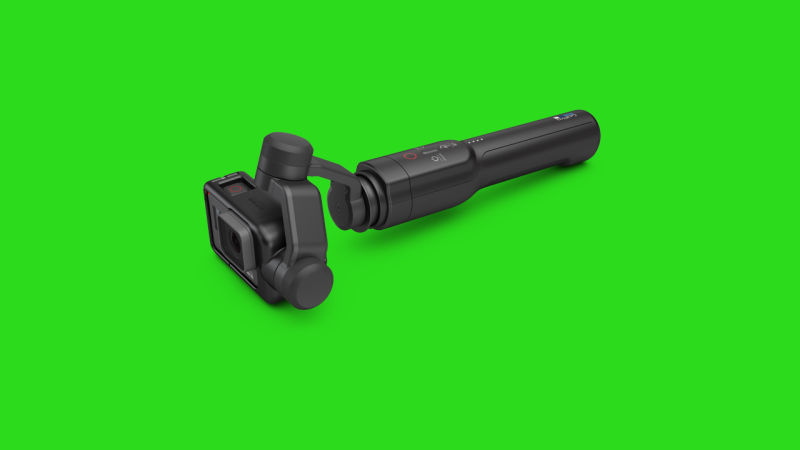
    Another cool feature of the GoPro Karma is its removable stabiliser that can be used as a handheld gimbal for shooting nice clean shots on or off the drone. When it comes to versatility of video recording, the GoPro Karma easily beats DJI.


    Price

    It’s close between the two drones – DJI Mavic Pro edges it slightly for us 

    The DJI Mavic Pro sells for $750 (approx £580) without the remote control (which means you’d have to use your phone or tablet to control it)
    $1,000 (approx £770) with the controller.

    The GoPro Karma sells for a flat price of $800 (approx £620) and comes with a controller that uses a built-in display.
    The total cost depends on what camera you strap to it.
    $1000 (approx £770) with a GoPro Hero 5 Session
    $1100 (approx £850) with a GoPro Hero 5 Black.

    When it comes to drones and budgets, there’s not a one-size-fits-all situation, so the perfect foldable drone will be a matter of preference. Without spending too much time flying either drone, though, it looks like the DJI Mavic has a slight edge in terms of performance and value. The GoPro Karma looks like the better value for money option for shooters, with a removable camera and gimbal that can be used for other application.


    Comparison Table


    Here’s a useful comparison table comparing the specs between the DJI Mavic Pro and GoPro Karma drones.

    SPEC GOPRO KARMA DJI MAVIC PRO
    Built-in Camera
    Handheld Gimbal Included
    Dual IMU & Compass
    Object Tracking
    Obstacle Sensing System
    Vision Positioning System
    Precision Landing
    Dual Operator ✓ GoPro Passenger™ App
    Case / Backpack Optional Extra
    Monitor / Screen included ✓ (Touchscreen) ✕ (LED info display only)
    Smart Phone as Monitor
    Gimbal 3 Axis 3 Axis
    Camera Sensor 1/2.3” (CMOS) 1/2.3” (CMOS)
    Camera Lens FOV 94° 17.2mm f/2.8 FOV 78.8° 28 mm f/2.2
    Resolution : UHD 4K up to 30p / 2.7k 60p 4K / 2.7k up to 30p + C4K 24p
    Resolution : FHD 1080 up to 120p 1080 up to 96p
    Resolution : HD 720 up to 240p 720 up to 120p
    LOG Profile ProTune™ D-Log / D-Cinelike
    Bitrate 60 Mb/s 60 Mb/s
    Stills 12MP RAW + WDR 12MP DNG RAW + HDR
    Burst shooting 3/5/10/30 fps 3/5/7 fps
    Timelapse 0.5s–60s 10s–60s (assumed)
    Max. Speed 35 mph (15.6 m/s) 40 mph (17.8 m/s)
    Max. Distance 1000m / 1km 13000m / 13km
    Max. Altitude 4500m / 4.5km 5000m / 5km
    Max. Wind Resistance 22mph (9.8 m/s) 24mph (10.7 m/s)
    Satellite Positioning GPS GPS + GLONASS
    Transmission Wi-Fi Wi-Fi / OcuSync
    Transmission Range 1000m / 1km (assumed) Up to 7000m / 7km
    Operating Frequency 2.4GHz 2.4 GHz to 2.483 GHz
    Downlink Stream 720p HD Up to 1080p FHD
    Battery 14.8v / 5100mAH 11.4v / 3830 mAh
    Flight Time (apx.) 20 mins 27 mins
    Operating Temp. ? 32° to 104° F (0° to 40° C)
    Weight 1006g 734g
    Dimensions (open) in mm L: 303 / W: 411 / H: 117 ?
    Dimensions (folded) in mm L: 365 / W: 224 / H: 90 L: 198 / W: 83 / H: 81
    Retail Price : US $1099.99 inc. Hero 5 -or- $799.991 $999.00
    Retail Price : UK £999.99 inc. Hero 5 -or- £719.991 £999.00
    Retail Price : EU €1199.99(?) inc. Hero 5 -or- €869.991 €1199.00
    Battery Price $99.99 / £89.99 / €109.00 $89.00 / £85.00 / €99.00
    Pre-order ✕ Not yet ✓ 27th Sept 2016
    Shipping October 23rd 2016 October 15th 2016

  • This is the drone we’ve been looking for! GoPro Karma

    This is the drone we’ve been looking for! GoPro Karma

    Flying camera drones have come along way in just 4 years. I remember attending a BBC aerial filmers convention in 2013 and the drones being used were very large, heavy, difficult to transport, expensive (anything from £7.5k to £30k at that time) and challenging to fly. It’s all very much changed today. For around £850 you can now buy a drone which delivers professional quality video that’s small and easy to use, amazing!

    Loads of companies released flying camera drones over the past few years, it seemed a new one was available every month! Just look here on Amazon at how many choices there now are! The good thing is the competition made quality much better and prices much cheaper, but there was one major company that took their time and waited. You’d expect big things from GoPro and they were so clever to wait and develop the best drone system that includes stabilised handheld which is exactly what people want, flexibility…at the right price, just at the right time and combined with with the launch of their best GoPro yet, GoPro Hero5.


    My issue with GoPro was Stabilisation.

    My issue with drones was Portability.

    What did GoPro do?

    Fix Stabilisation + Made A Portable Drone

    This is a game changer, I absolutely think GoPro have nailed this and it all worth the wait. The price is mind bogglingly low considering the bundle includes a GoPro Hero5 + Karma Drone + Controller w/touchscreen + handheld stabiliser + backpack/case that everything fits in – ALL FOR £850!  4 years ago that would have just bought the stabiliser and backpack without the drone and the video camera!

    Stabilised GoPro video in the air + on the ground….YES, Finally!


    grao2dygatgjv7qxhxc3
    The GoPro Hero 5 Black with Karma stabiliser and handle


    y8r4oum4so3qblyxelxh
    The GoPro Karma controller with touchscreen display


    Find out more about GoPro Karma on GoPro website here