Category: Tech

  • LED walls: LED technology screens for multimedia content

    LED walls: LED technology screens for multimedia content

    LED walls are large LED technology screens made up of several panels (also called ’tiles’), capable of reproducing images, dynamic videos and multimedia content as if they were computer monitors and without any visible joints between the various panels.

    These are huge light walls (made up of light-emitting diodes) that are perfectly visible even from a huge distance and in any weather and lighting conditions (day and night). They are used in many outdoor applications (in airports, advertising, automotive, sports, information, railways, etc.) and indoor applications (indoor events, shopping centres, shops, showrooms, TV studios, etc.).

    LED screen wall systems are available in different models, with technical characteristics that differ in terms of IP rating, brightness, power consumption, size, LED type, refresh rate, pixel pitch and access for maintenance (front and/or rear). The choice depends on where you want to install them and your communication needs.

    LED walls: the main features

    Ledwalls have very specific characteristics, starting with their size, which can range from less than a metre to hundreds of square metres. Another key characteristic is the “pixel pitch“, in other words the distance in millimetres between the centre of a pixel (composed of 3 LEDs, red, green and blue) and the centre of the adjacent pixel: the closer the pixels are, the greater the definition obtained. In the latest generation of LED walls, the pixel pitches are less than a millimetre, thus guaranteeing a level of definition almost entirely similar to LCD or OLED.

    Then of course there is the additional advantage of the modular system, which makes it possible to compose large screens by combining several basic modules, and the great robustness, as the panels that make up the LED screens are solid, long-lasting and resistant to atmospheric agents. In addition, LED screens are very bright and offer exceptional contrast and image quality, guaranteeing continuous and stable performance over time.
    Finally, they can be configured in different shapes and sizes, offering flexibility and ample room for creativity in visualisation design, and can also be remotely controlled and updated in real time.

    LED walls: technology and applications

    Ledwalls are distinguished in both SMD and DIP technology. In the former, ideal especially for indoor applications, the LEDs present the three colours (red, green and blue RGB) on a single chip for superior contrast and perfect colour brilliance.

    In DIP technology, on the other hand, the LEDs present the three colours separately and each LED, in the shape of a triangle, can only generate one colour. This technology is used for large outdoor installations.
    LED walls are today a fundamental tool for many applications such as those in the fields of marketing and advertising, live events, art installations, information, transport, sport and public lighting (projection of images on buildings or historical monuments). They are also essential for transmitting messages and data in real time, passing on content, advertising products and services and creating unique and highly engaging visual effects.


  • Unpacking the Effects of Social Media on the Mental Wellness of Young Adults

    Unpacking the Effects of Social Media on the Mental Wellness of Young Adults

    Social media is now inseparable from daily life, reshaping communication, interaction, and our perception of the world in the digital age. For young adults, in particular, these virtual networks serve as conduits for connection, self-expression, and information sharing. Despite benefits, prolonged usage raises concerns for youths’ mental well-being, prompting increased attention to its effects.

    As the prevalence of online platforms continues to surge, so does the discourse surrounding its potential implications on mental health. These platforms enable socialization but introduce dynamics impacting well-being, highlighting the nuanced relationship between social media and psychological health.

    In this article, we explore how social media impacts cognitive wellness in adolescents, examining its complex interplay with various contributing factors.

    Social Media and Self-Image

    Social media use by youth is nearly universal, according to the U.S. Surgeon General’s Advisory. Up to 95% of youth ages 13–17 report using an online platform, with over a third using it almost constantly. However, this widespread usage intertwines with pervasive influences on cognitive wellness, particularly concerning self-image.

    Digital networks flood users with idealized depictions, fostering unrealistic standards that contribute to feelings of inadequacy and comparison. Constant comparison with carefully crafted posts often leads adolescents to measure their lives, fueling low self-esteem and inadequacy. Conforming to idealized standards pressures self-perception, impacting cognitive well-being. It leads to heightened anxiety, depression, and body dissatisfaction.

    Cyberbullying and Online Harassment

    In the digital sphere, young adults face the perils of cyberbullying and online harassment, impacting their psychological wellness significantly. Social media anonymity can embolden individuals to perpetuate harassment, intimidation, and abuse, fostering a toxic online culture. Despite the digital landscape’s benefits, these harmful behaviors pose serious threats to the well-being of adolescents.

    According to UNICEF, experiencing cyberbullying triggers feelings of shame, anxiety, and insecurity, often leading to withdrawal from loved ones. Loneliness, headaches, and nausea may accompany negative thoughts and loss of motivation. Cyberbullying can lead to skipping school and substance abuse. Seeking support from trusted individuals like friends, family, or school counselors is crucial for addressing the psychological health impact of cyberbullying.

    Cyberbullying and online harassment encompass malicious comments, threats, and the spread of rumors or private information. To navigate the digital domain responsibly, fostering empathy, respect, and accountability within virtual communities is crucial. As digital natives engage online, promoting a culture of understanding and responsibility helps mitigate the harmful effects of cyberbullying.

    Fear of Missing Out (FOMO) and Social Comparison

    Fear of Missing Out (FOMO) proliferates due to the incessant flow of curated content on social media platforms. Young adults often feel inadequate and anxious as they compare their lives to the seemingly perfect experiences depicted by their peers online. This phenomenon exacerbates feelings of insecurity and highlights the pervasive influence of digital networks on cognitive well-being.

    Digital networks inundate users with updates and photos showcasing social events, travel adventures, and accomplishments. This barrage fosters a sense of exclusion among those who feel they miss out on meaningful experiences.

    The incessant cycle of comparison fueled by digital networks exacerbates feelings of insecurity, loneliness, and dissatisfaction with one’s own life. Adolescents facing FOMO must prioritize mindfulness, self-awareness, and gratitude, fostering genuine connections and experiences over virtual validation.

    Addiction and Digital Detox

    Social media’s constant notifications, curated feeds, and fear of missing out (FOMO) can escalate into addictive behavior. This digital dependency profoundly affects mental well-being, inducing feelings of anxiety and disconnection from reality. The allure of online platforms can easily overshadow their harmful effects, necessitating mindful usage and moderation.

    Digital network addiction manifests through excessive scrolling, neglecting responsibilities, and withdrawal symptoms like anxiety when unable to access platforms. This addiction also leads to cognitive health issues, such as increased stress and depression stemming from social comparison. Recognizing these signs is crucial for addressing the detrimental impact of digital network addiction on overall well-being.

    If you find yourself struggling with these signs, it’s time to consider a digital detox. Taking a break from online platforms or deleting social media accounts, even for a short period, can be incredibly beneficial for cognitive health. 

    There are various benefits of deleting social media for mental health, including reduced stress and anxiety, improved sleep, and enhanced self-esteem. Also, it fosters increased focus, productivity, and stronger real-world connections with loved ones.

    Tru Lawsuit Info offers practical tips for taking a break from digital networks. Before disconnecting, inform friends and family about the break, emphasizing its importance for mental health. Replace virtual communities with activities or hobbies, and find alternative ways to stay in touch. Decide on the break’s duration to provide clarity and track its impact.

    Positive Aspects of Social Media

    In the discourse on social media, negative narratives often dominate, yet it’s vital to recognize its potential for good. While navigating its pitfalls is essential, discounting the positive aspects creates an incomplete perspective. Acknowledging both sides fosters a balanced understanding of its impact on society.

    Platforms provide access to diverse voices, perspectives, and educational content. Adolescents can discover new passions, learn new skills, and engage with role models who inspire them. Educational communities and groups can offer valuable resources, fostering intellectual curiosity and personal growth.

    Digital networks can be a powerful tool for connection and community building. According to a National Institute of Health study, 58% of adolescents report feeling more accepted due to social media. This finding underscores the perceived social benefits that adolescents derive from their engagement with online platforms.

    It fosters a sense of belonging, especially for youths facing unique challenges or navigating specific identities. Online communities offer support, understanding, and a platform to share experiences with like-minded individuals, reducing feelings of isolation.

    Coping Mechanisms and Resilience

    For young adults, navigating the complexities of social media’s impact on cognitive wellness requires cultivating effective coping mechanisms and resilience. These strategies empower individuals to confront challenges, setbacks, and digital stressors with adaptability and strength. By fostering adaptive responses to adversity, adolescents can navigate the digital landscape with greater resilience and well-being.

    One effective coping mechanism involves setting boundaries and establishing mindful usage habits when engaging with digital networks. Also, building a robust support network with trusted individuals offers invaluable emotional support and guidance during times of distress or uncertainty.

    Digital Literacy and Education

    In the era of social media, prioritizing digital literacy and education among youth is crucial for responsible online engagement. Digital literacy involves developing skills to navigate the digital landscape critically, distinguishing between reliable information and misinformation. Understanding the impact of online interactions on mental wellness is integral to fostering informed and thoughtful engagement with digital platforms.

    Schools can empower adolescents by integrating digital literacy into educational programs, enabling critical evaluation of online content. Recognizing biases safeguards mental wellness in the digital age.

    Navigating the Digital Landscape

    In the dynamic digital landscape, social media’s impact on young adults’ mental wellness is multifaceted and continuously evolving. These platforms significantly influence the psychological well-being of young adults, fostering connection while perpetuating feelings of inadequacy and isolation.

    However, within the digital network’s influences, a pathway guided by mindfulness, resilience, and critical engagement offers a direction forward amid complexities. Young adults can navigate the digital age with resilience, compassion, and authenticity by leveraging its transformative potential for positive change.

  • Why Optical Illusion Art Is Popular with Graphic Designers

    Why Optical Illusion Art Is Popular with Graphic Designers

    Optical illusions have long captured our imagination with their mind-bending tricks on our perception. From impossible objects to shapes that seem to vibrate or move, illusion art intrigues us by exposing the subjectivity of what we see. In recent years, graphic designers have increasingly embraced optical illusions as a fresh and stimulating style for their projects and personal work. But what’s behind the surging interest from designers? Keep reading to find out.

    The Creative Challenge of Deception

    For designers seeking inspiration or wanting to flex their skills, few projects offer more creative freedom than crafting optical illusions. Unlike more conventional graphic design that focuses on clarity in visual communication, illusion art is all about deliberately deceiving the eye.

    Designing a convincing optical illusion requires carefully balancing multiple elements like colour, line, dimension, negative space, and perspective to construct the right perceptual triggers in the viewer’s mind. It’s a complex challenge that demands both solid foundational design abilities and plenty of experimentation through trial and error. When a designer pulls it off, the impact and “wow factor” is hugely rewarding.

    Expanding Perspectives on Reality

    On a deeper level, illusion imagery resonates with graphic designers because it encapsulates a recurrent theme in visual arts – exploring different vantage points, perceptions, and expressions of reality. Surrealist painters like M. C. Escher and Salvador Dalí brought dream symbolism and subconscious perspectives into their work to reframe our idea of reality. Artists like Bridget Riley and Victor Vasarely used high-contrast patterns to trigger sensations of motion on static canvases. Today, illusion artists produce designs that question reality by presenting multiple conflicting viewpoints at once.

    For graphic designers, incorporating optical illusions becomes a way to suggest realities beyond the image frame or defy the usual limits of static graphics to engage viewers’ imagination. The style also brings abstract ideas and subjective experiences, like visual perception itself, into the designer’s toolkit for conveying messages and emotions. This is something that not a lot of graphic designers can do, and it’s also really fun to create. Standing out from the crowd while enjoying your work is something that many graphic designers appreciate.

    Fresh Approaches to Communication Goals

    While deception may be the means, optical illusions still serve communication goals that align with design principles. Many iconic illusion graphics like the impossible triangle (otherwise known as the Penrose Triangle) or café wall illusion trace back to scientists studying quirks in visual perception. Today’s designers co-opt these effects for more artistic aims yet still leverage the innately attention-grabbing nature of such odd imagery.

    Unexpected visuals that appear to bend reality offer exciting new avenues for designers to catch eyes, prompt curiosity, communicate memorable ideas, or encourage closer inspection according to the purpose at hand. For brands wanting to highlight uniqueness, illusions can suggest forward-thinking approaches inside and outside the box. Playful illusions also lend friendly, accessible tones for public information and community campaigns. Even subtle touches of the style introduce intrigue and vibrancy to otherwise ordinary designs.

    Pushing Creative Boundaries

    Optical illusion art represents a rich design niche that top graphic artists continue pushing into new creative territory. Digital tools now help generate photorealistic distortions once impossible physically. Animators bring illusions to life with transforming shapes and perspectives in motion graphics. Spatial installations like the blocked-out room at Canada’s McMaster Museum of Art scale optical effects to architectural environments we can physically enter.

    Yet, as technology expands the scope for illusion art in design, the old-school principles behind successful tricks on the eye endure. Graphic designers may have software to mimic effects at the click of a button, but they need true visual craftsmanship to imagine and compose designs that fully captivate viewers. Mastering the style calls for just as much foundational art knowledge as other fields like typography or composition – another draw for talented designers seeking to grow artistically.

    Optical illusion art is an appealing niche within the graphic design that blends science and art to create perceptually intriguing imagery. Like architecture or product design, crafting seemingly impossible yet believable visuals requires left-brained spatial reasoning and logic as much as right-brained creativity. The analytical side of optical illusion design offers another avenue for detail-oriented graphic artists to exercise their skills.

    A Change of Perspective

    From M.C. Escher’s impossible staircases to Brusspup’s mind-blowing YouTube animations, illusion art offers graphic designers a portal into unseen worlds that engage our senses, change perspectives, and expand reality beyond the canvas. By tricking the eye, optical illusions reveal deeper truths – that seeing itself is subjective, constructed by our brains as much as light entering our eyes. Incorporating such fresh visual metaphors creates new avenues for designers to connect profoundly with modern audiences. In graphic design’s continual quest for originality, illusion art’s ability to stop viewers in their tracks continues, making this deceptive style irresistibly compelling.

  • WordPress Design Trends to Watch in 2024

    WordPress Design Trends to Watch in 2024

    If you unlock your phone or PC, open a browser, and enter a web link on the search bar right now, there’s a 40% chance you’ll be entering a WordPress site. This underlines the stature of WordPress as one of the most preferred content management systems (CMS) on the planet.

    However, the widespread use of this CMS and the open-source policy put in place by its innovators means it is constantly evolving and adjusting to the fleeting demands and choices of web developers and netizens.

    Not to worry though, this post will look at a few of the crucial WordPress design trends that are anticipated to dominate the internet in 2024, and also just how you can utilise them to create sensational websites for your customers.


    1. AI-Powered WordPress Themes and Plugins

    Among one of the most noticeable WordPress trends for 2024 is the integration of artificial intelligence (AI) right into WordPress themes and plugins. Why is this fad gaining prominence? With Ai’s ability to automate numerous procedures, offer customised suggestions, and generate creative material, it can significantly improve the performance of WordPress sites, as well as the browsing experience of site visitors.

    There are numerous AI-powered WordPress tools on the market that can adjust your web content to your target audience. A great example is Neve, which makes use of artificial intelligence to enhance your website’s efficiency, format and layout.

    Additionally, some AI-powered WordPress plugins can help you with tasks such as content creation, SEO, and live chat. Some examples are:

    • WordLift: An AI tool which makes use of all-natural language processing to improve your web content with relevant information and backlinks
    • Rank Math: An SEO tool that uses AI to analyse your website’s SEO and also supply ideas for improvement
    • Collect.chat: A chatbot that makes use of AI to create custom conversational chatbots that can connect with your site visitors.


    1. Interactivity and Motion Effects

    An additional WordPress pattern that will certainly continue to dominate website design in 2024 is web interactivity. Internet developers will explore a large range of possibilities, from micro-interactions to fully fledged fantasy worlds. Nonetheless, preserving an equilibrium to avoid visual overload and also ensure optimum customer experience will always be paramount.

    Interactivity and motion effects can make your WordPress site much more interesting, vibrant, and enjoyable for your site visitors. Likewise, they can help you tell a story, communicate a message or showcase a product and services.

    You can make use of numerous devices and strategies to develop interactivity and motion effects on your WordPress website, such as CSS animations, JavaScript libraries, SVG graphics, parallax scrolling, hover effects, and scroll triggers.

    As an example, you can utilise Elementor, a preferred WordPress page builder plugin to create dazzling sites with sophisticated interactivity and motion effects. Elementor provides a selection of widgets, layouts, as well as functions that enable you to include computer animations, transitions, pop-ups, sliders, progress bars, testimonials, and forms to your internet site.


    1. Minimalist WordPress Themes

    While interactivity and motion effects are fantastic for adding some style and excitement to your WordPress web site, sometimes less is more. Minimalist WordPress designs will certainly continue to remain in high demand in 2024 as they focus on simplicity, functionality, and site speed. These designs emphasise clear typography, ample white space, and a layout that is devoid of clutter.

    Minimalist WordPress motifs can assist you or your assigned WordPress web design agency to create websites that are sophisticated, proffessional, and simple to browse. Furthermore, they can boost your website’s efficiency by reducing the loading time and bandwidth consumption. You can discover lots of minimalist WordPress styles in the main WordPress theme directory site or on third-party markets such as ThemeForest, GeneratePress, or OceanWP.


    The Bottomline

    WordPress is an effective as well as flexible system that helps you to develop any type of website you can envision. By complying with the most up-to-date WordPress design trends for 2024, you can guarantee that your web site is eye-catching, useful, and easy to use.


  • 6 Items Every Classroom Needs to Have for Proper Education

    6 Items Every Classroom Needs to Have for Proper Education

    In the ever-evolving landscape of education, creating an environment conducive to learning is of paramount importance. A well-equipped classroom can make a significant difference in engaging students and facilitating effective instruction. With this in mind, let’s delve into the essential items every classroom needs to foster a proper education environment. This guide will provide a comprehensive list of must-have items in every classroom, from elementary to high school levels.


    The Right Furniture

    A fundamental component of any classroom is the furniture it houses. This includes not just desks and chairs, but also storage units, library shelves, and sometimes, specialty furniture like lab tables or art easels. The right furniture should be subject-specific and should cater to the needs of students based on their grade level. For instance, lab stools for science classrooms cater to flexibility and movement, while kindergarten classrooms need tables and chairs in different sizes to accommodate their students’ varying heights. This ensures that students are comfortable and can focus on their studies rather than being distracted by discomfort or inadequate seating arrangements. When selecting furniture, durability, and functionality should also be considered to ensure longevity and practicality.

    Interactive Whiteboards and Projectors

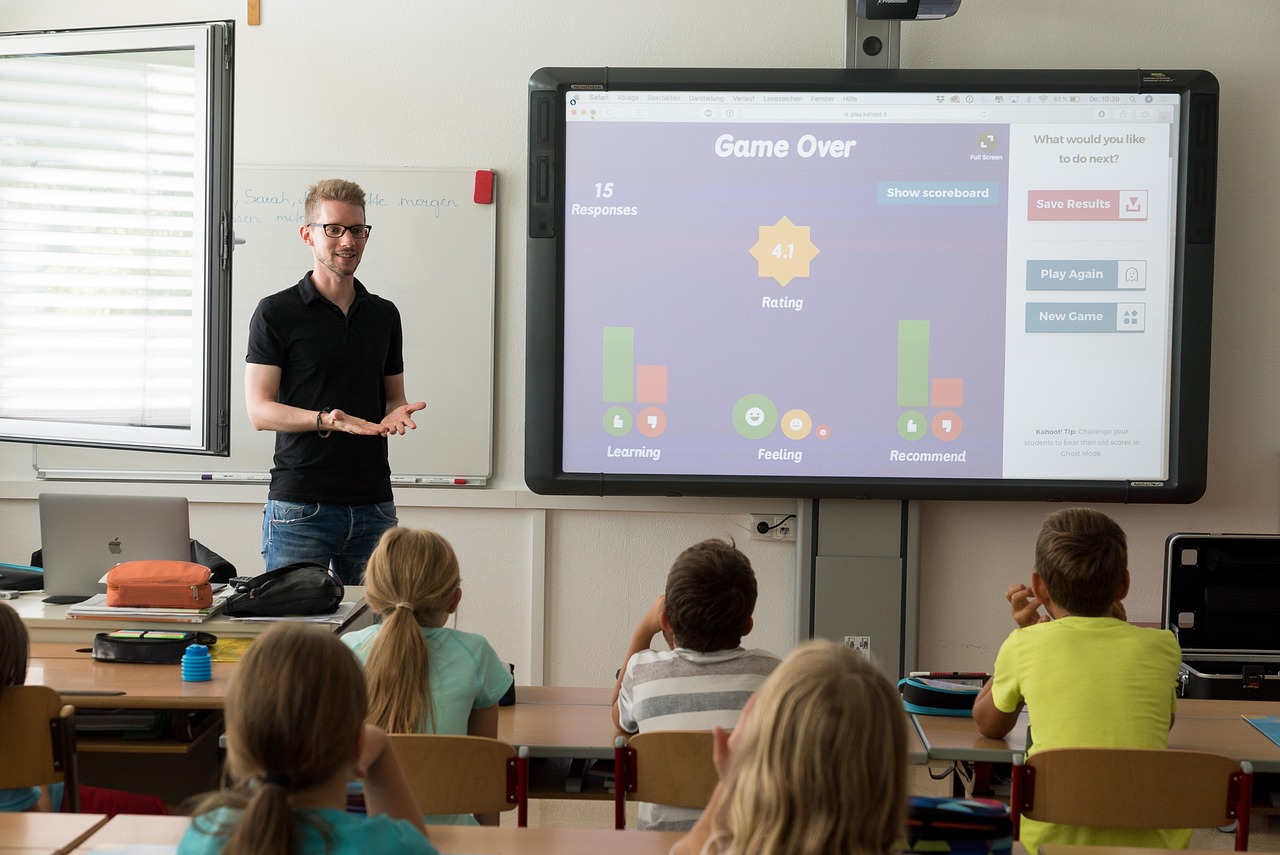
    Interactive whiteboards and projectors have become indispensable tools in the classroom. They facilitate dynamic, engaging lessons by bringing images, videos, and interactive content to life right before students’ eyes. With these tools, teachers can illustrate complex concepts understandably and engagingly, fostering a deeper level of comprehension among students. Interactive whiteboards allow for real-time editing and manipulation of the visual content, making the learning process more participative. 

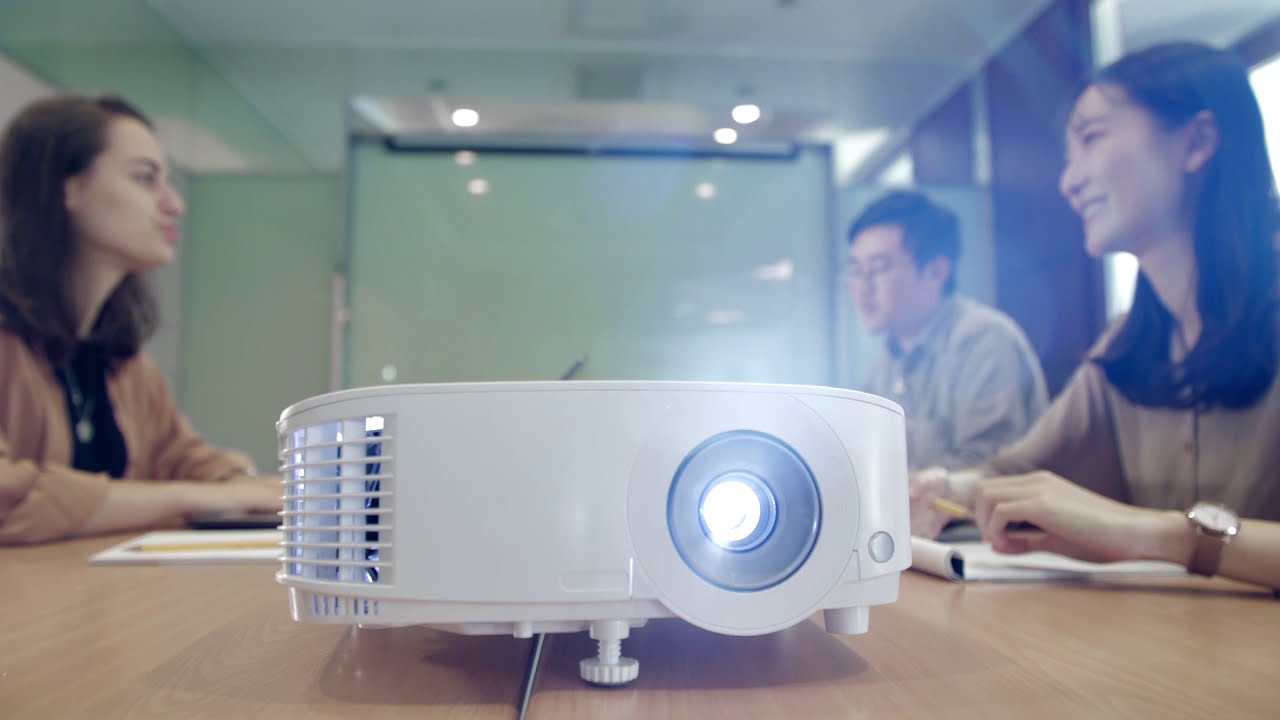
    Projectors, on the other hand, are versatile tools that can display everything from PowerPoint presentations to documentaries, providing visual reinforcement to the traditional lecture. It’s important to note that the choice between interactive whiteboards and projectors would depend on the school‘s resources and the specific needs of the classroom.

    Diverse Learning Resources

    Educational resources are another critical component of a well-equipped classroom. Having a diverse array of learning materials caters to different learning styles, thereby promoting inclusivity and ensuring every student can thrive. Traditional resources like textbooks and workbooks should be complemented with digital resources such as educational software, e-books, and online databases. 

    Interactive learning tools, such as educational games and puzzles, can also contribute to an engaging learning environment. It’s essential to include sources that promote critical thinking, creativity, and problem-solving skills. Providing access to different types of resources not only enriches the learning experience but also helps to prepare students for the demands of the 21st-century world. Whichever resources are chosen, they should be updated regularly and aligned with the curriculum to ensure relevance. This will also enable teachers to supplement their lessons with relevant and current material.

    Organizational Tools

    Organization is a key aspect of a well-functioning classroom. It encourages productivity, minimizes distractions, and creates a safe and efficient learning environment. Organizational tools such as cubbies, bookshelves, and filing cabinets are essential for managing supplies, assignments, and other classroom materials. 

    Color-coded bins can be used to sort items by subject or student, making it easy for students and teachers to find what they need. Furthermore, label makers can aid in maintaining order and ensuring each item has its designated place. 

    Bulletin boards and chart stands can serve as central information hubs for displaying announcements, and schedules, or showcasing student work. Additionally, digital organizational tools, such as online calendars or project management apps, can be used for planning lessons, tracking assignments, and communicating with students. Implementing these tools effectively can foster a sense of responsibility among students and streamline classroom operations.


    Art Supplies

    Art supplies are an often-overlooked, yet essential part of a comprehensive classroom. Creativity plays a crucial role in child development, and art supplies provide an avenue for students to express themselves, enhancing their cognitive skills and fuelling imagination. Basic art supplies such as colored pencils, paints, sketchbooks, and craft paper should be readily available. More specialized items like clay for sculpting, fabric for textile projects, and a variety of craft items like beads and feathers can be included based on the age and skill level of students. 

    Several studies have shown that using art supplies in the classroom can help students better understand complex topics, as they can draw, model, or craft representations of what they are learning. Hence, having a wide range of art supplies not only contributes to a versatile learning environment but also supports a more comprehensive understanding of various subjects. Get creative and encourage students to think outside the box with different art materials. In addition, these supplies can also be used for various school events and projects, making them a valuable investment.

    Comfortable Reading Nooks

    Reading nooks are another essential feature that every classroom should consider incorporating. These cozy corners serve as a quiet, comfortable space where students can dive into a book and enhance their literacy skills. Equipped with soft seating options like bean bags, cushions, or lounge chairs, and surrounded by bookshelves filled with a variety of literature, these nooks can become a sanctuary for students, encouraging a lifelong love of reading. 

    They provide an inviting atmosphere that fundamentally differs from the traditional desk-and-chair setup, offering a change of scenery that can help students focus and stimulate their imagination. Care should be taken to place these nooks in well-lit areas or provide adequate lighting, ensuring students can read comfortably without straining their eyes. Reading nooks aren’t just spaces for individual silent reading; they can also serve as locations for small group discussions or one-on-one sessions with teachers, further enhancing their utility in a classroom setting.


    In conclusion, a well-equipped classroom should cater to the diverse needs of students, promote engagement and creativity, and facilitate efficient organization. These six essential items contribute to creating an optimal learning environment that can positively impact students’ education journey. As we continue to evolve in our approaches to education, it’s vital to continuously assess and update the resources available in our classrooms to provide the best possible learning experience for our students.  So, in addition to these six items, be open to exploring and incorporating new tools and resources that can further enhance the educational experience for both teachers and students.


  • Top Tips For Making Tech Last Longer – Get More For Your Money

    Top Tips For Making Tech Last Longer – Get More For Your Money

    We all know how costly it can be to constantly update or replace gadgets, so we’ve put together top tips to help you get more for your money by extending the life of your devices. Whether you’re looking to keep your current mobile phone running smoothly or want to ensure your laptop stands the test of time, this blog is packed with practical advice.

    From savvy software management to simple maintenance tricks, our suggestions are designed to suit your lifestyle and save you money. You’ll learn how to protect, maintain, and optimise your technology, ensuring it serves you well for years to come. Dive into these insights and discover how to make the most of your tech investments without breaking the bank.


    Maximising Battery Life

    Keeping your tech’s battery in top shape is key to prolonging its lifespan. Your gadgets’ batteries are like the heart of the device, and taking good care of them ensures they keep ticking for longer. First and foremost, pay attention to your charging habits. It’s a myth that you need to drain your battery completely before recharging. It’s better to charge your device when it drops to about 20-30%. This helps maintain the battery’s health over time.

    Also, be mindful of where you charge your devices. Extreme temperatures, both hot and cold, can adversely affect battery life. So, avoid leaving your gadgets in direct sunlight or in a cold car overnight. Additionally, consider adjusting your device’s settings. Lowering screen brightness, turning off unnecessary notifications, and closing unused apps can significantly reduce battery drain.

    Lastly, remember to give your devices a break. Constantly running them at full capacity can wear out the battery faster. So, when you’re not using your gadget, give it some rest. By incorporating these simple yet effective habits into your daily tech routine, you can ensure your devices remain reliable and efficient, saving you the hassle and expense of premature replacements.


    Revive Your Mobile Phone

    Revitalising your mobile phone through professional refresh and repair can be a game-changer for extending its life. As time passes, your phone inevitably shows signs of wear and tear, but this doesn’t always mean you need a new one. A professional refresh can breathe new life into your device, making it feel almost as good as new. Expert repair services can come to your door with Likewize Repair. Their mobile phone repair vehicles come to you at a prearranged time and can fix and refurbish your phone on your driveway, helping it last longer and save you money.

    Screen scratches and battery issues are common problems that can drastically affect your phone’s performance and usability. Rather than bearing with these annoyances or splurging on a new model, consider a professional repair. Replacing a worn-out battery or a cracked screen can significantly improve your phone’s functionality and extend its lifespan.

    In addition to hardware fixes, a professional service can also help optimize your phone’s software. Over time, phones can become cluttered with unused apps and surplus data, which can slow them down. A professional clean-up not only frees up space but also enhances the efficiency and speed of your device.

    Choosing to repair and refresh your phone is not only cost-effective but also environmentally friendly. It reduces waste and the need for manufacturing new devices. By opting for repair services, you’re making a wise choice for both your wallet and the planet.


    Investing in Protective Measures

    Protecting your tech devices with quality cases and covers is a simple yet effective way to prolong their lifespan. Your mobile phone, tablet, or laptop is not just a significant financial investment but also an integral part of your daily life. Accidental drops, spills, and scratches are common, but they don’t have to spell the end for your gadgets.

    A sturdy laptop bag, case or cover acts as a first line of defence against everyday mishaps. It absorbs the shock from drops and minimises the risk of damage to the screen and body of your device. While it might seem like an additional expense, a good-quality protective case can save you money in the long run by preventing costly repairs or replacements. Search or laptop bags for women for example and you’ll find a wide variety of designs available to protect your laptop.

    Furthermore, screen protectors are another worthy investment. They keep the screen safe from scratches and cracks, which can impair your device’s functionality and aesthetics. Remember, a cracked screen is not just a visual annoyance; it can also make your device more vulnerable to further damage.

    By selecting the right protective gear for your tech, you’re not just safeguarding your device; you’re ensuring it remains in top condition for as long as possible. This proactive approach means fewer repairs, uninterrupted usage, and a better resale value should you decide to upgrade in the future.

    The Art of Cleaning

    Regular cleaning is crucial in maintaining your tech devices and extending their lifespan. Dust, dirt, and fingerprints aren’t just unsightly; they can also infiltrate your devices, causing them to overheat and function less efficiently. Simple cleaning routines can make a significant difference in how well and how long your gadgets perform.

    Start with the exterior. Use a soft, lint-free cloth to gently wipe the surfaces of your devices. For tougher grime, a slightly dampened cloth can do the trick, but be careful not to let any moisture seep into the openings. Regularly cleaning your device’s exterior not only keeps it looking new but also prevents build-up that can clog ports and cooling vents.

    Don’t forget about the screen, which is often the most touched and visible part of your device. Fingerprints and smudges can be distracting and can even affect touchscreen responsiveness. A microfiber cloth is ideal for cleaning screens; it’s soft enough not to scratch the surface and effective at removing oily residues.

    Additionally, keep your device’s ports and keyboard (if applicable) free from dust and debris. Compressed air can be a useful tool for blowing out dust from hard-to-reach areas. Remember, a clean device is a happy device. By incorporating these cleaning tips into your routine, you’re not just caring for your tech; you’re ensuring it serves you efficiently for the longest time possible.


    Understanding Warranties and Insurance

    Warranties and insurance for your tech devices are like a safety net, protecting against unexpected faults and accidents. While they might seem like an additional cost at the outset, understanding and utilising them can save you significant money and hassle in the long run.

    A warranty, typically offered by the manufacturer, guarantees the repair or replacement of your device in case of manufacturing defects within a certain period. It’s vital to understand the terms of your warranty: what is covered, what isn’t, and how long the coverage lasts. This knowledge can be invaluable if your device encounters a problem that’s not your fault.

    On the other hand, insurance covers your tech against a broader range of incidents, including accidental damage, theft, and sometimes loss. While mobile phone warranties are limited to defects, insurance can be a lifesaver in situations like dropping your phone or spilling coffee on your laptop. Before choosing an insurance policy, compare different plans to find one that suits your needs and budget.

    Always keep all relevant documents, such as warranty cards and insurance policies, in a safe and accessible place. Also, be aware of the process for making claims. In the unfortunate event that something goes wrong with your device, being prepared with the right coverage can help you get back on track with minimal disruption and expense.

    By adopting these straightforward yet impactful strategies, from regular cleaning to understanding warranties and insurance, you can ensure your gadgets serve you efficiently for years to come. Remember, taking proactive steps to maintain and protect your tech investments today can save you significant time and money in the future. Your devices are vital to your daily life, and with a bit of care and attention, they can remain reliable and high-performing, keeping you connected and productive.


  • Cybersecurity in the Cloud: Best Practices for Protection

    Cybersecurity in the Cloud: Best Practices for Protection

    The very characteristics that make the cloud so attractive – its distributed nature and the shared responsibility model – also introduce a host of security considerations that can keep even the most seasoned IT professionals on their toes.

    The dynamic nature of the cloud environment, where data flows across borders and between devices, calls for a cybersecurity paradigm that is both nimble and resilient. While cloud service providers incorporate rigorous security measures, clients must also adopt a proactive stance, ensuring their data and applications are safeguarded against both internal and external threats.

    From mitigating the risks of data breaches and unauthorized access to combating sophisticated cyberattacks, the need for a comprehensive security strategy is imperative.

    Understanding the Cloud Landscape

    Before diving into cybersecurity monitoring and best practices in the cloud, let’s briefly understand the cloud landscape. Cloud computing involves the use of remote servers hosted on the internet to store, manage, and process data instead of relying on local servers or personal computers. Cloud services are typically categorized into three models:

    • Infrastructure as a Service (IaaS): This model provides virtualized computing resources over the internet, such as virtual machines, storage, and networking.
    • Platform as a Service (PaaS): PaaS offers a platform that allows developers to build and deploy applications without worrying about underlying infrastructure.
    • Software as a Service (SaaS): SaaS delivers software applications via the cloud on a subscription basis, eliminating the need for installation and maintenance.

    Cybersecurity Challenges in the Cloud

    While the cloud offers numerous benefits, it also introduces security challenges that businesses must address:

    • Data Privacy: Storing data off-site can raise concerns about data privacy and compliance with regulations.
    • Unauthorized Access: Unauthorized users gaining access to cloud resources can lead to data breaches and data loss.
    • Data Loss: The risk of data loss due to hardware failure, human error, or cyberattacks is ever-present.
    • Compliance: Ensuring compliance with industry-specific regulations and standards in the cloud can be complex.

    Best Practices for Cloud Security

    Now, let’s explore the best practices for enhancing cybersecurity in the cloud:

    1. Understand Shared Responsibility

    In cloud computing, there is a shared responsibility model between the cloud service provider (CSP) and the customer. It’s crucial to understand the division of responsibilities:

    • The CSP is responsible for the security of the cloud infrastructure itself.
    • The customer is responsible for securing their data, applications, and access to cloud resources.

    2. Strong Authentication and Access Control

    Implement strong authentication methods, such as multi-factor authentication (MFA), to ensure that only authorized users can access cloud resources. Define and enforce access control policies based on the principle of least privilege.

    3. Data Encryption

    Encrypt data both in transit and at rest. Ensure that data stored in the cloud is encrypted to protect it from unauthorized access. Use secure protocols (e.g., HTTPS) for data in transit.

    4. Regularly Update and Patch Systems

    Stay current with software and system updates provided by your CSP. Vulnerabilities can be patched to prevent exploitation by cybercriminals.

    5. Secure Configuration

    Configure cloud resources securely by following industry best practices and the CSP’s recommendations. This includes properly configuring firewalls, network settings, and security groups.

    6. Data Backup and Recovery

    Implement a robust data backup and recovery strategy. Regularly back up critical data and test the restoration process to ensure data can be recovered in case of incidents.

    7. Monitor and Audit

    Implement cloud monitoring and logging to detect suspicious activities and potential security breaches. Regularly review logs and conduct security audits.

    8. Educate Employees

    Train your employees on cloud security best practices and the importance of cybersecurity hygiene. Ensure they are aware of potential threats like phishing and social engineering.

    9. Compliance and Regulations

    Understand the compliance requirements that apply to your industry and region. Ensure that your cloud setup complies with relevant regulations (e.g., GDPR, HIPAA).

    10. Incident Response Plan

    Develop a comprehensive incident response plan that outlines how your organization will respond to security incidents. Practice incident response scenarios to be prepared for real-life incidents.

    Choosing the Right Cloud Provider

    Selecting a reputable cloud service provider (CSP) is a critical decision for ensuring cloud security. Consider factors such as the CSP’s security track record, compliance certifications, and commitment to security.

    Conclusion: Safeguarding Your Cloud Assets

    The growing dependence of businesses on cloud technology for driving innovation and maintaining agility underscores the importance of robust cloud security measures. Adhering to the best practices mentioned in this post will reinforce your stance against cyber threats, safeguarding your cloud-stored data and systems. It’s vital to recognize that cybersecurity is a continuous endeavor—constant vigilance is crucial for upholding a secure cloud infrastructure for your enterprise.


  • Why Upgrade MS Dynamics NAV to Dynamics 365 Business Central?

    Why Upgrade MS Dynamics NAV to Dynamics 365 Business Central?

    In the ever-evolving landscape of business solutions, Dynamics NAV has been a trusted ally for numerous organizations across the globe. But as technology evolves, so do business needs. Enter Dynamics 365 Business Central, the next-generation business management solution tailored to meet the demands of modern enterprises. In this article, we delve into the core reasons why businesses should consider upgrading from Dynamics NAV to Dynamics 365 Business Central.

    1. Advanced Integrations

    One of the standout features of Dynamics 365 Business Central is its robust integration capabilities. It not only integrates smoothly with other Dynamics 365 applications but also with Microsoft 365 products like Excel, Word, Teams and Outlook. This interoperability bridges the gap between enterprise resource planning (ERP) and productivity tools.

    2. Regular Updates and Improvements

    Microsoft is heavily investing in Microsoft Dynamics 365 Business Central, ensuring that it receives regular updates with new features and improvements. While Dynamics NAV will still receive support, the focus of innovation has shifted to D365 BC.

    3. Cloud Capabilities

    One of the most compelling reasons to upgrade to Business Central is its native cloud capabilities. This allows for reduced IT overhead, easier scalability, and accessibility from anywhere, at any time.  BC is designed with the cloud-first approach in mind, ensuring optimized performance.

    4. Modern User Experience

    Dynamics 365 Business Central boasts a modern interface that aligns with other Microsoft products. This ensures a smoother user experience and shorter learning curves for those familiar with the Microsoft ecosystem. Dynamics NAV, being an older product, doesn’t offer the same intuitive interface as D365 BC.

    5. Enhanced Mobility in Busienss Central

    With Microsoft Dynamics 365 Business Central, you can access your data on the go, thanks to its mobile-friendly design. This is not just about viewing data but also about performing essential tasks and making decisions from your mobile devices. Such mobility was limited with MS Dynamics NAV.

    6. Better Customization and Flexibility

    D365 BC provides better flexibility with its modular approach. You can choose the functionalities you need and integrate third-party apps with ease. While NAV is customizable, the extent and ease of these customizations are more profound with Business Central.

    7. Future-Proofing Your Business

    As the business world continues to evolve, so do the demands of software solutions. Upgrading from Dynamics NAV / Navsion to, D365 BC ensures that your company remains at the forefront of technological advancements, ready to leverage the latest tools and features.

    8. Improved Customization and Extensions

    Unlike Dynamics NAV, where customizations could become complex and hinder upgrades, D365 BC uses a modern extension model. This means businesses can add functionalities without modifying the core system, making updates and scaling much smoother.

    9. Advanced Analytics and Reporting

    With Power BI integration, Dynamics 365 Business Central provides powerful analytics and insights. Companies can derive more in-depth insights from their data, helping them make informed decisions. Dynamics NAV users will find this feature a significant upgrade, especially in today’s data-driven business environment.

    10. Built-in AI and Automation

    BC incorporates AI-driven insights and automation features, such as cash flow forecasting and sales predictions. These tools empower businesses to anticipate challenges and opportunities, streamlining operations and maximizing efficiency.

    These are just some of the reasons why your organization should upgrade its ERP system to BC.

    You have decided to upgrade the system, what next?

    During the ERP system upgrade from Dynamics NAV to Business Central, it’s advisable to seek support from an experienced implementation partner. Nav24 is a trusted Microsoft partner in Europe. They have extensive experience in implementing and updating Microsoft ERP systems and have their own extensions for BC.

    Conclusion

    Upgrading from Dynamics NAV to Dynamics 365 Business Central is not just about embracing a newer product; it’s about future-proofing your business operations. With its modern capabilities, integrations, and flexibility, Business Central is primed to support the current and future growth trajectories of businesses across sectors. For companies that have relied on Dynamics NAV / Navision for years, making the transition may seem daunting. However, the myriad benefits of D365 BC – from cloud-readiness to AI capabilities — make the decision a strategically sound one. Change is the only constant, as the saying goes. In the realm of ERP solutions, Dynamics 365 Business Central represents the future.

  • Leasing Dedicated Servers: A Profitability Analysis

    Leasing Dedicated Servers: A Profitability Analysis

    The advent of digital transformation has brought unprecedented changes to the business landscape. With an increase in online activities, businesses are always on the lookout for reliable and efficient means to manage their data and online processes. This quest has led many organizations to consider leasing dedicated servers, but the question remains – is it profitable?

    What are Dedicated Servers?

    Dedicated servers are powerful computers configured and maintained by hosting providers. Unlike shared hosting where resources are shared amongst various users, dedicated servers are exclusive to a single client. These servers provide the client with full control and access to all resources, ensuring optimal performance.

    Financial Considerations: Cost vs Benefits

    Upfront Costs

    One of the main drawbacks of owning a server is the high upfront cost. The cost of purchasing, setting up, and maintaining a high-quality server can run into thousands of dollars. However, leasing a dedicated server eliminates this financial burden, as it only requires a monthly or yearly subscription fee.

    Maintenance and Operational Costs

    Owning a server comes with ongoing costs like power consumption, maintenance, and updates. When you lease a dedicated server, these costs are covered by the service provider. Thus, leasing can significantly lower your operational costs.

    Scalability

    Leasing a dedicated server provides flexibility. As your business grows, you can easily upgrade your plan or switch servers. However, owning a server means you would need to purchase a new server or additional hardware for upgrades, which is both costly and time-consuming.

    Enhancing Business Operations

    Uptime and Reliability

    Uptime is critical in today’s digital landscape. Leasing dedicated servers ensure maximum uptime, as most service providers guarantee a 99.99% uptime rate. Owning a server, on the other hand, means that any downtime for maintenance or unexpected failure directly affects your business.

    Security

    In the era of cyber threats, security is paramount. When you lease a dedicated server, you often get the benefit of the service provider’s robust security measures, including firewalls, anti-virus, and regular security updates.

    Support

    Service providers offer 24/7 technical support, ensuring that any issues you encounter are quickly addressed. This level of support might not be available if you choose to manage your servers.


    Conclusion: Is Leasing Dedicated Servers Profitable?

    In conclusion, leasing dedicated servers can indeed be profitable for many businesses. It eliminates high upfront costs, reduces maintenance and operational costs, and provides flexibility. Moreover, it ensures maximum uptime, robust security, and constant technical support. Each organization must, however, conduct an in-depth analysis based on its specific needs and circumstances to determine if leasing dedicated servers is the most cost-effective and efficient solution.

  • Securing Your Smart Home: A Brief Introduction to LoRaWAN, Gateway Devices and the Importance of It All

    Securing Your Smart Home: A Brief Introduction to LoRaWAN, Gateway Devices and the Importance of It All

    IoT, or the Internet of Things, is largely what has made the dream of creating an eco-friendly, interconnected, smart home environment possible. From the smart lights in your bedroom and that talkative speaker sitting on your desk to the smart thermostat and intelligent security system with advanced camera modules, they are all part of a future that IoT has already brought into the present. Below we dig a bit deeper into how it all works and how to keep your home secure.

    The Importance of LoRaWAN Gateways

    Unfortunately, in the absence of dedicated LoRaWAN gateways to secure those connections between your various smart devices and their respective cloud networks, there’s a chance that the networks, and consequently, one or more of your IoT devices might get hacked. These gateways act as that secured “gate” which prevents such breaches from happening. Hackers can get access to your baby monitor, as well as your security cameras, so the protection provided by the LoRaWAN gateways is very much an essential and preventive measure against such attacks these days.

    What Exactly is LoRaWAN?

    LoRaWAN stands for Low Power Wide Area Network, and just as the name suggests, these are the low power networks that are utilised by IoT devices in your home to connect with their respective cloud networks. Now, since it has been designed to function as a protocol that connects IoT devices to the web and allows them to interact with their respective networks, without the need for traditional internet connections such as Wi-Fi or cellular, the threat to security is quite imminent.

    What this means is that without the protection of at least basic devices like the LG01 or the LG02 (if you have a need for a dual-channel device), anyone with even moderate knowledge about hacking IoT networks can breach home or office security, gaining unauthorised access to the hardware.

    What Does a Gateway Device Do?

    The LoRaWAN gateways connect your IoT devices securely to their respective IoT networks on the cloud and vice versa, via the cellular, Wi-Fi or cable connection which you allow the gateways to access. It restricts LoRaWAN networks so that all IoT devices in range can only connect to the web through them. This move naturally prevents any external party from exploiting stray LoRaWAN networks.

    Visit UKIoT to get a curated list of options for LoRaWAN Gateways, which cover all budgets and requirements. In case you are not sure which gateway device would be appropriate for your home’s specific needs, do contact them first before buying anything.

    The Right Choice

    As should be clear by now, putting in a gateway device is pretty much a necessity to prevent external threats to the security of any IoT network. This is why all commercial networks are always protected by dedicated hardware gateways. However, the availability of cheaper IoT gateways, coupled with the frequency of LoRaWAN network hacking in smart homes has made such security measures a must for residential usage also.

    If you have multiple IoT devices at home or in your office, you will most certainly benefit in terms of security assurance when there are physical LoRaWAN gateways protecting the network. Just make sure that your range calculations are not off by too much.


  • How to Write Automation Test Cases?

    How to Write Automation Test Cases?

    Automated testing has great potential to save a lot of time and resources in your organisation. Some software products, such as the Microsoft Dynamics 365 ERP and CRM suite, are particularly complex and are updated frequently. These features make manual testing of D365 a real challenge. Yet, writing your test cases for automated testing also requires some effort. In this article, you will learn about the steps involved in the process of writing automation test cases and how it can be accelerated.

    Choose right tests for automation

    To make test automation successful, you must first determine whether the features you want to test are suitable for automation.

    Automation is effective for tests that are challenging to execute manually. This could be due to their repetitiveness and execution across different software and hardware platforms and data sets, or it could be due to extensive test coverage. At the same time, such tests should ideally not require human supervision during their execution.

    For example, user experience tests cannot be executed without human testers as they assess personal evaluation of the experience provided by a digital product. Meanwhile, regression, performance, functional, unit, data-driven and smoke tests can be successfully executed by automated tools.

    What should test case include?

    Automation requires a very careful approach to test creation. As a rule, you will need to break down the test procedures even more than with manual tests.

    Therefore, your test case should contain clear information about the correct state of your application. To reach this state, the tested software may require a certain time. To provide this time, include synchronisation and wait statements to the test case.

    Next, create detailed steps of the testing process. This includes the requirements for data entry, an algorithm for reaching the next required state of your application, and the steps that return the software to its initial state.

    Add comments that will explain the components of your test case.

    Your test case should also include debugging instructions that can be used to fix specific test problems without your intervention.

    Finally, your test case should include output statements. These allow you to automatically record the test results.

    Find more on: https://www.executiveautomats.com/

    Effective ways to simplify automation test cases

    As you can see, you need to create appropriate test cases to automate the testing process. This step of the automation process can be rather confusing and time-consuming, especially if your team has just switched to an automated testing tool. Below are recommendations that will make the test creation process easier.

    Choose No-Code Tool

    An effective codeless tool can help your team significantly reduce test case creation time. Executive Automats, for example, has a user-friendly interface that allows users to create test cases without writing a single line of code. Not only does it reduce the effort of professional testers, but also allows users without a technical background to create and execute the necessary tests without relying on testing specialists.

    With Executive Automats, you can also automate report generation.

    Narrowing Test Scope

    Automation creates more opportunities for testers to improve the testing process. However, you should remain realistic about its capabilities. If you want to test more, it is better to create a larger number of simple tests and use the ability to run them autonomously at any time, rather than trying to squeeze a large volume of tested functionalities into a single test.

    Break down complex test cases into simple and logical units and keep them specific to their purpose. Even if you do not have to write code for your test cases, you will still find it useful because the results of such tests will be clearer.

    Minimise Test Verification Points and Responsibilities

    The more conditions your application has to meet to pass the test, the harder it will be for you to derive meaningful information from the test, especially if the system fails.

    To understand exactly when and why the software failed, you should try to create your test cases with a single verification point. If this is not possible in some cases, you can use several verification points, but make sure they are closely linked and work as a group.

    Similarly to passing criteria, your test case should have a single clear responsibility. If you give your test cases multiple responsibilities, it becomes unclear what the purpose of your test is in the first place.

  • How to Use a Projector as a TV: A Step-by-Step Guide

    How to Use a Projector as a TV: A Step-by-Step Guide

    Are you on the lookout for a cost-effective way to take your home entertainment system to the next level? Allowing you to enjoy the thrill of scrolling through your favourite streaming services on a giant screen, using a projector as a television is proving more and more popular.

    But how do you get started? Fear not—we’ve got you covered with this detailed step-by-step guide on how to enjoy the lush visuals of a projector TV in your living room without blowing your budget. Let’s dive in!

    Quick Insight

    To set up your projector as a TV, you will need to connect your TV antenna or other signal source, as well as your sound system and any other necessary cables. Then you will need to set the projector’s settings accordingly for optimal viewing.

    Using a projector as a TV can be an affordable and innovative way to get the best video quality without having to invest in an expensive television. While not all projectors are designed for use with a television or in public buildings like churches, certain models can offer a good combination of size and clarity that can meet your public home entertainment needs (why not check out the best projector for church). To properly use a projector as a TV, you’ll need to understand the basics of how projectors work, as well as how to set up the projector and connect it to other devices.

    The potential advantages of using a projector as a TV include low cost, dramatic levels of brightness, long lamp life, and easy portability. On the downside, setting up the projector properly can be complicated depending on the model, and if you don’t have the right equipment or computer skills, the process may be daunting. Additionally, some users find the picture quality lacking compared to traditional TVs, especially for dark-room viewing.

    By understanding these pros and cons when using a projector as a TV, you can better decide if it is right for you. After this section discussing these precautions, we will move on to setting up your projector in order to receive television signals.

    Essential Highlights

    Using a projector as a TV can be an affordable and innovative way to get the best video quality without having to invest in an expensive television. It has advantages such as low cost, high levels of brightness, long lamp life, and easy portability. Setting up the projector properly can be complicated depending on the model and some find the picture quality lacking compared to traditional TVs. Knowing the pros and cons is important when deciding if using a projector as a TV is right for you.

    Setting Up Your Projector

    When setting up a projector as a TV, the first step is to choose the location for the projector. This decision must be based on factors such as room size, lighting, and seating arrangements. If the room is too large, it may be difficult to achieve a large enough picture size. Additionally, if the room has bright windows or recessed lighting, they will provide considerable amounts of ambient light which can affect the projected image’s brightness and clarity. Poorly arranged seating can reduce viewing angles and limit the number of people who can comfortably watch movies or shows on your projector TV.

    Once the right location has been determined, it’s time to mount your projector onto or against a wall or ceiling. You’ll need an adjustable projector mount to make sure that you’re able to find the correct angle for the optimal picture. Depending on your setup and space requirements, it might also be necessary to get other accessories like extension poles, additional mounting plates, or risers. Once again, careful planning is required here before making any purchases to ensure that all components fit properly together.

    Depending on how much power you want from your projector, it may also be worth investigating hi-fi quality soundbars in addition to more traditional speakers. This way you can create a realistic surround sound experience without compromising clarity.

    Once all mounting and positioning is complete, it’s time to connect the projector to your chosen devices via HDMI or VGA cables or through wireless streaming options such as Chromecast or Apple TV AirPlay2. Then you’re ready to enjoy movies, shows and games just like with any other television set!

    Now that your projector is set up properly and connected it’s time to move onto becoming familiar with its unique features while exploring possible sources of content. To successfully accomplish this task requires understanding what type of compatible devices are recommended and acquirement of any necessary adapters or cords needed for implementation – topics that will discussed further in the next section about “Requirements and Compatible Devices”.

    Requirements and Compatible Devices

    Using a projector as a TV is a cost-effective and convenient way to enjoy your favorite shows and movies. However, in order to get the most out of it, you will need to make sure that your device is compatible with the projector.

    The first essential requirement is having an HD projector. This means that you will need a 1080p or 2K resolution with good brightness levels which can be achieved through larger lumens, e.g., 4500 ANSI Lumens. This will give you better contrast ratios so that colors appear more vibrant and true-to-life. Additionally, choosing something like an ultra short throw (UST) projector might be best for small spaces if mounting the projector onto the wall isn’t possible.

    You will also need to take into account the compatibility of your device with the type of input used by the projector. Most projectors come with one or two HDMI inputs, although there are some which consist of only one VGA connection for devices such as DVD players. In this case, it may be necessary to purchase an adapter or separate cable from your device in order to make it compatible with the projector.

    Aside from being able to send video signals to the projector, other factors include resolution, refresh rate, and audio support. These may vary depending on what kind of device or TV stick you’re usingbut generally speaking, most major streaming devices should have no issue meeting these requirements.

    One argument against using projectors is that they tend to have slower response times than traditional TVs due to heat buildup inside the unit over time – causing image persisting and ghosting effects while watching darker scenes on video content. However, newer projectors have ways of preventing this issue through advanced cooling systems and auto-calibration modes so this shouldn’t be much of a concern anymore.

    All in all, making sure that your projector is compatible with both devices is vitally important for achieving optimal picture quality when using a projector as a TV. With proper setup, you should have no problem enjoying great visuals for years to come! Now let’s move on to connecting your projector in the next section.

    Connecting Your Projector

    Once you have a compatible projector, deciding how to connect it to your computer and other devices may be the next step. The connectors and cables help determine which type of input can be sent from the device to your projector. Fortunately, most projectors come with a variety of ports and connectors that support numerous inputs.

    When connecting your projector to a computer, the primary connection options are HDMI, VGA, DVI, S-Video, and DisplayPort, with HDMI being the most common for projectors. Additionally, if you want to connect your game console or Blu-Ray player to your projector, you’ll need a different type of cable depending on the device. For instance, a standard smartphone or tablet needs an HDMI adapter while consoles typically use specific AV cables.

    Ultimately, the available connections vary by each device and projector. To ensure that everything works together correctly, it’s important to read the user manual before attempting any connections. Also make sure you review both your source devices and your projector’s technical documentation to determine which cables are needed according to the specific port requirements of each product.

    Once you know which cables or adapters you need, it’s time to connect everything properly. Use caution when plugging in the cables since forcing them into their respective ports could cause damage. It’s also a good idea to keep all connected wires away from any moving parts such as fans or motors as these can easily get tangled in loose wires and can also interfere with image quality.

    Now that everything is properly connected it’s time to move on to setting up your digital video.

    Setting Up Your Digital Video

    When setting up a projector as a TV, first you will need to ensure the video source is connected correctly. For example, if using a DVD or Blu-Ray player, you will want to connect it to the projector with either an HDMI or composite cable. Once the video source is connected to the projector, the next step is to configure the picture settings. Here you can adjust display size and aspect ratio, as well as offer instruction on how to adjust brightness and contrast levels.

    While it is possible to use an internal speaker system on some projectors for basic audio needs, this method will not provide a quality result for home theatre applications. Therefore, it is essential that a quality external speaker setup be used in conjunction with the projector for optimal audio performance. This external speaker system should also be configured in accordance with instructions provided by the manufacturer of both speakers and projector units.

    Finally, once physical connections are established and settings are adjusted accordingly, testing of the digital video display should take place. To do so, initially confirm proper picture alignment before adjustment of brightness levels takes place. Then you can tweak any other settings such as color or sharpness until desired results are achieved.

    Now that we have successfully set up our digital video display, let us move on to unpacking and installing software so we can begin enjoying our new home entertainment experience.

    1. What are the benefits of using a projector as a TV?
    2. 3 Scientific Statistics About Using Projectors as TVs :
    3. According to research by Stanford University and the University of California, using a projector instead of a traditional TV for video will project a larger image at better resolutions.
    4. A projector can also provide up to four times higher peak brightness than a regular TV.
    5. For people who need to publish presentations or videos quickly, having an LED projector can be highly beneficial since they have a very short warmup time, sometimes as low as one second.

    Unpacking and Installing Software

    When unpacking and installing software for using your projector as a TV, you will need to make sure that certain components are included. Firstly, ensure the cables needed for connection are included in the product packaging. You will also need to have both a video input source and power adapter powered so that you can use the projector with your home entertainment system. Secondly, you will need to install specific software on your computer or smart device (e.g. Apple TV, Roku, Chromecast).

    The next step is to download and install the software. There are two options when it comes to downloading software; downloading directly from the manufacturer’s website or downloading third-party applications, such as Screencastify or AirPlay. Downloading directly from the manufacturer’s website ensures that the latest version of the software will be available and that technical support is readily available in case something goes wrong. Downloading third-party apps can be cheaper but there may not be any technical support should an issue arise while setting up your projector as a TV.

    Finally, verify if any setup documents are included with the product packaging and review them thoroughly before attempting installation of any kind of hardware or software for use with your projector as a television. Doing so will help ensure that any troubleshooting work which needs to be done is done efficiently and correctly.

    Once all these steps are completed it’s time to move onto connecting audio and setting up picture quality.

    Connecting Audio and Setting Up Picture Quality

    Now that you have your projector set up and connected to power, it’s time to get your audio and picture quality setup properly. Connecting audio is usually pretty straightforward depending on the kind of video source you’re using.

    If you use a DVI input, you will need an audio adapter cable to connect the video source’s audio outputs to the projector’s analog audio input. Alternatively, if you are using HDMI as your video source, then an HDMI cable can be used for both video and audio. Many projectors come equipped with a built-in speaker system; however, this is not always desired since they often do not provide very good sound quality. To achieve better sound quality, consider connecting separate speakers or investing in a home theater system instead.

    Setting up picture quality correctly is important, as the wrong settings can make the picture look blurry or distorted. As such, it is recommended to choose the right projection mode based on how far away the projector will be from its display surface. Selecting Auto Adjustment or Image Optimization on some projectors can help optimize brightness and contrast levels properly. Additionally, Cinema modes are commonly available on many projectors to help create a cinematic viewing experience that is similar to watching movies in a theater.

    Finally, it’s important to adjust various settings like plugging in any cord and antennae needed for watching cable or satellite TV. Disabling features such as keystone correction or image mirroring can also improve image quality in certain scenarios. After everything has been connected and all appropriate settings have been adjusted correctly, you should be able to watch TV with high-quality projection without any issues.

    Now that your projector is connected and adjusted, it’s time to move on to positioning it correctly so that it displays the best picture possible. The next section will guide you through positioning your projector accordingly.

    Positioning Your Projector

    Before you can get started streaming content and enjoying your projector, you need to make sure it’s properly positioned. While it may be tempting to just place the projector wherever is closest and easiest, the final image won’t be as good if it isn’t properly aligned. Here are a few tips to help you place your projector accurately.

    The most important part of positioning your projector correctly is determining what surface or wall you plan to project onto. Ideally, the surface should be light in color and have little texture. This will help ensure clear and crisp projection with good contrast. If possible, choose a flat surface like a white wall or large painting canvas to get the best results. You should also try to avoid surfaces that reflect light, such as large windows or mirror walls as they can cause unwanted glare on the wall.

    Once you have an ideal surface selected, it’s time to determine how far away from the wall the projector needs to be for optimal picture quality. Distance plays a key role in how clear and defined your projected image will be; if it’s too close, your image will look fuzzy, whereas if it’s too far away, it may be difficult to make out finer details in the picture. Most consumer-grade projectors come with an approximate minimum distance from the wall printed on their body. Refer to this guide before setting your device up for best results.

    Ultimately, finding the right spot for your projector is largely dependent on personal preference; some people may prefer a larger projected display while others may prefer a smaller one. Consider experimenting with different positions and distances before settling on one spot to make sure the projected image meets your expectations.

    Now that you know the basics of positioning your projector for optimal use, let’s take a look at making some finishing touches and streaming our content in the next section.

    Finishing Touches and Streaming

    Before wrapping up your project of connecting your projector to your TV, there are a few more things to consider. Firstly, is your source device such as a laptop or DVD player near enough to the projector to make the connection? In some cases, you may need to purchase an extra HDMI cable extension or a wireless HDMI adapter to stream content from the device onto the projector. Secondly, consider if you’ll need additional accessories such as sound equipment or additional cables. Finally, decide which streaming services you’d like to use on your new TV. Such options may include Amazon Prime Video, Netflix, Hulu, and more.

    You will likely want access to these services so that you can enjoy the most out of your newly converted home theater setup. Enjoying access to streaming services will also be important in order to experience a wider range of content types such as sports and entertainment programming. Additionally, streaming could add value in helping you save money from costly cable bills over time.

    However, with the rise of streaming services has come higher premiums for certain forms of content or even blackout bans for live events as these outlets attempt to monetize crowdsourced user data for marketing gains. It is clear then that streaming is both beneficial and potentially detrimental depending on how it is used by consumers.

    Now that we have discussed the finishing touches and streaming of your home theater setup, its time to review our progress with a conclusion in the next section.

    Conclusion

    Projectors can be an efficient replacement for a TV, providing you with an adjustable large-screen viewing option. For a fraction of the cost of a normal television, a projector can make watching movies, playing video games, or just browsing through channels at home a much more enjoyable experience. However, projectors are also much larger than televisions and take up more space in general. They may require extra installation and maintenance to keep them performing at their best.

    If you’re looking for an affordable large-screen viewing option and don’t mind putting in the effort to install and maintain it, then a projector is the perfect solution for you. But if you want a more snall-scale viewing option that doesn’t require additional installation and maintenance, then perhaps sticking with a traditional TV could be your best choice.

    Frequently Asked Questions

    What type of projector is best for using as a TV?

    The type of projector that is best for using as a TV depends on the environment and individual needs. If you plan to use your projector as a television in a dark room or basement, then a short-throw or ultra-short-throw projector will be the best choice. These models are designed to produce bright, crisp images even when viewed from close range. If you plan to use your projector in a living room or other brightly-lit space, then a standard throw projector with a higher lumens rating will likely be the better option. A higher lumens rating means it can handle bright lights without compromising image quality. Ultimately, the best projector for using as a TV will be one that fits your individual needs, so consider things like usage scenarios, budget and necessary features before making your purchase.

    How do I connect my projector to cable, satellite, or streaming service to use as a TV?

    To use a projector as a TV using cable, satellite, or streaming service, you must first connect the right cables and inputs to your projector. Depending on what kind of signal you’re using (HDMI, composite, component, etc.), you will need to use different cables. An HDMI cable is usually recommended for the highest quality connection, but some older projectors may require different cables like VGA or RCA.

    Once you have the correct cables attached to your projector and source device (cable box, computer, streaming media player), it’s just a matter of setting up the projector as you would any other TV. You may need to adjust the resolution if needed. On many projectors you can also make color adjustments to get the best picture possible. Finally, you’ll want to make sure any audio is routed through your sound system properly as well.

    With proper connections and a few simple configuration steps, you should be able to enjoy cable, satellite, or streaming services through your projector with great picture and sound quality.

    What cables and connections do I need to use a projector as a TV?

    The cables and connections you will need to use a projector as a TV depend on the make and model of your projector as well as the type of device you are trying to connect it to. Generally speaking, you’ll need an HDMI cable to connect your projector to a DVD player, gaming system or laptop computer. Additionally, if you’re connecting the projector to a cable box, satellite receiver or other media streaming device then you’ll likely need an additional component video cable such as RCA or coaxial. Finally, since projectors tend not to have internal speakers, you’ll also need to connect an audio cable such as RCA or mini-jack from the source device directly into an external speaker system.

    For more specific information on what connection types and cables you’ll need for your particular projector model and device, it’s best to check the manual that came with the unit, contact the manufacturer’s help line, or visit their website.

  • How Technology has Improved World Exploration

    How Technology has Improved World Exploration

    On 20th July, 1969, 10:56 PM Eastern time, Neil Armstrong, an American astronaut, became the first man to step on the moon, earning himself a golden spot in the history books for a lifetime. Since the early days of man, to the first Homo Sapiens and the early pirates, man has always explored, in whatever capacity they can, and technology has been at the core of it all.


    How it all Began

    Technology always has a purpose when it is created. For instance, search engines were developed to sort through enormous amounts of online data. Every time a technology is upgraded, it combines with earlier ones to produce a new product that is superior to the old one. It keeps going on and on.

    Early technology dates back to years ago when the first ship was built. Then came the first compass around 1044AD, increasing man’s reach in the universe. In 1519, the world recorded the first successful voyage around the world.

    When we realise that some time ago, it took people days to move between neighboring states, perhaps we would feel lucky to only get stuck in traffic for a few hours. Luckily for us, Nicolas Joseph Cugnot of France built the first automobile in 1769, as recognized by many official bodies. On January 29, 1886, Carl Benz applied for a patent for what many believe to be the first gasoline-powered automobile, slashing the reasonable time for travel to mere hours.

    Technology has taken us on a journey from writing on walls to building common tools and making fires with stones. It has grown exponentially, from directional maps to navigation systems, and now self-driving cars. As a people, we’ve come a long way, charting our course through the pages of history, while creating advanced technology.


    Benefits of Technology in World Exploration

    With technological advancements, exploration became much easier. Here are some ways that this has been to our advantage.


    Deep Sea Exploration

    The ocean covers about 70% of the world’s surface, over which 80% remains unexplored. Experts often say that we know more about the moon than we do about the oceans, and for a long time, scientists assumed life in the deepest part of the sea was impossible. Remarkably, as more exploration began in the nearly 20th century, they found it was possible.

    Underwater robotics has been useful for rescue and search operations underwater. In recent times, underwater robots are used in ocean research; to explore marine resources, map the topography of the seabed, and build and maintain marine engineering structures.

    Ocean researchers use underwater robots, such as remotely operated vehicles (ROVs) and autonomous underwater vehicles (AUVs). These robots can travel to parts of the ocean that are too risky or challenging for people.


    Space Exploration

    With recent technological advancements, we can travel further into the galaxy to explore unexplored terrain and perhaps even find new phenomena. Due to the development of AI rovers, we can explore cold rivers and blazing caves. According to some theories, AI may also aid the search for extraterrestrial life.

    Just like underwater robots, rovers can tolerate more extreme circumstances than a human could, such as the harsh environment of the solar system. These recent developments mean that the intervals between space milestones, such as the moon landing, the construction of the first space station, or the voyager mission, will only shorten.


    Aerial Photography and Geo-Mapping

    As man looked to the sky in search of more wisdom, more innovations led to the birth of drones, and they came bearing fruits of aerial photography, geo-mapping, and landscaping.

    Aerial photography has made it possible to explore the planet, and experience it from a birds-eye perspective. Drones provide incredibly detailed maps when used with small vertical-looking cameras, oblique camera systems, and contemporary photogrammetric software.

    The data outputs from aerial mapping are used more and more in the quickly evolving domains of machine learning and artificial intelligence. Although this trend is not yet established, it is certain that in the coming years, ever-more automated methods will be used to gather the incredibly precise and accurate data accessible from aerial mapping.

    It is safe to say that technology is the gift that keeps on giving, especially in exploring our dear planet. It gives us every tool we need to seek the answers we’re so desperately keen to find. To combat the dangers and drawbacks of exploration, more sophisticated equipment has entered the market, arming us with everything needed to discover and inhabit new territories.


  • The Benefits of Automated Underwriting for Companies Across Industries

    The Benefits of Automated Underwriting for Companies Across Industries

    Lenders are undergoing a process of digitalisation and are adopting powerful automated loan underwriting tools that enhance critical underwriting processes. Automated underwriting software solutions are able to process various types of loans and also generate a schedule for payment instalments. These advanced tools empower lenders to automate application processing for credit cards, insurance policies, business loans, and mortgages.

    Automated Mortgage Lending

    The mortgage industry has been slow to digitise, and established lenders are facing difficulties enhancing their underwriting processes without automation.

    Streamlining mortgage applications for future homeowners is a priority for both established companies that need to maintain market share and tech-savvy startups intended to disrupt the lending industry.

    How Does Automated Underwriting Work?

    Automated underwriting tools process a candidate’s information in order to immediately arrive at a decision. The human underwriter enters the candidate’s personal data into the underwriting tool, such as income, assets owned, credit history, and zip code.

    These automation solutions streamline the first phase which generally takes weeks or even months to complete when performed manually.

    In reality, a human underwriter plays virtually no role in the first phase of automated processing. If the application meets all the criteria, the application is approved automatically.

    However, there are also complex cases that require the judgment of an experienced human underwriter. In these cases, automated underwriting tools spot and send applications to human underwriters to complete the underwriting assessment.

    Advantages of Automated Underwriting

    Automated underwriting radically reduces processing times, identifies inconsistencies and contradictions, and boosts the customer experience.

    What follows is a short overview of the advantages of deploying automated processes.

    Fraud Prevention

    Fraud prevention is an enormous problem when mortgage applications are processed manually, which is why businesses are turning to automation.

    Automated underwriting tools examine various financial metrics and customer information and behaviour to fight against fraud.

    Efficiency

    Automated underwriting systems are practically error-proof because they use pre-defined  rules and algorithms to approve cases.

    On the other hand, mistakes can always occur during manual processing, even when multiple checks by the staff are done.

    Also, lenders are able to reduce backlogs created by going back and forth chasing missing paper documents.

    Customer Satisfaction

    Lenders can approve an application in mere minutes as opposed to days or even it takes with manual underwriting. This fact plays a huge role in improving the customer experience.

    Automated Underwriting with Rules Engines

    A business rules engine is a pluggable piece of software that connects to underwriting systems to help automate and streamline decision-making. that instantly approves eligible candidates.

    Enhance Processes

    Underwriting requirements can be easily and quickly made and managed using rules engines. Non-technical subject matter experts can make updates to the underwriting criteria with just a few clicks, and without having to rely on support from the IT department.

    Better Control of Decision-Making

    Unlike outdated underwriting systems that make accessing and managing data difficult by hard-coding everything, a business rules engine provides a business-friendly way of updating business logic.

    In fact, many lenders are connecting rules engines to their legacy systems to avoid having to deal with the drawbacks of legacy IT systems.

  • Nexar Beam GPS Dash Camera

    Nexar Beam GPS Dash Camera

    Innovative dash cam company Nexar have released the Nexar Beam GPS dash camera with impressive functionality for everyday driving comfort and safety. Nexar Beam GPS is a new lightweight dash camera with navigation capability designed for safer driving which is plug and play, feature packed, compact, sleek and affordable with 32 GB SD card and free unlimited cloud storage included.

    Nexar Beam GPS is the world’s smartest dash cam and is available to buy on Amazon

    Beam GPS is sleek, compact and beautifully designed. It can easily be concealed behind the rear-view mirror without drawing too much attention and records 1080p full HD video that makes for extremely crisp and bright footage and has a super wide lens that provides a 135-degree field of view. It has the added advantage that, unlike any other dash cams at a similar price point, Nexar offers free cloud storage so there is no need to pay for expensive monthly subscriptions.

    Nexar has developed its own proprietary software, unlike many dash cam brands who use third party integrations. Nexar’s companion app allows for live streaming of all video footage directly to your phone and uses AI to detect important moments and save them as easy to find clips. Incidents can be reported and files shared and viewed immediately with an insurance company or the police through the app. The footage is backed up to the cloud without any limits, and all of it is incredibly easy to use and navigate around; which is most important of all. The Beam GPS dash cam also has a built-in GPS module so, in the event of an accident, the location of the vehicle can be linked directly to the footage, providing additional proof to authorities as required.

    The parking mode feature offers 24/7 security and can sense even the slightest impact to a vehicle and starts recording immediately, even when the car is parked. No need to be in the car or driving to get the protection the camera offers. Parking incidents, such as someone hitting a parked car, can be downloaded to the user’s phone as soon as it connects to the dash cam, so footage can be viewed immediately; offering true peace of mind.

    With a built-in G-sensor supporting variable sensitivity, the dash cam can auto-detect any sudden knock or collision and lock the crucial footage. This can then be used as vital evidence for claims or insurance purposes with users being able to access the required footage easily and quickly.

    The Nexar Beam GPS comes with a free 32GB microSD card already installed but users can opt to upgrade to a bigger capacity with up to 256GB of included storage. Best of all, though, Nexar offers completely unlimited cloud backups without a subscription, so drivers can avoid the extra cost and have the same ability to save any video to the cloud. Ideal if the dash cam is ever stolen or damaged, as footage can still be viewed and accessed from anywhere.

    Once videos are uploaded via Wi-Fi, users can check them out at the online portal dashboard, getnexar.com. The video clips can be wrapped together with important data into a report and uploaded immediately using a one-click report function.  Additionally, Siri voice command may be used to send messages to others whilst on the road in the Nexar Groups app which will show the location if the driver is delayed.

    Nexar’s Beam dash cam uses computer-vision artificial intelligence (AI) and inter-vehicle networking software, with the mission to eliminate road collisions worldwide by alerting drivers to dangers ahead in real-time.

    The dash cam is also incredibly easy to install, offering true plug and play. There’s an included suction mount to fix it to the windscreen, and included adhesive for any which are flat. It’s powered from a cigarette lighter port, and an included 3-meter long micro USB cable connects it quickly and simply. Plus, it has a smart quick-release mechanism so the camera can be easily detached from its mount if theft is a concern.

    Key features

    • Free and unlimited cloud storage for key moments
    • AI detection of road events
    • Emergency contact alerts if you are ever in an accident
    • Parking mode’s 24/7 security
    • Seamless accident reports and simple insurance claims
    • Easy installation with a suction cup mount
    • 32GB SD card included with option to upgrade
    • Trimming feature to cut down videos and save storage

    Nexar Beam GPS is the world’s smartest dash cam and is available to buy on Amazon


  • An Eye for The Sky: 5 Essential Tips for Taking Incredible Drone Photos

    An Eye for The Sky: 5 Essential Tips for Taking Incredible Drone Photos

    When it comes to drone photography, you want to make yours look amazing. Here are 5 essential tips for taking incredible drone photos. Drone photography gives you a bird’s eye view of the world. But your shots will never be on target if you don’t have an eye for capturing the perfect image.

    Considering how people have managed to take terrible photos of even the world’s most beautiful natural wonders, it’s easy to see that a unique vantage point won’t automatically make your drone photos great. But, for many keen photographers, using a drone offers the opportunity to flip the perspective and experiment a little. Although, knowing when, where, and how to use a drone ensures that you’re all set to make the shot when you see it.

    Want to learn how to take your drone photography to the next level? Keep reading to find out our top tips for using a drone!


    1. Research Possible Locations Beforehand

    Cool features on the DJI Mavic 3, including extended flight times and obstacle sensing, make it easier to get the perfect shot. But even with the best drones, there’s still a lot of prep work that goes into a great drone photo.

    This is why the first of our drone tips is to research possible locations long before you head out with your drone. Successful drone photography relies a lot on knowing where you are and aren’t allowed to fly. As such, it’s a must to do your research ahead of time.

    The 3D function on Google Earth is a great tool for scouting locations, especially since it allows you to see close-up details of almost any location. Plus, Google Maps shows you the altitude you’ll need to take the shot from, which is a big help when you’re using a drone somewhere new.

    But, don’t think you have to travel hundreds of miles to get great shots. Instead, start with locations near your home. This makes it easier to go back several times and try new things as you learn to perfect your drone photography skills.


    1. Know When to Fly

    As well as knowing where you can fly, it’s also important to stay up-to-date with the weather so you know when it’s safe to fly too.

    Ideal drone photography conditions are little to no wind and good lighting. Although some new drone models can withstand windy conditions, using a drone in strong winds drains the batteries a lot faster. Cold temperatures also use up your battery power quicker so you’ll have less flying time before you need to stop and recharge. And snow and rain can cause damage to the electronics.

    But, don’t be afraid to take your drone out in less than perfect conditions. Cloudy days and foggy conditions are great for moody shots and enchanting effects.


    1. Embrace the Everyday

    It’s a big mistake to assume that a scene won’t make for a good drone photo without seeing it from above first. Often, you’ll see captivating features, patterns, and colour combinations that you would have had no way of seeing from the ground.

    From making mundane locations feel magical to reducing vast landscapes and imposing buildings down to tiny components, drone photos offer you a whole new view of the world. We’re talking about the kinds of views that you might only ever see from a skyscraper or an airplane window seat.

    But you don’t have to fly high to take an amazing shot. Even when you’re doing everyday activities like hanging out with your family in the backyard or walking your dog, take your drone up to flip the perspective. You’ll soon see how it’s possible to create striking works of art with almost any scene.


    1. Use the Best Settings

    While a drone won’t get you the same kind of high-quality images you’re used to seeing with your DSLR camera, you can still get some incredible drone photos. But, only if you use the right settings.

    To cut unwanted noise from your drone images, always shoot as ISO 100. And, if it’s a little windy, set the shutter speed to 1/6th of a second. This enables you to capture sharp images with an ISO of 100.

    Keep your aperture somewhere between f/4 and f/5.6. Although some drones won’t allow you to set the camera to such a wide aperture, getting as close as you can to this recommendation is the best way to secure a quality photo. Smaller apertures tend to result in softness and poor image quality on most drones. But, above all, whichever settings you go for, make sure to take several drone pictures at a time to increase your chances of getting that perfect shot.


    1. Remember the Rule of Thirds

    Simple drone photos of forests with intersecting rivers and jagged shorelines are so effective because they often adhere to the all-important Rule of Thirds.

    While it’s fine to break and bend this rule from time to time, it can help to keep this concept in mind when taking drone shots. Especially when turning a vast landscape into an eye-catching abstract image.

    When you’re using your drone, explore the area for lines that will guide the viewer’s eye toward the most important elements. Placing these key elements at the intersections of the thirds rather than in the centre of the shot will ensure a balanced and captivating image.

    Even the most experienced photographers agree that taking drone photos can feel like starting all over again, but with these tips to guide you, as well as plenty of practice and willingness to experiment, taking amazing shots from above will soon become second nature!

  • Tech On the Way for Newest Phones

    Tech On the Way for Newest Phones

    The latest devices look to be just around the corner as the holiday season approaches and the rumours for what can be expected from the biggest phone manufacturers start to come out – both Apple and Samsung have been the big targets for the leaks as usual and talks around which tech may be coming and going heat up as usual. With changes in the way many of us use our devices, particularly with the recent success found in the likes of gaming as different genres online have grown like these options at casinosnotongamstop.org, replacing traditional brick and mortar locations for many. Will the tech changes be geared towards making these options more accessible, or will trends for recent years continue?


    Smaller displays could return – One of the big rumoured changes, particularly aimed at Samsung devices, and something that for some goes against the current flow of devices primarily being used for content consumption comes in the form of a slightly smaller display. Complaints around oversized displays have been around for a while, so it isn’t surprising to see some hope for a scale back here, and not by a great deal either but could make all the difference to those users frustrated with the phablet style devices that have been around for quite some time now.


    Cameras and lenses will be an easy target ­– It seems par for the course now that cameras will receive a yearly upgrade and change and it seems the 2022 devices will be the same too, particularly for the iPhone with expected changes to the notch and selfie camera in particular. Higher fidelity and better software within the processing of capture photos continue to lend themselves to the inspired content creation market with mobile users and will undoubtably be a key piece of tech leading to more creativity.


    Battery changes are expected, but perhaps not in the right way – Mobile phone batteries have long been the Achilles heel for modern devices with the power draw being so high that any extended period of use runs even the beefiest of batteries flat in no time – suggestions had initially been towards charging capabilities, but there are rumours that with the smaller display size could also come a smaller battery too – it may mean cutting down on the hours of watching favourite shows on mobile or playing the favourite games, but as this is just a rumour and yet to be confirmed, hopes still remain for improvements instead.

    With a hopefully release schedule either a little before or a little after Christmas, it may prove to be a perfect time to upgrade for those who have been holding onto their same device for quite some time now.

  • Digital Payments, Building Security, and Cashier-less Retail: 5 Examples of Contactless Technology

    Digital Payments, Building Security, and Cashier-less Retail: 5 Examples of Contactless Technology

    Thanks to smart technology quickly being embraced by companies all over the world, contactless society is on the horizon. So lets take a look at how contactless technology is making everyday life easier.


    1. Digital payment

    With the introduction of smart cards into day-to-day life, transactions are made quicker, with less stress over what is needed at the moment. No counting coins or stopping by the bank to withdraw cash. It has revolutionised spending while abroad, with the need to convert currency eliminated.

    Gambling has also been improved with smart cards. Smart cards can be used for proof of identity and age, allow access to the gambling establishment and act as a tool for auditing accounts to monitor their spend.

    The smart card can also be used for cashless payments, allowing gamblers to top up their money in store with cash or online transactions and can double as a loyalty card, ensuring you take care of your customers as they take care of you.


    1. Building security

    Traditional keys will often go missing, can be copied easily and are not foolproof, whereas, keyless and smart card entry systems require giving every user a unique credential that will allow access to the building, bypassing the possibility of keys being copied or locks being picked.

    Smart cards can be used to only allow people access to permitted areas and can also be updated in real time, so that if your staff member is promoted their card can be updated to allow access to more areas. A smart card access system can also allow employers to track where and when the badge was used, so when a staff member enters a room, you’ll know when and for how long. This information can all  be recorded in a storage cloud.


    1. Cashier-less retail

    Self-checkouts have been embraced by those of us who just cannot deal with the effort of social interaction today.

    Embraced mainly in supermarkets across the world, self-checkouts are creating a cashier-less retail experience by allowing customers to scan, pay and pack for their items faster. This has allowed stores to spend less money hiring cashiers and allows staff members to focus on other aspects of running the store.


    1. Data security

    Smart cards are quickly becoming the preferred way to access locations and data, due to their high security with end-to-end encryption.

    Passwords are often weak and can be shared. But password badges can be programmed to allow only who you trust to access your data. Rather than allowing access to whoever has the password, the card would be recognised as a form of identification and therefore will allow or block access according to their role in the company.


    1. Public transport

    Those of us who have to use buses or trains to get around will be glad to see more smart incentives to smooth out the hassle of using public transport. Travel cards now come with smart chip up-to-date fare payment systems installed, ready to be scanned by a ticket barrier at stations or smart card readers on buses.

    Smart chips are also being used in air travel. A smart chip will store your identification data for 11 country’s major airports’ e-passport gates to read, without the need for a guard checking your passport thereby making dreaded airport queues move faster.

  • Find Out How You Can Backorder a Domain

    Find Out How You Can Backorder a Domain

    Your startup needs a domain name, and you have created a catchy name, which perfectly suits your business. To acquire it, you check its availability. The domain search database shows it is taken. You are disappointed, for you need that domain to develop your business. You go back and check the site to find that the domain name is not in use. What can you do now? If you still believe that the domain can be of good use, you need not worry. You can backorder a domain, which can help you, though not immediately.


    What is a domain backorder?

    A domain backorder helps you to acquire a domain as and when it expires and is available for registration. When the owner or registrant of a domain fails to renew the registration, or lets it to expire for the reason that he or she doesn’t need it, such a domain is available for registration.

    Nevertheless, the registrar offers the owner a short grace period of 30 days to let him or her renew the domain name at a higher price. The domain enters a 5-day ‘Pending delete’ state after the grace period. During this period no one can renew or purchase the domain. It is however made available after 5 days, and there is fierce competition among several services to acquire this valuable domain for their customers. Such services are called “domain backordering services” and buying the domain as and when it is available is referred to as “catching the dropped domain”.

    How to backorder a domain?

    You can find a reliable registrar, which offers domain backordering services. With the backorder snap system, they monitor your desired domain name, and try to snap it up once it is available. Nevertheless, you should understand that if you backorder a domain, it does not guarantee that you will get it, for the present owner of the domain may renew the registration.

    Backordering a domain is not an easy process. The expired domains are most of the time publicly auctioned. To acquire it, you have to place a backorder by bidding for it at the right domain registration auction house. You need to do this before the domain reaches the expiration date. Here are the steps you need to follow for backordering a domain.

    1. If you know the domain registrar, you can search for a suitable domain name in their domain search database.
    2. For the preferred domain if taken, you can look up for the information like the registrar, validity and registrant
    3. When you know the registrar, you will know the auction site you need to go, for most registrars have an exclusive auction partner.
    4. You can place a bid. The backordering domain services will keep track of the domain until it is available, and try to register it for you.

    With a domain backorder, you get to track and know the status of your desired domain name like when it will become available and will go for an auction. This is one of the common ways to acquire a perfect domain for your business.


  • Bringing in more leads with Google AdWords management services

    Bringing in more leads with Google AdWords management services

    With people embracing more technology and digital services by the day, effective online advertising is essential for any business with growth aspirations. This makes it vital to stand out with a good website and a variety of effective tactics to bring traffic to it. This includes email campaigns, social media posts, display advertising, videos, and webinars. Google Ads are also a vital way of bringing qualified buyers to your website.


    Getting the most out of Google

    Google is the one and only place millions of people search for products and services they need. There are two ways of optimising your business’ presence on the world’s largest search engine.

    First, organic search involves optimising your whole website to be more attractive to Google’s algorithm. This means that when people search for keywords relevant to your business, there is more chance of it coming out high in their search results.

    Second, paid campaigns, or Google AdWords allow you to design specific adverts to appear at the top of peoples’ search results if they enter your chosen keywords. Using a combination of both approaches will ensure your success with Google.


    Getting started with Google AdWords

    Finding expert help with your AdWords campaigns is the most important step you will take. While you may think that as a regular user of Google you know a little about it, the reality is that this is different to being able to create optimised campaigns.

    For effective Google AdWords management, the two main ingredients are time and technical skills. Many business owners and marketing professionals lack at least one of those two. Even if you have the skills, the testing and tweaking of AdWords management takes time. If you have the time but not the skills, there is an argument that your time could be better served on other business activities and letting an AdWords management agency do what they are good at with your campaigns.


    Don’t make a costly mistake

    Any click is counted as a click in terms of Google AdWords campaigns. In other words, irrespective of whether the person that clicks your ad is your optimal target buyer or someone completely irrelevant, you still pay the same for the click.

    By running sub-optimal ads, you risk at least some of your clicks being of the wasted variety. Hiring an expert may seem like you are wasting some of your budget on something you could do yourself, but the reality is that you will simply save the money on wasted clicks. It will also ensure you get in on the good leads ahead of your competitors.


    Making the right hire

    Set about recruiting some external help as if you were hiring a new member of staff. Look for an agency or freelancer with the right skills, and the kind of personality you feel you could work with on a regular basis.

    Ideally, you want your AdWords management company to be large enough to have the skills and experience to deliver the best campaigns, but small enough to value your business and treat you as an important customer.

    Putting some careful attention into your search will help deliver both of these things and set you up for success with your chosen agency in the long-term.

    Look for AdWords account management with a solid trading history, public testimonials from customers, and obviously a good Google search ranking of their own!


    The role of a good AdWords consultant

    The main value a good AdWords consultant will bring to your firm is the time and attention to fine tune your ads and landing page copy to respond to external factors. These can include changes in keyword searches, or small adjustments to the Google algorithm.

    Deciding on your budget for a 3–6-month period will give your AdWords consultant the ability to plan your campaigns in advance and set keyword volumes. This will provide a consistent flow of leads into the business, and allow sales teams to plan their workloads based on predictable volumes.

    Look to hire an agency that asks questions of your sales teams and wants to know how successful the leads really were. In other words, look for a partner interested in the overall ROI of the campaign, not just how many clicks were generated.


  • Huawei Fitbit Watch: The Ideal Fitness Tracker for the Masses

    Huawei Fitbit Watch: The Ideal Fitness Tracker for the Masses

    The fitness tracking industry today is very saturated. With so many fitness smartwatches around, it could be very challenging to find the best one that suits your specific needs and preferences. As you shop for smartwatches online, I’m certain that among your top searches is the Huawei Fitbit Watch. And this is rightfully so because of its apparent advantages. In today’s brief discussion, I will list some of the best features of the Fitbit and why they’re the ideal watch that perfectly fits your needs. So without any further delays, let’s begin and find out…


    Huawei Fitbit Watch: Form Factor and Notable Specifications

    The form factor of the Fitbit is unique, and you can easily distinguish them from other brands. It has that Apple watch vibe with the exception of longer bezels. But what makes the watch extra special from the rest of the competition is the comfort level when the item is worn—the body is slightly curved, which conforms to the shape of your wrist. Also, it is extremely lightweight, which allows maximum comfort. In fact, you won’t notice them even if you’re wearing them for long periods.

    Lastly, the Huawei Fitbit is available in six different colors. If you’re attracted to all of the color variations, then you don’t have to worry about any of that because the straps are replaceable. You can change them anytime you wish, depending on the occasion you are attending or your current mood for the day.


    Huawei Fitbit Watch: Operating System and Performance

    For a mid-range budget smartwatch, the Huawei Fitbit offers a stunning and sharp screen display—it produces clear and vibrant images even if you’re doing your workout routine under direct sunlight. And if you own or have used a Huawei smart device before, then you’d find that the user interface of the watch has that typical feel to it. Thanks to its Huawei Lite system, it allows fast response time and then generates accurate readings of the individuals’ fitness level and health status.


    Huawei Fitbit Watch: Battery Capacity

    Among other fitness tracking devices in the market, Huawei’s Fitbit offers the most reliable battery capacity, which could give you an estimated 10-day of usage. But you have to take note that the 10-day battery span may only be reached upon regular usage, and it may be less than the guaranteed period if the individual is working out on a daily basis and uses the advanced functions regularly.


    Huawei Fitbit Watch: Price and Availability

    The regular retail price of the Huawei Fitbit is £129.99 or $179.99. If the cost is still a little too high for you, the good news is that it’s currently under promo, and you can purchase them at £74.99 or $103.72—that’s a hefty discount of £55! In addition, there’s a limited offer of free delivery and freebies if you decide to purchase one today.

    As mentioned in the earlier section, Huawei is an international tech company popularly known for its budget-friendly flagship smart gadgets. With this being said—they have global partners spread across the four continents, and that you should be able to find at least one store nearby.

    If there are no outlets within your local area, you can always refer to Huawei’s official eComm webpage and learn more about the product. And then, discover if there are any promos available for the specific gadget you want.


    Our Verdict

    The Huawei Fitbit is definitely the ideal fitness watch for athletes and individuals with an active lifestyle. The design and aesthetic of the watch make them an excellent piece as an everyday piece as well. Thus, it’ll perfectly blend with any attire you throw them in. Overall, the Huawei Fitbit is a great value for your money, considering the

  • Huawei GT2 46mm Watch: Is it a Bang for Your Buck?

    Huawei GT2 46mm Watch: Is it a Bang for Your Buck?

    Huawei GT2 isn’t your typical smartwatch. The design of the watch is well-crafted that you’d even mistake it for a premium or luxury timepiece at first sight. But the GT2 isn’t just all looks. It also offers a great user experience and functionality. And if you’re one of many people that’s astonished and want to determine if it’s indeed a good buy, then today’s topic is specially written just for you! In this content, I will list some of the strong points of the Huawei GT2 46mm Watch. And then, discuss why they’re the perfect piece for your workout and daily needs. So without further delays, let’s start…

    Huawei GT2 46mm Smart Watch: Design and Form Factor

    The design of the GT2 is defined by its beautifully rounded bezels that are reminiscent of a regular casual wristwatch. Aside from its health and fitness functionalities, it also has several features that make them an ideal “every day” watch as well. It is reliable and resistant to extreme weathering and features message notifications, music control, voice assistant, and remote camera, just to name a few.

    In addition, the screen also emits a sharp and clear display—all thanks to its 326ppi screen resolution. Another advantage of this specification is that it maintains and adjusts its brightness depending on how lit your environment is.


    Huawei GT2 46mm Smart Watch: Hardware and Specifications

    The smartwatch is equipped with the Kirin A1 chipset technology. This chip is the result of Huawei’s own development, and it is among the most reliable system around in regards to fast and responsive user interaction.

    Lastly, you have to bear in mind the GT2’s two varieties—the 46mm and the 42mm. This may be the case—there’s not much of a difference between the two models besides the design. For instance, the 46mm has a screen size of 1.39-inches and 454 x 454 AMOLED. On the other hand, the 42mm has a screen size of 1.2-inches and has a 390 x 390 AMOLED.


    Huawei GT2 46mm Smart Watch: Battery Life and Performance

    Among other mid-range smartwatches, the Huawei GT2 46mm outdoes the competition in regards to the power supply. It has a 455 mAh battery capacity that should deliver a full 14-day power if its advanced features are not utilized constantly as well. We have to remember that each OS application consumes power differently from one to the other. Therefore, it may go as low as 6 to 8 days if you are indeed using it continuously. Nevertheless, if you are particularly looking for reliable battery life, then the GT2 46mm is still the best option.


    Huawei GT2 46mm Smart Watch: Price and Availability

    The Huawei GT2 offers a classy and highly functional smartwatch that can assist you with your daily activities. But best of all—it is only a mid-range smartwatch that has a retail cost of £129.99 or about $180. But in case you decide to purchase a GT2 today, you can buy them at £99.99 or about $140. Now, that is whopping savings of £30 or $40! But that’s not where the promo ends. You can avail of an additional 10% discount and free gifts from their Back to School promo.

    If you are considering buying a GT2 46mm, you can buy them at your local Huawei outlets. If you can’t find any stores near your vicinity, you can always visit Huawei’s official business page and learn more information about the item you desire and discover other available promos.


    Our Verdict

    The Huawei GT 2 46mm smart watch is the best mid-range smartwatch around that has garnered a lot of positive reviews from customers. And this is rightfully so because of the value they are receiving for the low price of the devices. In addition, the overall design of the watch enables them to blend with any attire or clothing you pair it with.

  • How to get your iPad and iPhone ready for selling or trading in

    How to get your iPad and iPhone ready for selling or trading in

    Nothing quite beats the excitement of purchasing a new iPhone, iPad or MacBook. However, if you have just acquired a new piece of technology – you need to find a purpose for your old items. Repurposing, selling or trading in old tech is a great way of ensuring your old pieces don’t go to waste.

    Before you can trade in your iPad or sell your device, you need to make sure they are properly cleaned and cleared of your data. Your personal information, including bank details, passwords, addresses and much more, will be stored on your phone. You need to remove all of this before you can sell or trade it in. You should also do this before handing over an old item to any family members or friends.

    Give them a quick wipe with a microfibre cloth and remove any casing or accessories.

    To clear your device:

    1. Go to Settings and tap on your name.
    2. Sign out of iCloud and the Apple store to remove your account from the device.
    3. Don’t worry, this action won’t delete your Apple account or iCloud data – it just logs you out of this specific device.

    You need to delete all of your personal information stored on the device itself. In settings, select General and tap Reset. Erase all your content and wait while the screen goes black for a few minutes. When the ‘Hello’ screen or Welcome Setup Assistance screen appears – you have completed the wipe.

    Furthermore, it’s always a good idea to back up your data before you begin clearing your old iPad or iPhone. Back up any documents, photos and general data on iCloud so you can access it on your new device. iCloud makes it easy to set up a new Apple device, and hopefully, facilitates a fairly smooth transition.

    iCloud should automatically backup your device every day. However, before you permanently wipe your phone, you should check to make sure everything is backed up and secure. You can operate a manual backup before you clean the item. Go to Settings, click on your name, select iCloud and tap iCloud Backup. Choose iCloud Backup and wait for everything to back up on your system.

    Remember always to repurpose or trade in your old Apple devices – instead of throwing them in the bin. There is probably someone in your life or a customer at your local trade-in store who would appreciate a new device. Just clean, clear and sell!


  • Manhattan T3R Freeview Play Smart Recorder

    Manhattan T3R Freeview Play Smart Recorder

    The Manhattan T3R Freeview Play Smart 4k Ultra Digital Tv Recorder is a subscription-free, easy to use freeview recorder which benefits from a really well designed and intuitive user interface taking less than 5 minutes to setup. Record, pause and rewind TV without paying a big satellite bill every month and it has over 85 Freeview channels including BBC iPlayer, ITV Hub, All5, My5, UKTV Play to name just a few.

    Watch, record & catch-up

    The Manhattan T3R meets all your TV needs in a single box. Along with access to all the 85 Freeview channels, you can also record your favourite programmes on the 500GB hard drive. Alternatively, enjoy TV on demand from the BBC iPlayer, ITV Hub, All 4, UKTV Play, My5 and many others.

    Catch-up TV made easy

    Connect the Manhattan T3-R to your Internet via Wi-Fi or Ethernet and you can enhance your TV viewing with effortless catch-up TV. Catching up on programmes you’ve missed is easy , simply use the Electronic Programme Guide (EPG) to ‘scroll’ back on the last seven days TV programmes. With support for the BBC iPlayer, ITV Hub*, All 4 and My5, the great majority of the last seven days’ worth of TV are just a scroll away (requires broadband Internet connection with a minimum speed of 2Mbps). *ITV Hub is available in England, Wales and The Channel Islands.

    YouTube on your TV

    Supporting YouTube and YouTube kids, you can now watch one of the most popular video services on your TV – beats crowding around a tablet or laptop.

    Record up to 300 hours of TV

    With its built-in 500GB hard drive, the T3R stores up to 300 hours of TV. Perfect for recording series and watching in your own time or for recording all your favourite programmes while you’re away. Unlike catch-up TV, once you’ve recorded a programme, there’s no time limit on how long you’ve got to watch it.

    Rewind & pause live TV & record two programmes at once

    Featuring twin tuners, the T3R has the ability to pause and rewind live TV – perfect if you miss a crucial moment while you’ve just popped out of the room. A further benefit is being able to record two programmes at once – ideal for those times when all the good TV is on at the same time.

    Ultra HD & HDR support for ultimate picture quality

    Compatible with Ultra HD (4K) and HDR, the Manhattan makes the perfect match for the latest TVs and high quality streaming services.


    Easy to use

    The Electronic Programme Guide makes watching TV, past and present, easy. The T3R’s remote is programmable to learn your TV’s volume, power and input settings, meaning you just need the one remote for everyday TV watching. Make keeping track of all your favourite TV a pleasure again, with the Manhattan T3R.


    Highlights

    • RRP £169 Available from all the big electronic stores such as Argos, Curry’s PC World, John Lewis and Amazon

    • The ultimate subscription-free TV experience: the T3-R perfectly combines over 85 Freeview TV channels with on demand TV from BBC iPlayer, ITV Hub, All 4, UKTV Play, My5 and more.
    • Pause and rewind live TV, record two programmes at once and record entire series at the touch of a button. The 500GB
    • Hard Drive holds up to 300 hours of recordings, smartly organised into categories and series.
    • Catch up with the last 7 days straight from the TV Guide (with supported channels & programmes)
    • Find, watch and save programmes effortlessly with Featured Picks, Smart Search, your own personal Watchlist and more
    • Bring YouTube and YouTube Kids to the biggest screen in the home
    • Packed full of the latest technology, the T3-R features Wi-Fi, a quad-core CPU for lightning-fast performance and support for Ultra HD and HDR (with supported apps and compatible TVs). Plus, it’s always ready to instantly wake up, all while maintaining ultra-low power consumption.
    • 802.11n Wi-Fi and simple setup
    • Beautiful, British-designed set-top box
    • Control your TV’s volume, power and input selection, with Manhattan’s stylish Learning Remote
    • Backed by Manhattan’s free two-year manufacturers guarantee and UK-based customer support centre
  • Cool Next-Generation Gaming Phones

    Cool Next-Generation Gaming Phones

    The modern gaming phone first began to take shape with Singaporean gaming manufacturer Razer’s acquisition of smartphone start-up Nextbit in 2017. Using the base chassis of the Nextbit Robin, a cloud-computing oriented, crowd funded smartphone, Razer built out a phone that would prioritise competency in gaming above all other factors. In order to achieve this, the phone launched in late 2017 with a top tier Snapdragon 835 processor, 8GB or Ram and 64GB expandable storage. It had a wide aspect 16:9 5.7” IPS display that was famous for its then unprecedentedly fast refresh rate of 120hz. This meant that gaming on the phone was seamless and much more fluid than on competitive flagship devices.

    The Razer Phone also launched with a large 4000mAh battery as well as a host of peripherals, including a physical game-pad and a clip-on fan for improved cooling and performance. This combination of peripherals, high refresh rate screens as well as plenty of RAM and battery capacity set the template for all other gaming-centric phones. Razer launched the Razer Phone 2 in 2018, but has not returned with a third iteration as of yet. The sector itself is hotting up with many brands seeking to platform their own gaming phone including Xiaomi’s Black Shark, the ZTE Nubia Red Magic and Asus’ Rog Series of phones.

    Razor Phone 2

    These new devices are paving the way for increasingly ambitious game ports from more traditional hardware like home games consoles and PCs. Genshin Impact, the open-world action RPG developed by miHoYO, has been lauded for its scale and graphical quality. Some might not believe it possible that it has been ported to the likes of Android devices, and in truth if you’re running sub-optimal hardware you’re going to have a hard time getting the most out playing the game this way. It is an example of a game that has been very clearly optimised to play on a device such as the latest Asus ROG Phone 5 Series, which will be able to deliver you the type of buttery 60fps gaming experience you wouldn’t have thought possible on such a tiny device.

    Genshin Impact joins the likes of FPS Shadowgun Legends and the Dinosaur survival sim ARK: Survival Evolved in pushing the limits of mobile gaming. Simpler titles also stand to benefit on these devices, whether they take the form of classic casino experiences or an 8-bit farming adventure like Pocket Harvest. This is due to the fact phones in this product category ship with proprietary software that enables users to remap controller layouts and add hotkey shortcuts for more comfortable sustained gaming sessions. In addition to this, their high refresh rate screens, surround sound audio and incredible battery life make them the all round best choice for gaming on mobile no matter what you want to play.

    Fast forward to today and the latest devices in this sector are once again redefining the limits of current smartphone hardware. Xiaomi’s Black Shark Pro 3 is pushing the limits of heat efficiency with its 4th generation liquid cooling system. It utilises a special “sandwich” structure to improve cooling surface area and efficiency, preventing the processing core from thermal throttling under stress. Asus, who have made a name for themselves in gaming-centric computer hardware under their ROG (Republic of Gamers) sub-brand, just launched the 5th version of their ROG Phone.

    Black Shark

    It ships with an overclocked Snapdragon 888, an absolutely massive 6000mAh battery and a 144hz refresh rate display. It’s also the very first smartphone to launch with the option for 16GB of RAM. Pre-orders are already available for ZTE’s latest gaming phone, the Nubia Red Magic Pro 6. It matches the ROG Series 5 for RAM capacity and processing speeds, but pushes the display refresh rate up to a world-first 162hz. One thing we can reliably predict about these phones is that they are here to stay and will continue to push the limits of pocket gaming.


  • Animated Video Benefits For Your Business

    Animated Video Benefits For Your Business

    It is true that good things cost money and you get what you pay for, but it’s a wrong assumption that an animated video or an ‘explainer video’ costs a fortune. Quite surprisingly, they do not even cost you half of your marketing budget. This adds to its already bank-flooding advantages. Animated video not only see to the colourful advertising of your products, but it also saves you cost. The thought that animated video means a big investment has kept many brands from benefiting from its innumerable benefits, which outweighs its cost. Not only does it generate high conversions, but it’s also a great option for startup brands as it is for existing brands.

    As a brand, you should seriously consider the leads that an animated video could generate. Aside being cost effective, if there is anything that animated video does, it is breaking down complex ideas of your brand to the understanding of your clients. With the use of pictures, design and colours, clients will not only understand your product but feel like gurus when it comes to your brand, and one cannot emphasise enough the importance of your clients feeling like they know you. This builds a bond and a connection between brands and clients, which buys you brand loyalty.

    And not just any video production company can do this for you, that is why it is important to search carefully for just the right video company for your brand. When on a look out for video production company, go through their show reel first, then ask you self these questions, did they capture your attention?  Were they able to hold it through the video? Did you understand the product or service of the advertised brand? And did it make you want to buy or pay for the service? When you have the answers to these, then whether or not going with such a video company should be easy to answer.

    After you have made a choice to commit to a video production company, you must never lose sight of the primary goal and as well the advertising company. Your vision becomes as much theirs as it is yours. When the video production company, if a good one, understand and has become with your brand, it would no longer prove difficult for the company to represent pour brand in that light, through the use of animated marketing video. With the right company, your products and service would be communicated to the viewers in a way that leaves them glued to their screens which most likely than not generates more sales.

    So, if yours is the brand that wants to boycott the cost of getting a location, hiring actors, and renting costumes and equipment, then animated video is just the right choice for you. It is short yet concise, affordable yet effective and entertaining yet illuminating, does it get better than this?

    Every brand wants to leave a remarkable impression  with the viewers, nothing does that better than an animated marketing video.

    Below you can watch three examples of successful animated explainer videos.

    https://www.youtube.com/watch?v=rK6WLHNYjwM


  • The best games that are as relevant now as they were 50 years ago thanks to technology

    The best games that are as relevant now as they were 50 years ago thanks to technology

    Lots have changed over the past half a century. Millennials won’t even remember what life was like without the internet, while the iPhone is now a teenager. Technology has drastically changed how we entertain ourselves, yet many games have remained as relevant now as they did 50 years ago. In some cases, as relevant as when they were first invented well over a century ago.

    It’s a testament to how enjoyable these games are that they’ve stayed so relevant down the years, but perhaps more so how they’ve adapted to new technology, the invention of the smartphone, and now the likes of augmented and virtual reality. But what are the best games that are as relevant now as they were half a century ago?

    Bingo

    Bingo is a game that dates back hundreds of years and can be traced back to an Italian lottery game named Il Gioco del Lotto d’Italia, which first started around the 1530s. It was 1960s Britain which contributed to its meteoric rise, however. Bingo halls began to crop up in every town centre and playing the game peaked in the 1980s. In the early 2000s there was a lull in the industry, but the growth of online gaming has resurrected bingo to the point where it’s as big as it has ever been.

    In fact, you’ll find many online bingo brands today have diversified to become all singing, all dancing sites where you’ll find there are a variety of slots to choose from as well as bingo, with the two also combining to create slingo bingo, a new variation of bingo. It’s this use of technology that is helping bingo really thrive and making it as relevant as it was during the huge bingo boom of the 1980s.

    Football

    Football has always been the beautiful game, and it would still be popular today without technology, but it certainly wouldn’t be quite the same without it. The sport has long been among the first to adopt new technology, and you’ll find that games for players to play off the field have always been particularly popular.

    Subbuteo was the big game to play in the 1970s, but as we moved into the digital age, the FIFA Franchise took over. Since its arrival on the video gaming market each edition has been among the year’s best and has sold well over 280 million copies throughout the series. Each year, EA Sports adds more features and FIFA tournaments are watched by as many people as actual matches, which is some feat.

    Poker

    Poker is one of the most widely known games across the world. Developed in the US during the early 19th century, it was in fact online poker that helped the game welcome an unprecedented spike in players and viewers. On the television, the introduction of hole-card cameras helped, while Chris Moneymaker’s World Series of Poker win really helped shoot the game to new levels. Moneymaker earned his place in the tournament through playing online, which encouraged many more to take up the game.

    Today, online poker is huge and has taken over the physical game in terms of its popularity. It is, in fact, more relevant than when you could only play in casinos and in the bright lights of Las Vegas, with the ability now to play on your smartphone anytime, anywhere.

  • Which Dash Cam? Nextbase 522GW

    Which Dash Cam? Nextbase 522GW

    When it comes to buying a car dash cam, there’s quite a lot of choice out there, but which is the best you can buy right now? Our vote for the average driver goes to the Nextbase 522GW and below you can find out why along with features and sample video footage from the dash cam. The Nextbase 522GW is a modular dash camera that is one main front camera unit that has the ability to morph into a taxi dash cam by plugging in an interior facing camera to the side of the 522GW. It also has the ability to connect a rear facing camera to cover the back view of your car, pretty cool!

    It records in 1440p HD at 30 fps and has a 140 degree viewing angle. This camera has a 3” touch enabled display screen, a built-in WiFi connection and a companion app. Instead of needing an additional GPS antenna like usual, this camera has one built into it. It also has a lot of new features that are exclusive to Nextbase cameras. For example, it has an Emergency SOS feature to alert authorities if the driver becomes unresponsive due to an accident. The phone will send a GPS location to emergency services through bluetooth. While this phone has the Emergency SOS feature, you need a subscription to use it. You get a 1 year subscription to the companion app through the purchase of a new camera, but you need to pay for each year after that. The GPS itself is called a 10x GPS, which means that it refreshes at 10HZ, which results in accurate and smooth data. It also has a hot start feature that saves maps that it’s already loaded for up to two hours, which saves loading time if you’re only out for a short time.

    This camera also uses bluetooth auto sync to automatically connect your phone to the car when you’re close by. The camera makes two versions of each clip: a low quality one to view straight away and a high quality one to download and view using the built in WiFi connection. It also comes with an interesting mount to make a truly wireless camera. The Click&Go PRO mount has magnets on it so you can just attach the camera to the magnets without using adhesive. This makes the camera a lot more secure and isn’t as likely to fall off as much as a suction cup mount, which can be finicky in higher temperatures. The power cord attaches to the mount instead of the camera which makes it easier to set up in an inconspicuous manner. The mount itself attaches with adhesive or a suction cup, whichever works better for you.

    One thing that is exclusive to the 522GW in particular is a free polarising lens that comes with the camera to remove windshield glare that ruins video quality. The lens is rotatable, so you can move it around based on the angle. This lens is a separate purchase with any of the older cameras so it is nice to see it come for free on the new model. If you do have any of the other models, however, this lens still works on them. The newer Nextbase models also have a touchscreen instead of physical buttons, which allows for the menu options to be larger and for you to edit videos directly on the camera before sharing them.

    Built-In WiFi

    The WiFi hotspot and companion app are pretty standard. The app does have a live view that can help you position your camera correctly to get the best angle, but that’s pretty much it. The best thing that the WiFi hotspot does is connect to Alexa, Amazon’s virtual assistant. This feature was initially introduced in the previous model but it has since been refined with the 522GW. This feature can be used even if you don’t have Amazon Prime. This feature is great for doing smartphone related tasks while driving. You can play music, make phone calls, get directions, check the weather, and control smart home devices hands-free. All you need is to install the Alexa app on your mobile device. Overall, this system seems to work well, but there have been some issues reported about connecting to the camera’s Alexa, especially with connecting with Spotify.


    Voice Control with Alexa

    While the initial Alexa compatibility launch was impressive, ultimately you could do the same thing on your smartphone as you could with the camera, and since you need the Alexa app anyway it was somewhat pointless. The recent launch of Alexa Skills made Alexa respond to commands specific to the dash camera. Now you can use Alexa to start/stop recording, protect a file, and modify other camera settings without touching the camera itself. This feature definitely makes the camera unique and convenient.

    Interior Facing Uber Camera

    It’s important to note that this camera has two options for add-on cameras, but these are additional accessories that you have to purchase separately. There is an interior facing camera and a rear camera for the back window. The interior facing camera itself is compatible with a few generations prior as well (compatible with 322GW, 422GW, and 522GW models) so if you don’t feel like upgrading yet you can still purchase the rear camera. Instead of a normal rear facing camera that you attach to the back of your car, the Uber or rideshare camera attaches to the side of the main front facing camera, making it modular, to provide an internal view while the camera is in the car so you end up using less wires to connect the system. This is perfect for drivers who do a lot of ridesharing on APPS like Lyft and Uber so you can supervise who is in the car with you. Just like with the rear camera, this camera also plugs into the front facing camera so you don’t have to use any wires to set it up. Unfortunately the Nextbase camera only has one USB slot so you can’t use the cabin camera and rear view camera simultaneously, so if you want to use the cabin and rear camera you need the wired rear camera to plug into a different spot.

    Dual Dash Cam with Rear Camera

    While there is one camera that attaches to the front facing camera to make it a “taxi dash cam” or an Uber/Lyft dash cam, there is another camera that attaches to the rear view window and gives you a view of the road directly behind your vehicle. This is more of a traditional rear camera that is part of a typical dual dash camera. If you want the traditional dual dash camera experience with the Nextbase 522GW, then this would be the camera to go for. It’s similar to other rearview cameras in that it has a 140 degree lens to capture to road behind you as well as the surrounding lanes. It has a unique tennis ball shape so it’s fairly large for a rear camera but it still fits neatly on the corner or centre of your back window.

    Summary of the 522GW from Nextbase

    Overall, this camera is a solid mid-tier camera. The video quality is excellent and it’s surprising to see a middle of the road camera that has so many innovative features like Alexa and so many add-ons. That said, there have been many issues with the new features. Many have reported that the new features haven’t worked well, especially when adding another video feed by way of a second camera. Some have had the camera freeze, crash, or stop recording when having an additional camera attached to it. Either way, there have been consistent reports of good video quality so it does what it’s supposed to do. If you’re looking for a camera that is a little bit better quality than average and has a few new features to play around with, then the Nextbase 522GW is a pretty good fit.

    Full Specs

    Dimensions: 2.17″ H x 3.82″ W x 1.89″ D
    Video:
    Front: 1440p @ 30FPS, 1080p @ 60FPS
    Interior Cam: 720p & 1080p
    Display: 3″ IPS Touch Screen
    Photo File: JPG
    Video File: MP4
    Lens Angle: 140° Front, 30° Interior Cam
    Storage: microSD (class 10) up to 128GB
    Motion Detection: Yes
    Parking Mode: Yes
    Time Lapse Mode: Yes
    Battery or Capacitor: Capacitor
    Audio Recording: Yes, (on/off option)
    WiFi: Yes
    GPS: Yes
    G-Sensor: Yes

    APP: Yes, iOS and Android
    – Google Play
    – Apple App Store

    Dual Dashcam: Yes, with optional interior cam and rear cam
    Model Name: 522GW
    Manufacturer: NextBase

    What 522GW accessories are included?

    • Nextbase 522GW Dash Cam
    • Car Charger Cable
    • Suction Cup Mount
    • Click&Go Adhesive Mount
    • Extra 3M Sticky Adhesive
    • USB Computer Cable
    • Trim Tool to Tuck Wires
    • Rear Facing Telephoto Camera (optional)
    • User Manual


    Sample Video of footage

  • 4 budget-friendly home entertainment systems

    4 budget-friendly home entertainment systems

    Many people invest in home entertainment systems to make the most of their watching and gaming experience. However, if you wish to budget your spending, we got you covered! In this article, we give you four budget-friendly home entertainment systems for your home.

    Sony HT-RT3 600W 5.1 CH Soundbar System with Tall Rear Speakers 

    This affordable sound system by Sony can fill your room with its 5.1ch real surround sound. You won’t have any trouble setting it up because it is easy to arrange! All you need to do is plug in the colour-coded wires, and turn it on. With its HDMI Arc, you can connect the soundbar system to your television with a single cable. Meanwhile, if your television is not compatible with an HDMI Arc, you can connect it to an optical input instead.

    Want to connect it to your smartphone? You can stream all your favourite music to this soundbar system via BlueTooth. For only £190, the Sony HT-RT3 600W 5.1 CH Soundbar System also includes an S-Master digital amplifier that enhances sound quality.


    LG LOUDR LHB645N 5.1 HOME THEATRE SPEAKER SYSTEM 

    The LG LHB645N 5.1 Home Theatre Speaker System has a built-in Aramid Fibre Speaker that helps refine the sound quality and lessen any noise distortions. You can even connect it to your multi-room speakers and play songs using a CD or flash drive.

    Playing your favourite songs from your smartphone is made easy with the LG LHB645N 5.1 Home Theatre Speaker System. Just connect through Bluetooth and press play! If you don’t want to disrupt your entire home with loud sounds, the LG LHB645N 5.1 Home Theatre Speaker System also features a private sound mode 2.0 that lets you transmit the sound of any movie or tv show to your mobile device through Wi-Fi connection.

    Furthermore, it is compatible with any smart TV that offers 3D and 2D visuals. With its high-quality sound and efficient features, you get to have an excellent watching experience in your home!

    Visuals

    Luxor 50-inch UHD HDR 4K TV 

    If you are aiming for a widescreen TV, the Luxor UHD HDR 4K TV will suit you well. This sharp and slim smart TV will give you an Ultra HD 4k 3840 x 2160 image quality, and enhanced audio quality. Since it is compatible with Wi-Fi connectivity, you can easily install Netflix, Amazon Prime, Youtube and Google Chrome. Furthermore, Amazon Alexa is also compatible with this Luxor TV.

    TCL 32ES568 LED HD TV

    This 32-inch smart TV is a perfect match for your budget and standard. It offers a Full HD display quality and has the Dolby sound technology. Since it is a smart Android TV, you can connect it to your Wi-Fi connection and install smart applications like Netflix, Youtube, and Google Chrome to maximise your watching experience. It also offers a built in Google Assistant that can aid you to find your preferred contents and application.

    If you wish to use this for gaming, it has 2 HDMI ports where you can easily plug in your consoles. Lastly, since the TCL 32ES568 LED HD TV has a slim design, you can smoothly mount this television on your wall to save space.

    Feeling bored due to the lockdown? Here are some lockdown projects to keep you busy

  • Cool Luxury Gadgets For Your Home

    Cool Luxury Gadgets For Your Home

    Have you always dreamed of a life that hangs on the edge of futuristic, with cool gadgets that up the ante of cool and elevates your status to luxury levels? As technology just keeps on getting better, so do the innovator’s who utilise it in their product designs. Here’s our top pick of gadgets and gizmos that firmly put you on the cusp of the future.


    The No Key Home

    Imagine a home where you can enter without a key. August’s Smart Lock turns your smartphone into the keys to your house.The lock works by syncing with your phone and then automatically locking your door as you leave and doing the same when you arrive back home. It’s the future of opening doors. No more searching for keys in your bag or having to keep them in your pocket. There is also no need to have to go to key cutters like Fast Keys when you think you’ve lost your keys

    You can create virtual keys for your family and guests and choose how long they have access to your home. There’s also a 24/7 log on your phone so you can track who comes and goes if you have given guests access. The silver or dark grey model looks sleek and stylish, and it’s easy to install. Discover more about the future of smartphone security here.

    15419804249_1ec997d4c9_b


    Dulcet Tones Throughout Your Home

    Imagine a music system fully integrated into your home that can play your favourite tunes night and day with no equipment clutter. Say hello to brands such as the Systemline multi-room audio system. The sleek fitted wall controls let you determine what music you want to hear in every room of your house and you can even fit it in your bathroom too. Sonos of course is another option. You can access all the tracks saved on your phone or stream from an online music service. And it can also be used outdoors with weatherproof speakers. A multi-room integrated sound system is the ultimate in luxury for those that love music and radio. Some even have dedicated theatre rooms in their homes, with large sound systems like the Graham Slee Hifi Noted for their amazing quality but classic, recognisable designs, to really get into the atmosphere of the movie.


    woman-835219_960_720


    Your Own Private Pod

    Ever wished you could just shut yourself away in a bubble when life gets a little bit too stressful? Well, now you can with the Tranquility Pod. This high-tech sleeping pod is for those that are happy to splash the cash for a blissful snooze. This futuristic bolthole is shaped like a gigantic white egg. And it features gentle light and soothing vibrations to rock you off to dreamland. The exterior has been designed to block out 90% of noise. And the interior is decked out with a luxurious suede topped memory foam cushion that covers a relaxing waterbed. Inside the pod, there are 50 LED’s for ambient lighting that use a pulse sensor to sync with your heart rate to keep you calm. Does that sound like heaven? It’s as close as you can get.

    12195_1000x1000

    Bathing In A Hammock

    Elevate your bathroom to the most luxurious room in your house with the Splinter Works Vessel Hammock Bath. The ultra plush carbon fiber design allows for the super chic shape of a hammock which hangs above your floor. And of course, it works double duty as a sculpturally cool bath. It’s available in numerous colours, but we think black looks the most futuristic. It also fits two if you’re that way inclined. Could this be the future of bathing? Only 12 of these crazy luxurious baths have been made, making them super exclusive, but we hope it kicks off and starts a revolution.

    b4f9f1_2e26b5294d3e4e3597ee020cb4720198-mv2

    Source: Vessel Hammock Bath from splinterworks.co.uk